![Vdo Z1 — обзор дисплея спортивного компьютера: функции и индикаторы [19/51]](/img/pdf.png)
Vdo Z1 — обзор дисплея спортивного компьютера: функции и индикаторы [19/51]
![Voxtel Z1 Инструкция по эксплуатации онлайн [19/51] 736808](/views2/1123884/page19/bg13.png)
10
EN
1.4. THE DISPLAY
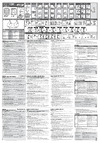
The display of your VDO computer is comprised of three large areas.
The following information is displayed in operation mode:
3. Footer: DOT matrix full-text
- display of the selected/displayed
function
- In setting mode menu prompting
(chapter 5-8) provides informa-
tion about what is shown in the
display.
MIDDLE BAR
- Actual cadence (optional)
- Actual speed
- Timing indicator for ongoing timing function
- Indicator for set alarm/alarm clock
- Walk mode indicator
- Selection indicator bike 1 / bike 2
- Arrow indicators for comparing the actual
speed to the average speed
- Service interval icon indicates that bike is
due for service
Header
- Actual altitude
- Actual temperature
- Actual ascending gradient/
descending gradient
* If the computer is worn as a sport watch then the temperature can be
falsifi ed by body warmth.
Содержание
- Vdo series z p.1
- For cycling p.1
- My settings p.2
- Open close p.4
- Picturebook picturebook p.4
- Picturebook p.5
- Picturebook p.9
- Ws in mm inch p.11
- Picturebook p.11
- Picturebook p.12
- Instruction manual p.14
- Instruction manual p.16
- Operation mode use this mode to display all information button assignment is shown on the housing p.17
- Not in walk mode p.17
- Measuring functions p.17
- Manual start stop of the stopwatch and of all other timers p.17
- Displaying the bike functions 1 displaying the bike functions 2 p.17
- Displaying all interval data stored p.17
- Displaying all altitude p.17
- Setting mode use this mode to make all settings the assignment of buttons is on the buttons p.18
- Instruction manual p.18
- In set mode number fl ashes reduce number page up within the menu level ƒ in set mode number fl ashes increase number after subsequent confi rmation of a setting the computer automatically returns to operation mode p.18
- Å once last step or back one menu level hold return to start menu select confi rm displayed option in the highest menu level select the next menu level page down within the menu level p.18
- To go to setting mode press button ç for 3 seconds p.18
- Instruction manual p.20
- Instruction manual p.22
- Instruction manual p.24
- Instruction manual p.26
- Instruction manual p.28
- Instruction manual p.30
- Instruction manual p.32
- Instruction manual p.34
- Instruction manual p.36
- Instruction manual p.38
- Instruction manual p.40
- Eu konformitätserklärung wir cycle parts gmbh grosse ahlmuehle 33 d 76865 rohrbach erklären dass die vdo fahrradcompu ter mit funkübertragung vdo z1 z2 z3 z2 pc link z3 pc link und alle sender z cad z pulse z sender dockingstation bei bestimmungsgemäßer verwendung den grundlegenden anforderungen gemäß artikel 3 der r tte richtlinie 1999 5 eg entsprechen die konformitäts erklärung finden sie unter www vdocyclecomputing com p.48
- Eu declaration of conformity we cycle parts gmbh grosse ahlmuehle 33 d 76865 rohrbach declare under our responsibility that the products vdo z1 z2 z3 z2 pc link z3 pc link and all transmitters z cad z pulse z sender dockingstation are compliant with the essential requirements and other relevant requirements of the r tte directive 1999 5 ec the declaration of conformity can be found at www vdocyclecomputer com p.48
- Rohrbach februar 2008 h j noenen p.48
- Addendum to user manual p.49
- Addendum to user manual p.50
- Vdo series z p.51
Похожие устройства
-
 Vdo A4+Инструкция по эксплуатации
 -
 Vdo A8Инструкция по эксплуатации
 -
Vdo A4Инструкция по эксплуатации
-
 Vdo A8+Инструкция по эксплуатации
 -
 Vdo HC12.6Инструкция по эксплуатации
 -
 Vdo MC1.0 PLUSИнструкция по эксплуатации
 -
 Vdo X1 DWИнструкция по эксплуатации
 -
 Vdo X2 DWИнструкция по эксплуатации
 -
 Vdo X3 DWИнструкция по эксплуатации
 -
 Vdo Z2 PCИнструкция по эксплуатации
 -
 Vdo Z3 PCИнструкция по эксплуатации
 -
 Bbb BCP-13W DASHBOARDИнструкция 4
Узнайте о трех основных областях дисплея спортивного компьютера. Откройте для себя функции, такие как текущая скорость, каденс и индикаторы состояния.