![Philips SA4TP408 — инструкция по использованию мультимедийного устройства [2/2]](/img/pdf.png)
Philips SA4TP408 — инструкция по использованию мультимедийного устройства [2/2]
![Philips SA4TP408 Инструкция по быстрому запуску онлайн [2/2] 119198](/views2/1128326/page2/bg2.png)
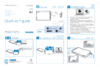
Help
Go to www.philips.com/support for support information.
Device does not respond to
the pressing of keys
Tap to display zoom control bars; drag the track ball to zoom
in/ out; swipe to pan through the picture
RESET
Press and hold to switch on/off; press to lock/ unlock
On the play screen, tap or drag on the progress bar to
select a playposition.
Tap to display play options such as
Surround for movies (Surround
sound for movie play)
Tap to switch to the library or play
screen
Tap to sort the media library by
song title, album,or artist. Tap a
song to start play.
Tap to return to the Home screen
E
Philips GoGear
Video 4.3
installer.exe
installer.exe
How to install Philips Device
Manager to update the firmware or
recover the player
To search for a frequency, swipe left/ right on the frequency bar.
Tap to mute/ unmute the radio play.
Tap to select a preset station.
Содержание
Похожие устройства
-
 Philips SA4TP408Спецификация
 -
 Philips SA4TP408Инструкция по эксплуатации
 -
 Philips SA4TP408Брошюра
 -
 Philips SA4TP404Спецификация
 -
 Philips SA4TP404Руководство пользователя
 -
 Philips SA4TP404Инструкция по быстрому запуску
 -
Philips SA4TP404Брошюра
-
 Philips SA4VD408Руководство пользователя
 -
 Philips SA4VD408Инструкция по быстрому запуску
 -
Philips SA4VD408Брошюра
-
 Philips SA5MXX08KF/97Инструкция по быстрому запуску
 -
 Philips SA5MXX08KF/97Брошюра
Узнайте, как управлять мультимедийным устройством, включая функции воспроизведения, настройки и обновления. Получите советы по использованию и устранению неполадок.