![Soundmax SM-CDM1058 — управление функциями TA и EON в автомобильной аудиосистеме [19/55]](/icons/site-icon-64.png)
Soundmax SM-CDM1058 — управление функциями TA и EON в автомобильной аудиосистеме [19/55]
Превью страниц
Страница 19 /
55
![Soundmax SM-CDM1058 Руководство по эксплуатации онлайн [19/55] 695028](/views2/1925022/page19/bg13.png)
19
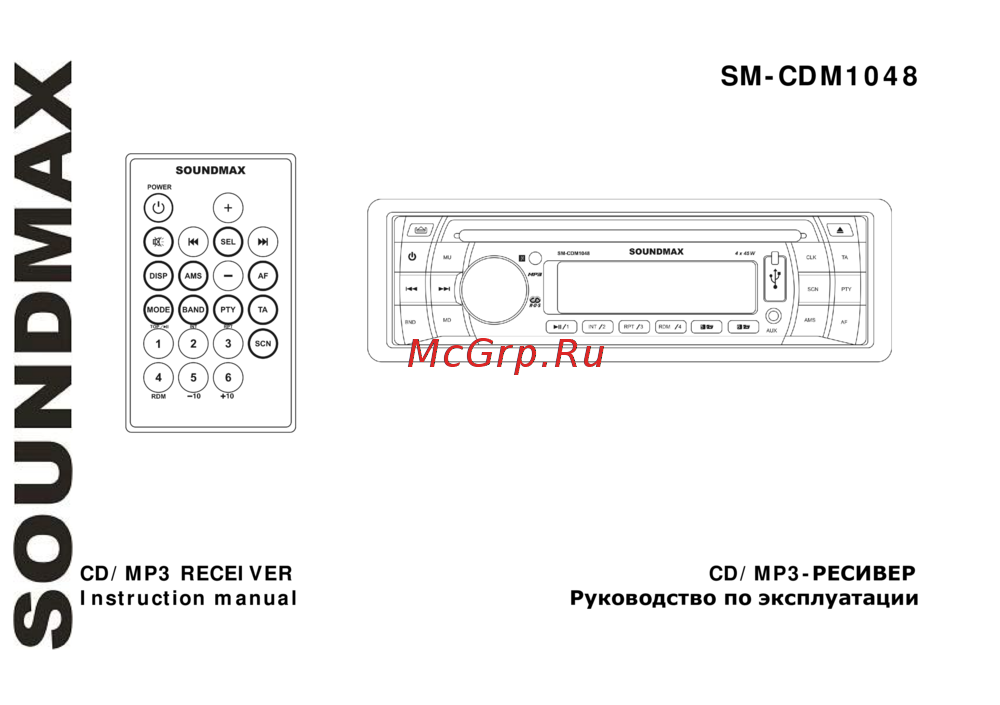
Press TA button to turn TA function on or off. Or press and hold SEL button, then press it repeatedly until the
display shows TA ON (OFF), then rotate VOL regulator or press VOL+/- buttons on the RC to switch TA
function ON or OFF.
In TA mode traffic program will be automatically searched, until the program is received. When traffic
announcement is received the unit will temporarily switch to the tuner mode (regardless of the current mode)
and begin broadcasting the announcement. After the traffic announcement is over, it will return to the
previous mode and volume level. To interrupt traffic announcement press TA button shortly; it will not switch
off the TA mode.
EON function
Press and hold TA button, EON LOC/DX mode is selected; press TA button to select EON LOC/DX. Or press
and hold SEL button then press it repeatedly until the display shows EON LOC (DX), then rotate VOL regulator
or press VOL+/- buttons on the RC to switch EON function LOC (local) or DX (distant).
EON TA DX/LOCAL: EON (Enhanced Other Networks): This unit is equipped with the technology of EON
control, so that when you are listening to Radio or CD, if there is any travel announcement from a nearby
local station, the radio will already know the frequency of the radio station. Then it will receive the station,
turn up volume, or interrupt the playback for the duration of the announcement. At the end of the
announcement the radio will return to its previous state ready for the next announcement.
PTY (Program Type)
This radio will allow you to select the type of program required, and will search for a station broadcasting that
type of program.
Press PTY button to show the music type. Then press 1 - 6 number buttons to choose different music
programs available. Press PTY button twice to show the speech type program. Then press 1 - 6 number
buttons to choose different speech programs. Each number button will show 3 different speech programs for
you to choose (see table below).
Button Music type programs Speech time programs
1 Pop, Rock News, Affairs, Info
2 Easy, Light Sport, Educate, Drama
3 Classics, Other Culture, Science, Varied
Содержание
20- Sm cdm1058
- Table of contents
- Important safeguards
- Utilization of the product
- Accessories
- Installation connections
- Panel controls
- Lcd layout
- General operations
- Radio operations
- Disc usb sd mmc operations
- Handling compact discs
- Cleaning
- Troubleshooting guide
- Specifications are subject to change without notice dimensions are approximate
- Specification
- Sel vol vol vol ta seek ta alarm tp traffic program retune pi tp ta seek ta
- Usb sd mmc
- 40 cd 120 mp3
- 2 rca 2
Похожие устройства
-
 Soundmax SM-CCR3185FBИнструкция пользователя
 -
 Soundmax SM-CCR3088AРуководство по настройке
 -
 Soundmax SM-CCR3179BИнструкция по применению
 -
 Soundmax SM-CCR3168BРуководство по работе с устройством
 -
 Soundmax SM-CCR3121FЭксплуатационная инструкция
 -
 Soundmax SM-CCR3088AРуководство по эксплуатации
 -
 Soundmax SM-CCR4705MРуководство по эксплуатации
 -
 Soundmax SM-CCR3079AРуководство по эксплуатации
 -
 Soundmax SM-CCR3169BРуководство по эксплуатации
 -
 Soundmax SM-CMMD7001Инструкция по эксплуатации
 -
 Soundmax SM-CMD3012Руководство по эксплуатации
 -
 Soundmax SM-CDM1048Руководство по эксплуатации
Узнайте, как включить и настроить функции TA и EON в вашей аудиосистеме. Получайте важные дорожные объявления и выбирайте программы по своему вкусу.