
Sennheiser EW 100 G4-945-S-A1 Руководство по эксплуатации онлайн
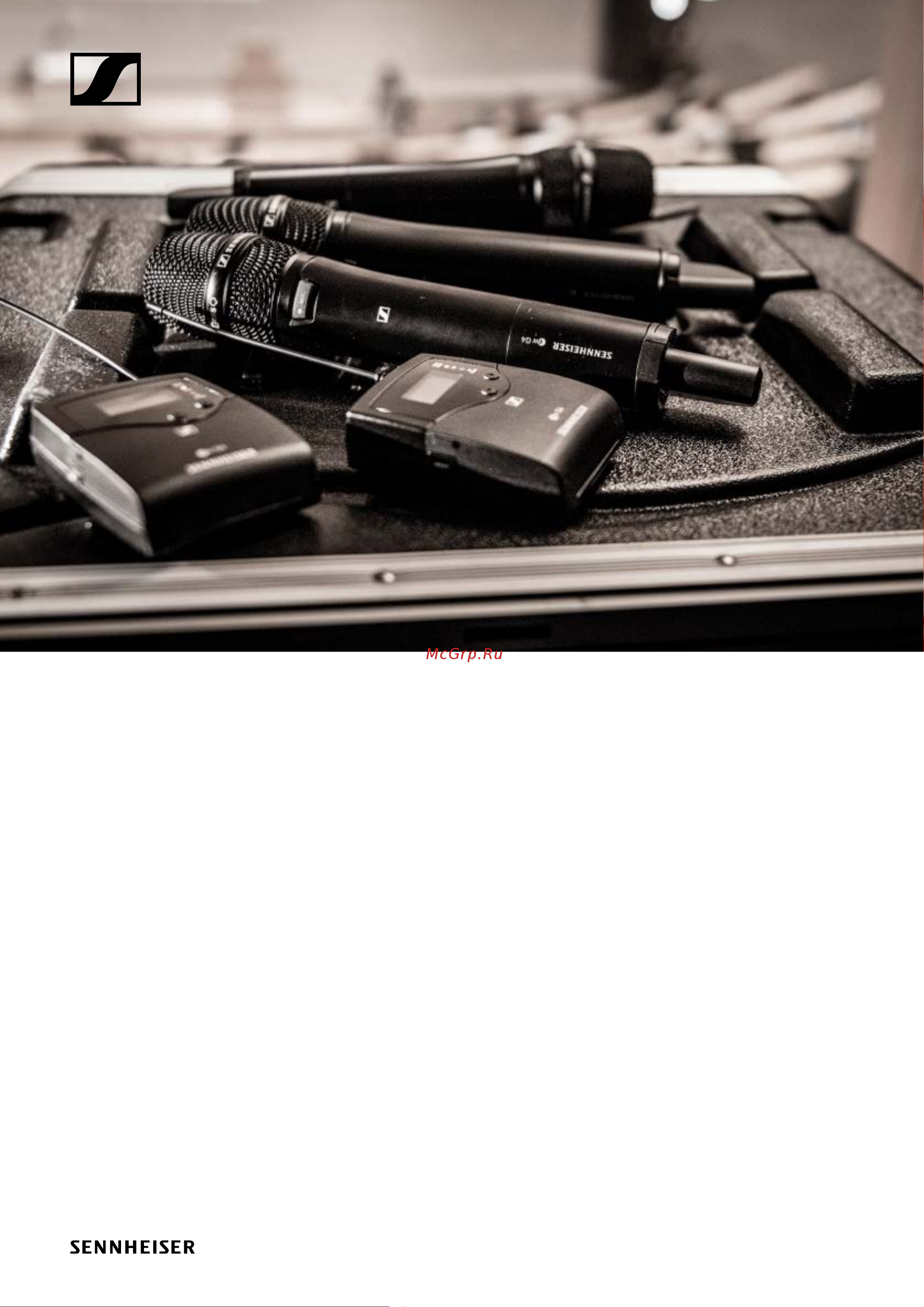
evolution wireless G4
100 series
Instruction Manual
Sennheiser electronic GmbH & Co. KG
Am Labor 1, 30900 Wedemark, Germany, www.sennheiser.com
ew 100 G4 - v1.1
Содержание
- Instruction manual p.1
- Evolution wireless g4 100 series p.1
- The frequency bank system 18 installing and starting up ew 100 g4 series devices 19 installing the em 100 g4 20 p.2
- Overview 6 ew 100 g4 series products 7 p.2
- Installing the skm 100 g4 29 p.2
- Installing the sk 100 g4 33 p.2
- Accessories 11 p.2
- Using ew 100 g4 series devices 49 using the em 100 g4 51 p.3
- Installing the asa 214 38 p.3
- Using the skm 100 g4 77 p.4
- Using the sk 100 g4 93 p.4
- Using the asa 214 109 p.5
- Overview 110 product variants 111 p.5
- Frequency tables 114 specifications 115 p.5
- Pin assignment 124 p.6
- Contact 128 p.6
- Cleaning and maintenance 126 p.6
- Product information p.7
- Overview p.7
- Ew 100 g4 series products p.8
- Em 100 g4 rack receiver p.9
- Skm 100 g4 handheld transmitter p.10
- Sk 100 g4 bodypack transmitter p.11
- Microphones and cables p.12
- Microphone modules p.12
- Accessories p.12
- Headset and lavalier microphones p.13
- Line instrument cables p.13
- Rechargeable battery and charger p.14
- L 2015 charger p.14
- Ba 2015 rechargeable battery p.14
- La 2 charging adapter p.15
- Ga 3 rack mount kit p.16
- Am 2 antenna front mounting kit p.16
- Accessories for rack mounting p.16
- Omni directional antennas p.17
- Directional antennas p.17
- Antennas and accessories p.17
- Antenna splitter p.17
- Antenna cables p.17
- Antenna amplifiers p.17
- Color labeling set p.18
- Additional accessories p.18
- Microphone clamp p.18
- The frequency bank system p.19
- Installing and starting up ew 100 g4 series devices p.20
- Installing and starting up ew 100 g4 se ries devices p.20
- Installation p.20
- Product overview for the rear side of the em 100 g4 p.21
- Installing the em 100 g4 p.21
- Connectors on the rear of the device p.21
- Connecting disconnecting the em 100 g4 to from the power supply system p.22
- Creating a data network p.23
- Setting up a multi channel system with more than 12 receivers p.24
- Outputting audio signals p.25
- Connecting antennas p.26
- Installing the em 100 g4 in a rack p.27
- Mounting a single receiver in a rack p.28
- Mounting two receivers side by side in a rack p.29
- Installing the skm 100 g4 p.30
- Inserting and removing the batteries rechargeable batteries p.30
- Battery status p.31
- Replacing the microphone module p.32
- Changing the colored ring p.33
- Installing the sk 100 g4 p.34
- Inserting and removing the batteries rechargeable batteries p.34
- Battery status p.35
- Connecting a microphone to the sk 100 g4 p.36
- Connecting an instrument or line source to the sk 100 g4 p.37
- Attaching the bodypack transmitter to clothing p.38
- Product overview for the rear side of the asa 214 p.39
- Installing the asa 214 p.39
- Connectors on the rear of the device p.39
- Connecting disconnecting the asa 214 to from the power supply system p.40
- Connecting receivers to the asa 214 p.41
- Connecting rod antennas p.42
- Connecting remote antennas p.42
- Connecting antennas p.42
- Information on antenna amplifiers and cable lengths p.43
- Option 1 two antennas supply a 4 channel system p.44
- Configuring multi channel systems p.44
- Option 3 two antennas supply a 8 channel system p.45
- Option 2 two 4 channel systems are interconnected p.45
- Installing the asa 214 in a rack p.46
- Mounting a single antenna splitter in a rack p.47
- Mounting two antenna splitters side by side in a rack p.49
- Using ew 100 g4 series devices p.50
- Operation p.50
- Using the em 100 g4 p.52
- Product overview for the front of the em 100 g4 p.52
- Operating elements on the front of the device p.52
- Switching the em 100 g4 on and off p.53
- Muting the audio output p.54
- Lock off function p.55
- Displays on the em 100 g4 display panel p.56
- Buttons for navigating through the menu p.57
- Receiver parameters standard display p.58
- Home screen p.58
- Soundcheck standard display p.59
- Rf min p.59
- Rf max p.60
- Guitar tuner standard display p.60
- Af max p.60
- Setting options in the menu p.61
- Menu structure p.62
- Squelch menu item p.63
- Easy setup menu item p.65
- Scan new list p.65
- Current list p.66
- Performing multi channel frequency setup p.67
- Setting up a multi channel system with more than 12 receivers p.68
- Frequency preset menu item p.69
- Name menu item p.70
- Af out menu item p.71
- Equalizer menu item p.72
- Auto lock menu item p.73
- Advanced menu item p.74
- Tune menu item p.75
- Setting the channel and frequency p.75
- Only adjusting the frequency p.75
- Advanced tune menu item p.75
- Advanced pilot tone menu item p.76
- Advanced guitar tuner menu item p.76
- Pilot tone menu item p.76
- Guitar tuner menu item p.76
- Software revision menu item p.77
- Reset menu item p.77
- Lcd contrast menu item p.77
- Advanced software revision menu item p.77
- Advanced reset menu item p.77
- Advanced lcd contrast menu item p.77
- Using the skm 100 g4 p.78
- Operating elements of the skm 100 g4 handheld transmitter p.78
- Switching the skm 100 g4 handheld transmitter on and off p.79
- Skm 100 g4 s p.80
- Skm 100 g4 p.80
- Muting the handheld transmitter af mute p.80
- Deactivating the rf signal rf mute p.81
- Lock off function p.82
- Displays on the skm 100 g4 handheld transmitter display panel p.83
- Select a standard display p.84
- Ew100 g4 p.84
- B ch 20 2 p.84
- 00 b ch 20 2 p.84
- Navigating through the menu p.85
- Making changes in a menu item p.85
- Buttons for navigating the skm 100 g4 menu p.85
- Setting options in the menu p.86
- Sensitivity menu item p.87
- Name menu item p.88
- Frequency preset menu item p.88
- Auto lock menu item p.89
- Advanced menu item p.90
- Only adjusting the frequency p.91
- Advanced tune menu item p.91
- Tune menu item p.91
- Setting the channel and frequency p.91
- Pilot tone menu item p.92
- Mute mode menu item skm 100 g4 s only p.92
- Lcd contrast menu item p.92
- Advanced pilot tone menu item p.92
- Advanced mute mode menu item skm 100 g4 s only p.92
- Advanced lcd contrast menu item p.92
- Software revision menu item p.93
- Reset menu item p.93
- Advanced software revision menu item p.93
- Advanced reset menu item p.93
- Using the sk 100 g4 p.94
- Operating elements of the sk 100 g4 bodypack transmitter p.94
- Switching the sk 100 g4 bodypack transmitter on and off p.95
- Muting the bodypack transmitter af mute p.96
- Deactivating the rf signal with the mute switch p.97
- Deactivating the rf signal rf mute p.97
- Deactivating the rf signal with the on off button p.98
- Lock off function p.99
- Displays on the sk 100 g4 bodypack transmitter display panel p.100
- Select a standard display p.101
- Ew100 g4 p.101
- B ch 20 2 p.101
- 00 b ch 20 2 p.101
- Navigating through the menu p.102
- Making changes in a menu item p.102
- Buttons for navigating the sk 100 g4 menu p.102
- Setting options in the menu p.103
- Sensitivity menu item p.104
- Frequency preset menu item p.104
- Auto lock menu item p.105
- Name menu item p.105
- Advanced menu item p.106
- Tune menu item p.107
- Setting the channel and frequency p.107
- Only adjusting the frequency p.107
- Advanced tune menu item p.107
- Mute mode menu item p.108
- Cable emulation menu item p.108
- Advanced mute mode menu item p.108
- Advanced cable emulation menu item p.108
- Pilot tone menu item p.109
- Lcd contrast menu item p.109
- Advanced software revision menu item p.109
- Advanced reset menu item p.109
- Advanced pilot tone menu item p.109
- Advanced lcd contrast menu item p.109
- Software revision menu item p.109
- Reset menu item p.109
- Using the asa 214 p.110
- Switching the asa 214 on and off p.110
- Operating elements on the front of the device p.110
- Specifications p.111
- Overview p.111
- Product variants p.112
- Made in germany p.112
- Em 100 g4 product variants p.112
- Assembled in the usa p.112
- Skm 100 g4 product variants p.113
- Made in germany p.113
- Assembled in the usa p.113
- Made in germany p.114
- Assembled in the usa p.114
- Sk 100 g4 product variants p.114
- Frequency tables p.115
- Specifications p.116
- Rf characteristics p.117
- Em 100 g4 p.117
- Overall device p.118
- Af characteristics p.118
- Skm 100 g4 p.119
- Rf characteristics p.119
- Af characteristics p.119
- Overall device p.120
- Sk 100 g4 p.121
- Rf characteristics p.121
- Af characteristics p.121
- Overall device p.122
- Asa 214 p.123
- Specifications p.123
- Block diagram p.124
- Pin assignment p.125
- Mm stereo jack plug balanced audio in loop out p.125
- Mm stereo jack plug p.125
- Mm mic jack plug p.125
- Mm line jack plug p.125
- Xlr 3 plug balanced p.126
- Mm stereo jack plug for headphone jack p.126
- Mm mono jack plug unbalanced p.126
- Hollow jack plug for power supply p.126
- Cleaning the sound inlet basket of the microphone module p.127
- Cleaning and maintenance p.127
- Feedback p.129
- Customer service p.129
- Contact p.129
- Instruction manual as a pdf p.129
Похожие устройства
-
 Sennheiser EW 352-G3-B-XРуководство по эксплуатации
 -
 Sennheiser FP 12-E-EUРуководство по эксплуатации
 -
 Sennheiser XSW-D Portable Base SetРуководство по эксплуатации
 -
 Sennheiser XSW-D Portable Eng SetРуководство по эксплуатации
 -
 Sennheiser EW 135P G4-A1Руководство по эксплуатации
 -
 Sennheiser EW 345 G3-B-XРуководство по эксплуатации
 -
 Sennheiser EW 100 G4-ME2-AРуководство по эксплуатации
 -
 Sennheiser EW 100 ENG G4-A1Руководство по эксплуатации
 -
 Sennheiser EW 100 ENG G4-AРуководство по эксплуатации
 -
 Sennheiser EW 100 G4-ME2-A1Руководство по эксплуатации
 -
 Sennheiser EW 122P G4-AРуководство по эксплуатации
 -
 Sennheiser EW 100 G4-ME3-AРуководство по эксплуатации