![Pioneer MVH-170UI — guía para conectar dispositivos Bluetooth y realizar llamadas [71/156]](/img/pdf.png)
Pioneer MVH-170UI — guía para conectar dispositivos Bluetooth y realizar llamadas [71/156]
Превью страниц
Страница 71 /
156
![Pioneer MVH-170UI [71/156] Gire el selector m c para seleccionar un nombre o un número de teléfono y a continuación presione para confirmar empieza la llamada telefónica](/views2/1111948/page71/bg47.png)
9Es
Español
6 Asegúrese de que aparece el mismo número de 6 dígitos en esta unidad y en el
dispositivo y, a continuación, seleccione “Sí” en el dispositivo.
NOTAS
• Aparece [DEVICE FULL] si la unidad ya se ha emparejado con tres dispositivos. En este caso, elimine
uno de los dispositivos emparejados. Consulte las opciones [DEL DEVICE] o [GUEST MODE] en el
menú de conexión (página 9).
• En función del dispositivo, se le solicitará un código PIN en el paso 6. En tal caso, escriba [0000].
SUGERENCIA
La conexión Bluetooth también se puede realizar detectando la unidad desde el dispositivo Bluetooth.
Para ello, la opción [VISIBLE] en el menú de conexión debe ajustarse en [ON]. Para obtener más datos
sobre las operaciones en dispositivos Bluetooth, consulte las instrucciones de funcionamiento
suministradas con su dispositivo Bluetooth.
Menú de conexión
En primer lugar, establezca una conexión Bluetooth con el teléfono Bluetooth (página 8).
Se pueden conectar hasta dos teléfonos Bluetooth de forma simultánea.
Importante
• Si deja la unidad en espera para conectar con su teléfono a través de Bluetooth sin el motor
encendido, consumirá batería del vehículo.
• Antes de realizar estas operaciones, asegúrese de aparcar el vehículo en un lugar seguro y aplicar el
freno de estacionamiento.
Para realizar una llamada telefónica
1
Pulse para ver el menú del teléfono.
Cuando se conectan dos teléfonos, primero aparece el nombre del teléfono y, a
continuación, se muestra el menú del teléfono. Para cambiar al otro teléfono, pulse
de nuevo.
2 Gire el selector M.C. para seleccionar [MISSED], [DIALLED], [RECEIVED] o [PHONE
BOOK] y, a continuación, presione para confirmar.
Aparece la lista de números de teléfono.
3 Gire el selector M.C. para seleccionar un nombre o un número de teléfono y, a
continuación, presione para confirmar.
Empieza la llamada telefónica.
Para responder una llamada entrante
1
Pulse al recibir una llamada.
SUGERENCIA
Cuando hay dos teléfonos conectados a la unidad mediante Bluetooth y aparece una llamada entrante
mientras que el otro teléfono está en uso, aparecerá un mensaje en el visor. Para responder a esa
llamada entrante, debe finalizar primero la llamada existente.
Opción del menú Descripción
DEVICELIST Muestra la lista de dispositivos Bluetooth emparejados. Aparece
“*” en el nombre del dispositivo cuando se ha establecido la
conexión Bluetooth.
DEL DEVICE Elimine la información del dispositivo.
[DELETE YES],
[DELETE NO]
ADD DEVICE Registre un nuevo dispositivo.
A.CONN Seleccione [ON] para conectar con un dispositivo Bluetooth
automáticamente.
[ON], [OFF]
VISIBLE Seleccione [ON] para que un dispositivo Bluetooth pueda
detectar la unidad cuando la unidad está conectada a través de
Bluetooth a otro dispositivo.
[ON], [OFF]
PIN CODE Cambie el código PIN.
1 Presione el selector M.C. para que aparezca el modo de
ajuste.
2 Gire el selector M.C. para seleccionar un número.
3 Presione el selector M.C. para mover el cursor a la siguiente
posición.
4 Después de introducir el código PIN, mantenga presionado el
selector M.C..
Después de introducir el código PIN, mantenga presionado el
selector M.C. para volver a la pantalla de introducción del
código PIN y cambiar el código PIN.
DEV. INFO Alterne entre la dirección del dispositivo Bluetooth y el nombre
del dispositivo en la información mostrada.
GUEST MODE Seleccione [ON] para pasar automáticamente a la pantalla [DEL
DEVICE] si la unidad ya se ha emparejado con tres dispositivos.
[ON], [OFF]
A.PAIRING Seleccione [ON] para emparejar la unidad y el iPhone
automáticamente si se conecta un iPhone a la unidad a través
de USB. (Es posible que esta función no esté disponible, en
función de la versión de iOS que utilice.)
[ON], [OFF]
Teléfono Bluetooth
Opción del menú Descripción
Содержание
764- Mvh x370bt mvh 170ui mvh 170ubg mvh 170ub
- Operation manual mode d emploi manuale d istruzioni manual de instrucciones bedienungsanleitung handleiding руководство пользователя
- Digital media receiver autoradio numérique de média ricevitore multimediale digitale receptor digital de medios digitaler media receiver digital media receiver цифровой мультимедийный приемник
- Bluetooth 8
- Connections installation 15
- About this manual
- Additional information 18
- Settings 11
- App mode 10
- Usb ipod aux 6
- Table of contents
- Radio 5
- Getting started 3
- Function settings 11 audio settings 12 system settings 13 illumination settings 13 mixtrax settings 13
- Before you start 3
- Getting started
- Before you start
- Mvh x370bt 170ui 170ubg 170ub
- Frequently used operations
- Basic operation
- Detaching the front panel
- Setup menu
- Display indication
- Detach attach
- Initial settings
- Canceling the demonstration display demo off
- Receiving preset stations
- Best stations memory bsm
- To store stations manually
- To seek a station manually
- Usb device ipod
- Using pty functions
- Usb ipod aux
- Playing back
- You can access songs based on the artist album or genre currently playing
- While listening to a song press and hold to enter the link play mode
- Useful functions for ipod
- Turn the m c dial to select the mode artist album genre then press to confirm the selected song album will be played after the currently playing song
- Press src off to select aux as the source
- Press band during playback then select the control mode control ipod ctrl ipod the unit s ipod function can be operated from the connected ipod control audio ctrl audio the unit s ipod function can only be operated by the buttons on the unit in this mode the connected ipod cannot be turned on or off
- Operations
- Link play mode
- Ipod control
- Insert the stereo mini plug into the aux input jack
- You can make various adjustments in the function settings page 11 note that the following operations do not work for an aux device to operate an aux device use the device itself
- You can control the unit via a connected ipod the following ipod models are not compatible with this function ipod nano 1st generation ipod with video
- Bluetooth
- Only for mvh x370bt
- Bluetooth connection
- About mixtrax usb ipod only
- Voice recognition only for iphone
- To preset phone numbers
- To make a phone call
- To answer an incoming call
- Phone menu
- Bluetooth telephone
- Basic operations
- Bluetooth audio
- Basic operations
- App mode
- Settings
- Playback of an application via the unit
- Function settings
- Basic operations
- Audio settings
- You can also access to these menus when the unit is turned off
- System settings
- Only for mvh x370bt
- Mixtrax settings
- Illumination settings
- Power cord
- Connections installation
- This unit
- Connections
- Power amp sold separately
- Installation
- Din front rear mount
- To install on the sun visor
- To install on the steering column
- Installing the microphone
- Usb device ipod
- Troubleshooting
- Error messages
- Common
- Bluetooth device
- Additional information
- Usb device
- Mp3 files
- Ipod compatibility
- Handling guidelines
- Flac files only for mvh 170ui 170ubg 170ub
- Compressed audio compatibility
- Wma files
- Wav files
- Usb storage device
- Sequence of audio files
- Russian character chart
- Example of a hierarchy
- D display c character
- Copyright and trademark
- Specifications
- Mw tuner
- Lw tuner
- General
- Fm tuner
- Bluetooth
- Table des matières
- Avant de commencer
- Opérations fréquemment utilisées
- Mvh x370bt 170ui 170ubg 170ub
- Mise en route
- Fonctionnement de base
- Retrait de la face avant
- Retirer fixer
- Menu de configuration
- Indication de l affichage
- Réglages initial
- Réception des stations mémorisées
- Annulation de l affichage de démonstration demo off
- Périphérique usb ipod
- Pour rechercher une station manuellement
- Pour mémoriser des stations manuellement
- Mémoire des meilleures stations bsm
- Lecture
- Utilisation des fonctions pty
- Usb ipod aux
- Opérations
- Attention
- Uniquement pour le modèle mvh x370bt
- Fonctions utiles pour ipod à propos de mixtrax usb ipod uniquement
- Connexion bluetooth
- Bluetooth
- Sélectionnez pioneer bt unit qui s affiche sur le périphérique
- Remarques
- Pour passer un appel téléphonique
- Menu de connexion
- Important
- Conseil
- Assurez vous que le même numéro à 6 chiffres apparaît sur cet appareil et le périphérique puis sélectionnez oui sur le périphérique
- Appuyez sur pour afficher le menu de téléphone lorsque deux téléphones sont connectés un nom de téléphone apparaît en premier puis le menu de téléphone s affiche pour passer à l autre téléphone appuyez de nouveau sur
- Établissez d abord une connexion bluetooth avec le téléphone bluetooth page 8 deux téléphones bluetooth maximum peuvent être connectés de manière simultanée
- Téléphone bluetooth
- Tournez la molette m c pour sélectionner un périphérique dans la liste des périphériques puis appuyez pour valider appuyez longuement sur la molette m c pour commuter les informations de périphérique affichées entre le nom du périphérique et l adresse du périphérique bluetooth
- Tournez la molette m c pour sélectionner missed dialled received ou phone book puis appuyez pour valider la liste de numéros de téléphone apparaît
- Pour répondre à un appel entrant
- Pour quitter le mode de reconnaissance vocale appuyez sur band
- Pour présélectionner des numéros de téléphone
- Pour passer un appel à l aide d un numéro de présélection appuyez sur l une des touches numériques 1 à 6 puis appuyez sur la molette m c
- Opérations de base
- Menu de téléphone
- Conseil
- Cette fonction n est disponible que si un iphone équipé de la reconnaissance vocale est connecté à l appareil via bluetooth
- Appuyez sur lorsque vous recevez un appel
- Appuyez sur la molette m c puis parlez dans le microphone pour entrer les commandes vocales
- Appuyez longuement sur la molette m c pour activer le mode de reconnaissance vocale
- Appuyez longuement sur l une des touches numériques 1 à 6 le contact est mémorisé sous le numéro de présélection choisi
- Tournez la molette m c pour sélectionner un nom ou un numéro de téléphone puis appuyez pour valider l appel téléphonique commence
- Sélectionnez un numéro de téléphone depuis un répertoire ou l historique des appels
- Remarque
- Reconnaissance vocale pour iphone uniquement
- Opérations de base
- Mode d application
- Lecture d une application via cet appareil
- Audio bluetooth
- Réglages function
- Réglages
- Remarques
- Opérations de base
- Les éléments de menu varient selon la source
- Appuyez sur src off pour sélectionner app
- Appuyez sur la molette m c pour afficher le menu principal
- Activez le périphérique mobile pour lancer l application
- Vous pouvez régler divers paramètres dans le menu principal
- Vous pouvez procéder à différents ajustements dans les réglages function page 12
- Tournez la molette m c pour sélectionner les options puis appuyez pour valider
- Tournez la molette m c pour sélectionner l une des catégories suivantes puis appuyez pour valider réglages function page 12 réglages audio page 13 réglages system page 14 réglages illumination page 14 réglages mixtrax page 15
- Tournez la molette m c pour sélectionner l un des éléments suivants puis appuyez pour valider sélectionnez wired pour iphone sélectionnez bluetooth pour un périphérique android
- Tournez la molette m c pour sélectionner app conn set puis appuyez pour valider
- Réglages audio
- Vous pouvez également accéder à ces menus lorsque l appareil est hors tension
- Réglages system
- Réglages illumination
- Uniquement pour le modèle mvh x370bt
- Réglages mixtrax
- Raccordements installation
- Raccordements
- Cordon d alimentation
- Cet appareil
- Montage avant arrière din
- Installation
- Amplificateur de puissance vendu séparément
- Pour installer l appareil sur le pare soleil
- Pour installer l appareil sur la colonne de direction
- Installation du microphone
- Périphérique usb ipod
- Messages d erreur
- Informations complémentaires
- Dépannage
- Commun
- Fichiers flac uniquement pour les modèles mvh 170ui 170ubg 170ub
- Conseils sur la manipulation
- Compatibilité avec l audio compressé
- Attention
- Applications
- Périphérique usb
- Périphérique de stockage usb
- Périphérique bluetooth
- Fichiers wma
- Fichiers wav
- Fichiers mp3
- Tableau des caractères cyrilliques
- Séquence des fichiers audio
- Exemple de hiérarchie
- Droits d auteur et marques commerciales
- Compatibilité avec un ipod
- Syntoniseur fm
- Remarque
- Généralités
- Caractéristiques techniques
- Bluetooth
- Syntoniseur mw
- Syntoniseur lw
- Sommario
- Prima di iniziare
- Operazioni preliminari
- Operazioni frequenti
- Mvh x370bt 170ui 170ubg 170ub
- Funzionamento di base
- Stacca attacca
- Rimozione del frontalino
- Menu di configurazione
- Indicazione del display
- Ricezione delle stazioni preimpostate
- Impostazioni initial
- Annullamento della visualizzazione di dimostrazione demo off
- Dispositivo usb ipod
- Uso delle funzioni pty
- Usb ipod aux
- Riproduzione
- Per memorizzare manualmente le stazioni
- Per cercare manualmente una stazione
- Memorizzazione delle stazioni migliori bsm
- È possibile effettuare diverse regolazioni nelle impostazioni function pagina 12 si prega di notare che le seguenti operazioni non funzionano con un dispositivo aux per far funzionare un dispositivo aux utilizzare il dispositivo stesso
- Premere src off per selezionare aux come sorgente
- Operazioni
- Inserire la spina mini stereo nel jack di ingresso aux
- Connessione mtp
- Solo per mvh x370bt
- Funzioni utili per ipod informazioni su mixtrax solo usb ipod
- Connessione bluetooth
- Bluetooth
- Assicurarsi che il medesimo numero a 6 cifre venga visualizzato sull unità e sul dispositivo quindi selezionare sì sul dispositivo
- Telefono bluetooth
- Selezionare pioneer bt unit visualizzato sul display del dispositivo
- Ruotare la ghiera m c per selezionare un nome o un numero di telefono quindi premere per confermare viene avviata la telefonata
- Ruotare la ghiera m c per selezionare missed dialled received o phone book quindi premere per confermare viene visualizzato l elenco dei numeri di telefono
- Premere quando si riceve una chiamata
- Premere per visualizzare il menu del telefono se sono connessi due telefoni viene visualizzato prima il nome di un telefono quindi viene visualizzato il menu del telefono per passare all altro telefono premere nuovamente
- Per risponde a una chiamata in entrata
- Per prima cosa effettuare una connessione bluetooth con il telefono bluetooth pagina 8 è possibile connettere fino a due telefoni bluetooth simultaneamente
- Per effettuare una telefonata
- Menu di connessione
- Importante
- Per effettuare una chiamata utilizzando un numero preimpostato premere uno dei pulsanti numerici da 1 a 6 quindi premere la ghiera m c
- Operazioni di base
- Menu del telefono
- Importante
- Audio bluetooth
- Tenere premuto uno dei pulsanti numerici da 1 a 6 il contatto viene memorizzato sul numero preimpostato selezionato
- Tenere premuta la ghiera m c per attivare la modalità di riconoscimento vocale
- Selezionare un numero di telefono da una rubrica o dalla cronologia delle chiamate
- Riconoscimento vocale solo per iphone
- Questa funzione è disponibile solo quando un iphone dotato di riconoscimento vocale viene collegato all unità via bluetooth
- Premere la ghiera m c quindi parlare nel microfono per inserire i comandi vocali
- Per uscire dalla modalità di riconoscimento vocale premere band
- Per preimpostare i numeri di telefono
- Riproduzione di un applicazione attraverso l unità
- Operazioni di base
- Modalità app
- Ruotare la ghiera m c per selezionare le opzioni quindi premere per confermare
- Premere la ghiera m c per visualizzare il menu principale
- Le voci del menu variano a seconda della sorgente
- Impostazioni function
- Impostazioni
- È possibile regolare diverse impostazioni nel menu principale
- Ruotare la ghiera m c per selezionare una delle seguenti categorie quindi premere per confermare impostazioni function pagina 12 impostazioni audio pagina 13 impostazioni system pagina 13 impostazioni illumination pagina 14 impostazioni mixtrax pagina 14
- È anche possibile accedere a questi menu quando l unità è spenta
- Impostazioni system
- Impostazioni audio
- Solo per mvh x370bt
- Impostazioni mixtrax
- Impostazioni illumination
- L unità
- Connessioni installazione
- Connessioni
- Cavo di alimentazione
- Montaggio din anteriore posteriore
- Installazione
- Amplificatore di potenza venduto separatamente
- Installazione del microfono
- Per l installazione sul piantone dello sterzo
- Per l installazione sul parasole
- Risoluzione dei problemi
- Messaggi di errore
- Informazioni aggiuntive
- Dispositivo usb ipod
- Dispositivo bluetooth
- Comuni
- File wma
- File wav
- File mp3
- File flac solo per mvh 170ui 170ubg 170ub
- Dispositivo usb
- Dispositivo di archiviazione usb
- Compatibilità audio compresso
- Attenzione
- Linee guida di gestione
- Sequenza di file audio
- Grafico caratteri russi
- Esempio di gerarchia
- Copyright e marchio
- Compatibilità ipod
- Tuner mw
- Tuner lw
- Tuner fm
- Specifiche
- Generali
- Bluetooth
- Índice
- Mvh x370bt 170ui 170ubg 170ub
- Funcionamiento básico
- Antes de empezar
- Procedimientos iniciales
- Operaciones más frecuentes
- Menú de configuración
- Indicaciones en pantalla
- Extracción del frontal
- Extracción colocación
- Recepción de emisoras memorizadas
- Cancelación de la pantalla de demostración demo off
- Ajustes de initial
- Uso de las funciones pty
- Usb ipod aux
- Reproducción
- Para buscar una emisora manualmente
- Para almacenar las emisoras manualmente
- Memoria de las mejores emisoras bsm
- Dispositivo usb ipod
- Operaciones
- Precaución
- Solo para mvh x370bt
- Funciones útiles para ipod acerca de mixtrax solo usb ipod
- Conexión bluetooth
- Bluetooth
- Pulse para ver el menú del teléfono cuando se conectan dos teléfonos primero aparece el nombre del teléfono y a continuación se muestra el menú del teléfono para cambiar al otro teléfono pulse de nuevo
- Pulse al recibir una llamada
- Para responder una llamada entrante
- Para realizar una llamada telefónica
- Menú de conexión
- Importante
- Gire el selector m c para seleccionar un nombre o un número de teléfono y a continuación presione para confirmar empieza la llamada telefónica
- Gire el selector m c para seleccionar missed dialled received o phone book y a continuación presione para confirmar aparece la lista de números de teléfono
- En primer lugar establezca una conexión bluetooth con el teléfono bluetooth página 8 se pueden conectar hasta dos teléfonos bluetooth de forma simultánea
- Asegúrese de que aparece el mismo número de 6 dígitos en esta unidad y en el dispositivo y a continuación seleccione sí en el dispositivo
- Teléfono bluetooth
- Sugerencia
- Seleccione un número de teléfono de la agenda o del historial de llamadas
- Reconocimiento de voz solo para iphone
- Para salir del modo de reconocimiento de voz pulse band
- Para realizar una llamada a partir de un número memorizado pulse uno de los botones numéricos de 1 a 6 y a continuación presione el selector m c
- Para memorizar números de teléfono
- Menú del teléfono
- Mantenga pulsado uno de los botones numéricos de 1 a 6 el contacto se guarda en el número de memoria seleccionado
- Mantenga presionado el selector m c y pronuncie las órdenes de control por voz hablando directamente al micrófono
- Mantenga presionado el selector m c para activar el modo de reconocimiento de voz
- Importante
- Funcionamiento básico
- Esta función solo está disponible si hay un iphone con función de reconocimiento de voz conectado a la unidad a través de bluetooth
- Audio bluetooth
- Funcionamiento básico
- Reproducción de una aplicación a través de la unidad
- Modo app
- Puede realizar varios ajustes en los ajustes de function página 12
- Puede ajustar diferentes valores en el menú principal
- Presione el selector m c para que aparezca el menú principal
- Los elementos de los menús varían en función de la fuente
- Gire el selector m c para seleccionar una de las categorías siguientes y a continuación presione para confirmar ajustes de function página 12 ajustes de audio página 13 ajustes de system página 14 ajustes de illumination página 14 ajustes de mixtrax página 14
- Gire el selector m c para seleccionar las opciones y a continuación presione para confirmar
- Funcionamiento básico
- Ajustes de function
- Ajustes
- Ajustes de audio
- Solo para mvh x370bt
- Ajustes de system
- Ajustes de mixtrax
- Ajustes de illumination
- También puede acceder a estos menús cuando la unidad está apagada
- Esta unidad
- Conexiones instalación
- Conexiones
- Cable de alimentación
- Soporte din frontal trasero
- Instalación
- Amplificador vendido por separado
- Instalación en la visera
- Instalación en la columna de dirección
- Instalación del micrófono
- Solución de problemas
- Mensajes de error
- Información complementaria
- Generales
- Dispositivo usb ipod
- Precaución
- Instrucciones de manipulación
- Dispositivo de almacenamiento usb
- Dispositivo bluetooth
- Compatibilidad con formatos de audio comprimido
- Archivos wma
- Archivos wav
- Archivos mp3
- Archivos flac solo para mvh 170ui 170ubg 170ub
- Tabla de caracteres de ruso
- Secuencia de archivos de audio
- Dispositivo usb
- Copyright y marcas registradas
- Compatibilidad de modelos de ipod
- Especificaciones
- Bluetooth
- Sintonizador mw
- Sintonizador lw
- Sintonizador fm
- General
- Inhaltsverzeichnis
- Vorsicht
- Im problemfall
- Bevor sie beginnen
- Achtung
- Mvh x370bt 170ui 170ubg 170ub
- Häufig verwendete bedienvorgänge
- Grundlagen der bedienung
- Erste schritte
- Anzeige im display
- Abnehmen anbringen
- Abbrechen der demoanzeige demo off
- Einrichtungsmenü
- Abnehmen des bedienfelds
- Sender manuell suchen
- Initial einstellungen
- Empfangen von voreingestellten sendern
- Beste sender speicher bsm
- Wiedergabe
- Usb ipod aux
- Usb gerät ipod
- Sender manuell speichern
- Pty funktionen nutzen
- Schließen sie den stereo mini stecker an der aux eingangsbuchse an
- In den function einstellungen können sie verschiedene anpassungen vornehmen seite 13 beachten sie dass die folgenden bedienvorgänge nicht für ein aux gerät anwendbar sind um ein aux gerät zu bedienen verwenden sie das gerät selbst
- Hinweis
- Drücken sie src off um aux als quelle auszuwählen
- Bedienvorgänge
- Nützliche funktionen für ipods über mixtrax nur usb ipod
- Nur für mvh x370bt
- Bluetooth verbindung
- Bluetooth
- Wählen sie die im display des externen geräts angezeigte option pioneer bt unit aus
- Wichtig
- Vergewissern sie sich dass auf beiden geräten dieselbe 6 stellige zahl angezeigt wird und wählen sie dann am externen gerät die option yes ja
- Verbindungsmenü
- Telefonieren
- Stellen sie als erstes eine bluetooth verbindung zum bluetooth telefon her seite 9 es können bis zu zwei bluetooth telefone gleichzeitig angeschlossen werden
- Hinweise
- Drücken sie um das telefonmenü anzuzeigen wenn zwei telefone angeschlossen sind erscheint zuerst der telefonname und dann das telefonmenü um zu einem anderen telefon zu wechseln drücken sie erneut
- Drehen sie den m c regler um missed dialled received oder phone book auszuwählen und drücken sie ihn dann um den vorgang zu bestätigen die telefonnummernliste erscheint
- Bluetooth telefon
- Drehen sie den m c regler um einen namen oder eine telefonnummer auszuwählen und drücken sie dann den regler um den vorgang zu bestätigen der anruf wird getätigt
- Diese funktion ist nur verfügbar wenn ein iphone mit spracherkennungsfunktion über bluetooth am gerät angeschlossen ist
- Wählen sie eine telefonnummer aus dem telefonbuch oder anrufverlauf aus
- Um eine kurzwahlnummer für einen anruf zu verwenden drücken sie eine der zifferntasten 1 bis 6 und drücken sie dann den m c regler
- Um den spracherkennungsmodus zu verlassen drücken sie band
- Telefonmenü
- Spracherkennung nur für iphone
- Kurzwahlnummern speichern
- Hinweis
- Halten sie eine der zifferntasten 1 bis 6 gedrückt der eintrag wird auf der ausgewählten zifferntaste gespeichert
- Halten sie den m c regler gedrückt um den spracherkennungsmodus zu aktivieren
- Grundlegende bedienvorgänge
- Eingehenden anruf annehmen
- Drücken sie wenn ein anruf empfangen wird
- Drücken sie den m c regler und sprechen sie dann in das mikrofon um sprachbefehle einzugeben
- Grundlegende bedienvorgänge
- Bluetooth audio
- App modus
- Wiedergabe einer anwendung über das gerät
- Sie können im hauptmenü verschiedene einstellungen vornehmen
- In den function einstellungen können sie verschiedene anpassungen vornehmen seite 13
- Hinweise
- Grundlegende bedienvorgänge
- Function einstellungen
- Einstellungen
- Drücken sie src off um app auszuwählen
- Drehen sie den m c regler um eine der nachstehenden optionen auszuwählen und drücken sie dann den regler um den vorgang zu bestätigen wählen sie wired für ein iphone wählen sie bluetooth für ein android gerät
- Drehen sie den m c regler um eine der nachstehenden kategorien auszuwählen und drücken sie ihn dann um den vorgang zu bestätigen function einstellungen seite 13 audio einstellungen seite 14 system einstellungen seite 15 illumination einstellungen seite 15 mixtrax einstellungen seite 16
- Drehen sie den m c regler um die optionen auszuwählen und drücken sie ihn dann um den vorgang zu bestätigen
- Drehen sie den m c regler um das hauptmenü anzuzeigen
- Drehen sie den m c regler um app conn set auszuwählen und drücken sie ihn dann um den vorgang zu bestätigen
- Die menüpunkte können sich je nach quelle unterscheiden
- Bedienen sie das mobile gerät um die anwendung zu starten
- Audio einstellungen
- System einstellungen
- Sie können auch bei ausgeschaltetem gerät auf diese menüs zugreifen
- Illumination einstellungen
- Nur für mvh x370bt
- Mixtrax einstellungen
- Stromkabel
- Dieses gerät
- Anschlüsse einbau
- Anschlüsse
- Leistungsverstärker separat erhältlich
- Einbau
- Din montage von vorn hinten
- Anbringen des mikrofons
- Anbringen an der sonnenblende
- Anbringen an der lenksäule
- Allgemeines
- Zusätzliche informationen
- Usb gerät ipod
- Fehlermeldungen
- Fehlerbehebung
- Wma dateien
- Wav dateien
- Vorsicht
- Usb speichergerät
- Mp3 dateien
- Kompatibilität komprimierter audioformate
- Handhabungsrichtlinien
- Bluetooth gerät
- Russische zeichentabelle
- Reihenfolge von audiodateien
- Ipod kompatibilität
- Flac dateien nur für mvh 170ui 170ubg 170ub
- Usb gerät
- Urheberrechte und marken
- Technische daten
- Mw tuner
- Lw tuner
- Fm tuner
- Bluetooth
- Allgemeines
- Hinweis
- Inhoud
- Vóór u begint
- Vaak gebruikte functies
- Mvh x370bt 170ui 170ubg 170ub
- Basisbediening
- Aan de slag
- Display indicatie
- Verwijderen terugzetten
- Instellingenmenu
- Het voorpaneel verwijderen
- Voorgeprogrammeerde zenders ontvangen
- Initial instellingen
- De demonstratieweergave annuleren demo off
- Zenders handmatig opslaan
- Weergave
- Usb ipod aux
- Usb apparaat ipod
- Pty functies gebruiken
- Een zender handmatig zoeken
- Best stations memory bsm
- Druk op src off om aux als bron te selecteren
- Draai de m c knop om de modus artist album genre te selecteren druk daarna op de knop om te bevestigen
- Bedieningen
- U kunt songs oproepen op basis van de momenteel weergegeven artiest album of genre
- U kunt diverse instellingen uitvoeren in de function instellingen pagina 12 merk op dat de volgende bedieningen niet werken voor een aux apparaat om een aux apparaat te bedienen gebruikt u het apparaat zelf
- Terwijl u naar een song luistert houdt u ingedrukt om naar de link weergavemodus te gaan
- Steek de stereo miniplug in de aux ingangsaansluiting
- Opmerking
- Nuttige functies voor ipod
- Mtp verbinding
- Link weergavemodus
- Over mixtrax alleen usb ipod
- Bluetooth verbinding
- Bluetooth
- Alleen voor mvh x370bt
- Breng eerst een bluetooth verbinding tot stand met de bluetooth telefoon pagina 8 er kunnen maximaal twee bluetooth telefoons tegelijkertijd worden verbonden
- Bluetooth telefoon
- Belangrijk
- Basisbedieningen
- Verbindingsmenu
- Telefoneren
- Een binnenkomende oproep beantwoorden
- Druk op wanneer er een oproep binnenkomt
- Druk op om het telefoonmenu weer te geven wanneer twee telefoons zijn verbonden wordt eerst de naam van een telefoon weergegeven en vervolgens een telefoonmenu om naar een andere telefoon over te schakelen drukt u opnieuw op
- Draai de m c knop om een naam of telefoonnummer te selecteren druk daarna op de knop om te bevestigen het telefoongesprek begint
- Draai aan de m c knop om missed dialled received of phone book te selecteren waarna u op de knop drukt om te bevestigen de lijst met telefoonnummers verschijnt
- Druk op src off om bt audio als bron te selecteren
- Druk op de m c knop en spreek in de microfoon om spraakopdrachten te geven
- Druk op band om de weergave te starten
- Druk op band om de spraakherkenningsfunctie te sluiten
- Deze functie is alleen beschikbaar wanneer een iphone die over spraakherkenning beschikt via bluetooth verbonden is met het toestel
- Breng een bluetooth verbinding tot stand met de bluetooth audiospeler
- Bluetooth audio
- Belangrijk
- U kunt diverse instellingen uitvoeren in de function instellingen pagina 12
- Basisbedieningen
- Telefoonnummers opslaan
- Telefoonmenu
- Spraakherkenning alleen voor iphone
- Selecteer een telefoonnummer uit een telefoonboek of gesprekslijst
- Opmerking
- Om een oproep tot stand te brengen met behulp van een voorkeuzenummer drukt u op een van de cijfertoetsen 1 tot 6 waarna u op de m c knop drukt
- Hou een van de cijfertoetsen 1 tot 6 ingedrukt de contactpersoon wordt opgeslagen onder het geselecteerde voorkeuzenummer
- Hou de m c knop ingedrukt om de spraakherkenning te activeren
- Een applicatie weergeven via het toestel
- Basisbedieningen
- App modus
- Druk op de m c knop om het hoofdmenu weer te geven
- Draai vervolgens aan de m c knop om een van de volgende categorieën te selecteren druk daarna op de knop om te bevestigen function instellingen pagina 12 audio instellingen pagina 13 system instellingen pagina 13 illumination instellingen pagina 14 mixtrax instellingen pagina 14
- Draai de m c knop om de opties te selecteren druk daarna op de knop om te bevestigen
- De menu items zijn afhankelijk van de bron
- U kunt diverse instellingen aanpassen in het hoofdmenu
- Opmerkingen
- Instellingen
- Function instellingen
- U kunt deze menu s ook oproepen wanneer het toestel uitgeschakeld is
- System instellingen
- Audio instellingen
- Mixtrax instellingen
- Illumination instellingen
- Alleen voor mvh x370bt
- Verbindingen installatie
- Verbindingen
- Stroomkabel
- Dit toestel
- Eindversterker afzonderlijk verkocht
- Din voor of achterchassis
- Installatie
- Installeren op de zonneklep
- Installeren op de stuurkolom
- De microfoon installeren
- Usb apparaat ipod
- Problemen verhelpen
- Foutmeldingen
- Algemeen
- Aanvullende informatie
- Wav bestanden
- Usb opslagapparaat
- Mp3 bestanden
- Let op
- Compatibiliteit met gecomprimeerde audio
- Bluetooth apparaat
- Aanwijzingen voor het gebruik
- Wma bestanden
- Volgorde van audiobestanden
- Usb apparaat
- Lijst van russische tekens
- Flac bestanden alleen voor mvh 170ui 170ubg 170ub
- Copyright en handelsmerken
- Compatibiliteit met ipod
- Technische gegevens
- Mw tuner
- Lw tuner
- Fm tuner
- Bluetooth
- Algemeen
- Opmerking
- Содержание
- Перед началом эксплуатации
- Внимание
- Только для mvh 170ui 170ubg 170ub
- При возникновении проблем
- Предупреждение
- Основные операции
- Часто используемые операции
- Начало работы
- Индикация на дисплее
- Mvh x370bt 170ui 170ubg 170ub
- Настройки initial
- Установочное меню
- Снятие установка
- Снятие передней панели
- Отмена демонстрационного дисплея demo off
- Прием сохраненных станций
- Память для записи избранных станций bsm
- Использование функций pty
- Сохранение станций вручную
- Радио
- Поиск станции вручную
- Операции
- Воспроизведение
- Usb устройство ipod
- Usb ipod aux
- Примечания
- Примечание
- Полезные функции для ipod
- Поверните регулятор m c для выбора режима artist album genre затем нажмите его для подтверждения выбора выбранная композиция альбом будут воспроизведены после текущей композиции
- Вы можете управлять устройством с помощью подключенного ipod следующие модели ipod несовместимы с данной функцией ipod nano 1 го поколения ipod с видео
- Вы можете осуществить доступ к композициям на основе текущего исполнителя альбома или жанра
- Во время воспроизведения нажмите band затем выберите режим управления control ipod ctrl ipod функцией ipod устройства можно управлять с подключенного ipod control audio ctrl audio функцией ipod устройства можно управлять с помощью кнопок на устройстве в данном режиме подключенное устройство ipod нельзя включить или выключить
- Во время воспроизведения композиции нажмите и удерживайте для перехода в режим ссылочного воспроизведения
- Управление ipod
- Режим ссылочного воспроизведения
- Только для mvh x370bt
- Подключение по bluetooth
- Информация о mixtrax только для usb ipod
- Bluetooth
- Телефон bluetooth
- Распознавание голоса только для iphone
- Предустановка телефонных номеров
- Ответ на входящий вызов
- Основные операции
- Выполнение телефонных вызовов
- Режим приложения
- Основные операции
- Меню телефона
- Bluetooth аудио
- Основные операции
- Настройки function
- Настройки
- Использование приложения на устройстве
- Настройки audio
- Настройки system
- Вы можете получить доступ к этим меню даже если устройство выключено
- Только для mvh x370bt
- Настройки mixtrax
- Настройки illumination
- Подключения установка
- Шнур питания
- Подключения
- Данное устройство
- Установка
- Усилитель приобретается отдельно
- Передняя задняя установка din
- Установка на солнцезащитный козырек
- Установка на рулевую колонку
- Установка микрофона
- Устранение неисправностей
- Сообщения об ошибках
- Общие
- Дополнительная информация
- Usb устройство ipod
- Файлы mp3
- Рекомендации по обращению с изделием
- Приложения
- Поддержка сжатых аудиофайлов
- Запоминающее устройство usb
- Внимание
- Bluetooth устройство
- Файлы wma
- Файлы wav
- Файлы flac только для mvh 170ui 170ubg 170ub
- Таблица символов для русского языка
- Последовательность воспроизведения аудиофайлов
- Поддержка ipod
- Авторское право и товарные знаки
- Usb устройство
- Тюнер mw
- Тюнер lw
- Тюнер fm
- Технические характеристики
- Серийный номер
- Общие
- Аудио
- Bluetooth
Похожие устройства
-
 Pioneer MVH-170UBGИнструкция по эксплуатации
 -
 Pioneer MVH-07UBGИнструкция по эксплуатации
 -
 Pioneer MVH-07UBИнструкция по эксплуатации
 -
 Kenwood KMM-101AYИнструкция по эксплуатации
 -
 JVC KD-X125EEDИнструкция по эксплуатации
 -
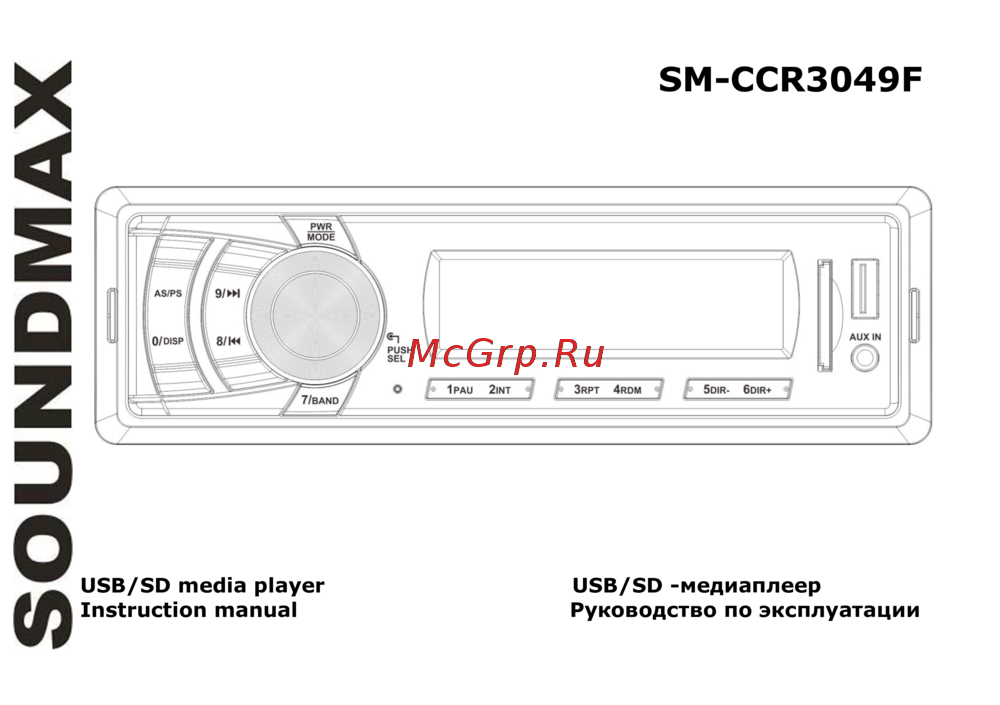 Soundmax SM-CCR3049F Black/GreenИнструкция по эксплуатации
 -
 Hyundai H-CCR8102 Black/GreenИнструкция по эксплуатации
 -
 Kenwood KMM357SDИнструкция по эксплуатации
 -
Kenwood KMM-157Инструкция по эксплуатации
-
 JVC KD-X150EEИнструкция по эксплуатации
 -
 Hyundai H-CCR8097Инструкция по эксплуатации
 -
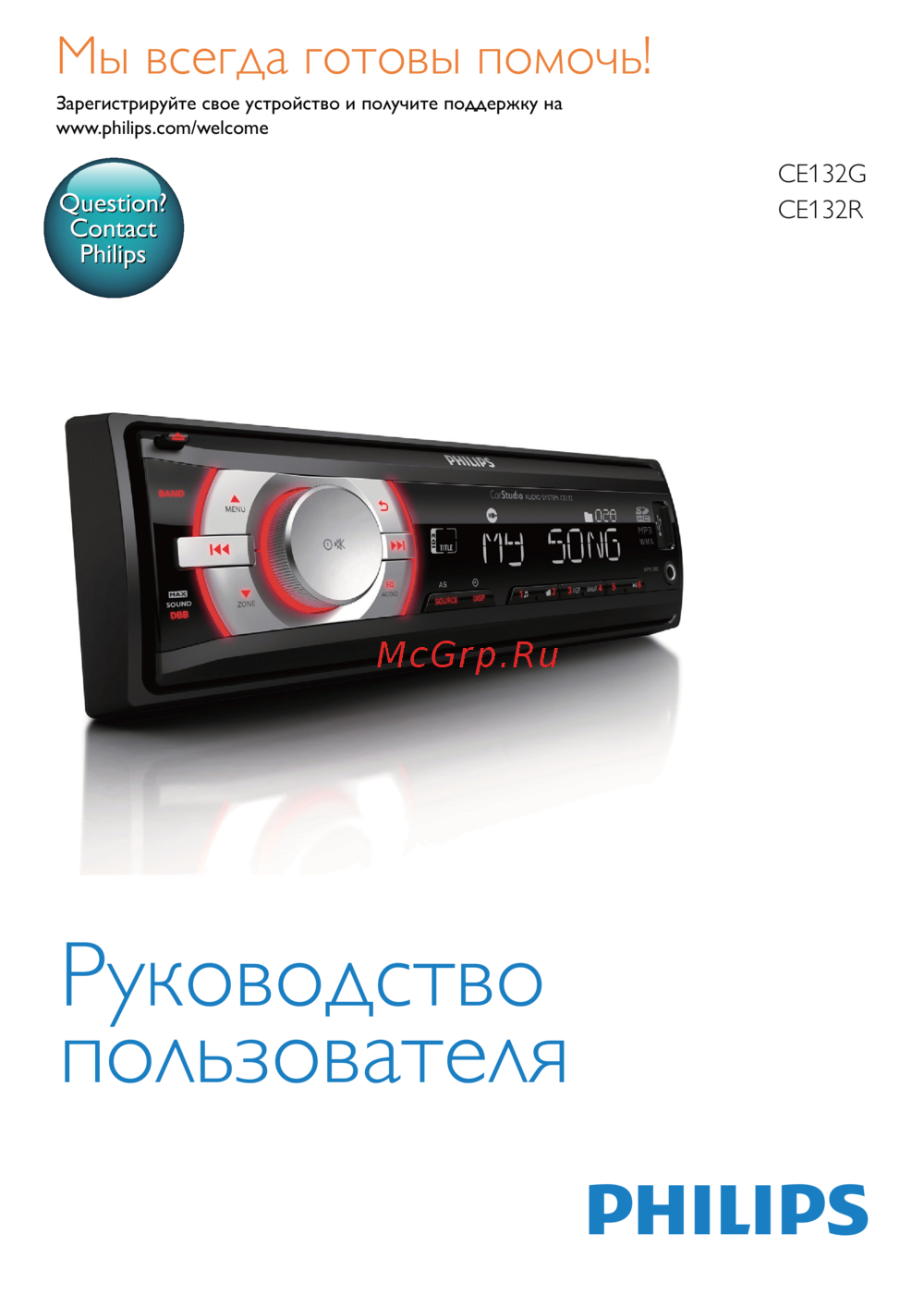 Philips CE132G/51 CarStudioИнструкция по эксплуатации
Aprende a emparejar dispositivos Bluetooth, gestionar conexiones y realizar llamadas desde tu unidad. Sigue estos pasos para una experiencia fluida y segura.