![Huawei U8800 IDEOS X5 — как делиться мобильным интернетом с компьютером и устройствами [36/70]](/icons/site-icon-64.png)
Huawei U8800 IDEOS X5 — как делиться мобильным интернетом с компьютером и устройствами [36/70]
Превью страниц
Страница 36 /
70
![Huawei U8800H Ideos X5 [36/70] Wireless network](/views2/1004092/page36/bg24.png)
32
7.3 Sharing Your Phone’s Data
Connection
You can share your mobile phone's data connection with a single computer via a USB
cable: USB tethering. You can share your mobile phone's data connection with
devices at the same time, by turning your phone into a portable Wi-Fi hotspot.
7.3.1 Sharing Your Phone’s Data Connection via USB
To use USB tethering in different operating systems, you may need to prepare your
computer to establish a network connection via USB.
You can not share your mobile phone’s data connection and SD card via USB
at the same time.
1. Touch >
Settings
.
2. Touch
Wireless & networks
>
Tethering & portable hotspot
.
3. Select the
USB tethering
check box to share your data connection.
7.3.2 Sharing Your Phone’s Data Connection as a Portable
Wi-Fi Hotspot
1. Touch >
Settings
.
2. Touch
Wireless & networks
>
Tethering & portable hotspot
.
3. Select the
Portable Wi-Fi hotspot
check box to share your data connection.
When
Portable Wi-Fi hotspot
is selected, you can touch
Portable Wi-Fi
hotspot settings
to change its network name or secure it.
7.4 Browser
Your mobile phone comes with a browser. You can use
Browser
to access and
browse the Internet.
Your browser supports Flash applications.
Содержание
479- Welcome to huawei
- Contacts 1
- Reading before proceeding
- Getting to know your mobile phone
- Contents
- Calling 7
- Using the onscreen keyboard 3
- Using other applications 9
- Synchronizing information 7
- Messaging 6
- Google services 0
- Getting connected 0
- Entertainment 6
- Appendix 8
- Managing your mobile phone 2
- Safety precautions
- Reading before proceeding
- Legal notice
- Copyright huawei technologies co ltd 2011 all rights reserved
- Trademarks and permissions
- Third party software statement
- Notice
- Limitations of liability
- Import and export regulations
- Disclaimer of warranties
- Personal information and data security
- Phone at a glance
- Mobile phone view
- Getting to know your mobile phone
- Key functions at your fingertips
- Installing your mobile phone
- Installing the sim card
- Removing the battery
- Installing the battery
- Charging the battery
- Status indicator
- Important information about the battery
- Battery saving tips
- Setting up your mobile phone
- Powering on your mobile phone
- Power on or off your mobile phone
- Using the touchscreen
- Touchscreen actions
- Touch and hol
- Setting
- Rotating your mobile phone screen
- Powering off your mobile phone
- Power of
- Phone option
- Locking the screen
- Locking and unlocking the screen
- Displa
- Auto rotate scree
- Drag the lock icon from left to right to unlock the screen
- Unlocking the screen
- Press to wake up the screen
- If you have set up a screen unlock pattern you will be prompted to draw the if you have set up a screen unlock pattern you will be prompted to draw the pattern on the screen to unlock it
- Home screen
- Opening the notification panel
- Notification panel
- Notification and status icons
- Call forwardin
- Select actio
- Screen numbe
- Removing a screen item
- Home setting
- Customizing the home screen
- Closing the notification panel
- Advanced setting
- Adding a new screen item
- Viewing other parts of the home screen
- Wallpaper
- Wallpape
- Setting home screen animations
- Select actio
- Live wallpaper
- Home setting
- Galler
- Editing a screen item
- Edit ico
- Changing the wallpaper
- Changing the theme
- Application icon
- Animatio
- Installing the microsd card optional
- Application list
- Using the microsd card as usb mass storage
- Using a microsd card
- Moving icons in the application list
- Removing the microsd card
- Making a call
- Calling
- Making a call with the dialer application
- Making a call from contacts
- Making a call from call log
- Dialpa
- Contact
- Call lo
- Ending a call
- Contact
- Answering or rejecting a call
- Answering an incoming call
- Rejecting an incoming call
- Using call log
- Switching between calls
- Other operations during a call
- Merge call
- Making a conference call
- Contact
- Call lo
- Adding an entry to contacts
- Add cal
- Create new contac
- Copy from sim car
- Contacts
- Contact
- Airplane mod
- Add to contact
- Using airplane mode
- Select al
- Opening the contacts application
- Manage contact
- Importing contacts from a sim card
- Searching for a contact
- Favorite
- Editing a contact
- Edit contac
- Create contac
- Adding a contact to your favorites
- Adding a contact
- Add to favorite
- Connecting through quick contact for android
- Communicating with your contacts
- Communicating with a contact
- Using the onscreen keyboard
- Displaying the keyboard panel
- Deleting a contact
- Using the android keyboard
- Choosing an input method
- Z x c v b n m
- Using the swype keyboard optional
- R t y u i o p
- A s d f g h j k
- Using the landscape keyboard
- Sms and mms
- Opening messaging
- Messaging
- Customizing keyboard settings
- Creating and sending a text message
- Add slid
- Slidesho
- Replying to a message
- Opening and viewing a multimedia message
- New messag
- Messagin
- Insert smile
- Creating and sending a multimedia message
- Adding a slideshow
- Add subjec
- Setting
- Manual setu
- Customizing the message settings
- Adding other email accounts
- Adding an email account
- Account
- Add accoun
- Viewing an email message
- Save as draf
- Replying to an email message
- Reply al
- Remove accoun
- Deleting an email account
- Creating and sending an email message
- Compos
- Attachmen
- Gprs 3g
- Getting connected
- Checking the network connection
- Changing email account settings
- Connecting to a wireless network
- Connec
- Add wi fi networ
- Wireless network
- Wi fi setting
- Wi fi network
- Turning on wi fi
- Turning on the data service
- Setting
- Mobile network
- Data enable
- Sharing your phone s data connection via usb
- Sharing your phone s data connection as a portable wi fi hotspot
- Sharing your phone s data connection
- Setting
- Portable wi fi hotspot setting
- Portable wi fi hotspo
- Browser
- Browse
- Wireless network
- Usb tetherin
- Tethering portable hotspo
- Window
- Setting a home page
- Setting
- Set home pag
- Refres
- Opening the browser
- Opening a web page
- New windo
- Managing bookmarks
- Forwar
- Browse
- Bookmark
- Adding a bookmark
- Wireless network
- Turning on bluetooth
- Setting
- Opening a bookmark
- Most visite
- Histor
- Discoverabl
- Customizing the browser settings
- Browse
- Bookmark
- Bluetooth setting
- Bluetooth
- Bluetoot
- Bluetooth setting
- Bluetooth device
- Bluetoot
- Wireless network
- Setting
- Sending files via bluetooth
- Pairing and connecting a bluetooth device
- Disconnecting or unpairing a bluetooth device
- Taking photos and recording videos
- Taking a photo
- Opening your camera
- Entertainment
- Capture screen
- Viewing your videos
- Viewing your photos
- Using the gallery
- Recording a video
- Galler
- Cropping a picture
- Viewing a picture
- Rotating a picture
- Rotate righ
- Rotate lef
- Opening the gallery
- Galler
- Discar
- Playlist
- Playing music
- Opening the media library
- Enjoying music
- Current playlis
- Copying music to the microsd card
- Artist
- Adding music to a playlist
- Add to playlis
- Playing a playlist
- Google services
- Creating a google account
- Using gmail
- Switching between accounts
- Opening gmail
- Creating and sending an email
- Compos
- Add cc bc
- Add accoun
- Accounts syn
- Account
- Forwar
- Customizing your gmail settings
- Adding a friend
- Add frien
- Using talk
- Setting
- Searching for an email
- Replying to or forwarding an email
- Reply al
- Opening talk
- Vibrate
- Starting a chat
- Signing out of talk
- Sign ou
- Setting notifications for new instant messages
- Setting
- Send invitatio
- Select ringtone
- Im notifications
- Accepting an invitation
- Using maps
- Use wireless network
- Use gps satellite
- Setting
- Searching for places of interest
- Opening maps
- My locatio
- Location securit
- Getting directions
- Enabling location source
- Direction
- Opening youtube
- Opening market
- Most viewe
- Most discusse
- Android market terms of service
- Youtub
- Using youtube
- Using market
- Top rate
- Sharing a video
- Searching for a video
- Unknown source
- Uninstalling an application
- Uninstal
- Setting
- Searching for applications
- My app
- Installing an application
- Developer info
- Application
- Adding an account
- Synchronizing information
- Managing your accounts
- Sign ou
- Removing an account
- Customizing your account synchronization
- Configuring general sync settings
- Accounts syn
- Using the calendar
- Using other applications
- Opening the calendar
- Changing an account s synchronization settings
- Event detail
- Customizing the calendar settings
- Creating an event
- All da
- Add reminde
- Vibrat
- Setting an event reminder
- Setting
- Set alerts notification
- Select rington
- Repetition
- Reminder
- New even
- Hide declined event
- Rington
- Opening the clock
- Opening the alarms
- Default reminder tim
- Customizing alarm settings
- Adding an alarm
- Add alar
- Vibrat
- Using the clock
- Setting an alarm
- Setting
- Using the notepad
- Using the calculator
- Switching to the advanced panel
- Setting the date and time
- Opening the calculator
- Managing your mobile phone
- Screen timeou
- Displa
- Brightnes
- Adjusting the volume
- Adjusting the time before the screen turns off
- Adjusting the screen brightness
- Use 24 hour forma
- Turning on silent mode
- Silent mod
- Setting the display
- Setting ringers
- Setting
- Set tim
- Select time zon
- Select date forma
- Mobile network
- Messagin
- Data roamin
- Customizing call settings
- Changing the phone ringtone
- Changing the message ringtone
- Call setting
- Wireless network
- Turning on data roaming
- Switching off the data service
- Setting phone services
- Setting
- Select rington
- Phone rington
- Protecting your mobile phone with a screen lock
- Protecting your mobile phone
- Lock sim car
- Location securit
- Installing voice data
- Install voice dat
- Data enable
- Change sim pi
- Adjusting the speech rate
- Voice input outpu
- Turning on your sim card pin
- Text to speech settings
- Speech rat
- Setting text to speech
- Setting
- Set up sim card loc
- Patter
- Managing applications
- Manage application
- Location securit
- Continu
- Confir
- Change screen loc
- Browse
- Application
- Ways to free up your mobile phone memory
- Viewing an installed application
- Uninstal
- Sort by siz
- Setting
- Set up screen loc
- Removing an installed application
- Restoring factory data
- Resetting your mobile phone
- Online update
- Backing up my data
- Warnings and precautions
- Potentially explosive atmosphere
- Medical device
- Electronic device
- Appendix
- Traffic security
- Operating environment
- Safety of children
- Prevention of hearing damage
- Battery and charger
- Accessories
- Cleaning and maintenance
- Emergency call
- Certification information sar
- Www huaweidevice com certificatio
- Reduction of hazardous substances
- Eu regulatory conformance
- Disposal and recycling information
- Different mobile phone
- Developmen
- Application
- Usb debuggin
- Setting
- Mobile phone
- Luxembour
- How can i use hi suite to import contacts to my phone from a different mobile phone
- How can i use hi suite to import contacts to my phone from a different
- How can i use a microsd card to import contacts to my phone from a different mobile phone
- How can i use a microsd card to import contacts to my phone from a
- File manage
- How do i prevent automatic switching of orientation when rotating phone
- How do i hide the keyboard
- How do i create an application shortcut on the home screen
- How can i change the input method
- Displa
- Contact
- Auto rotate scree
- Use as phone rington
- Setting
- Set up screen loc
- Patter
- Location securit
- How do i stop the song playing in the background
- How do i set the unlock pattern
- How do i set a song as phone ringtone
- How do i return to the calling screen
Похожие устройства
-
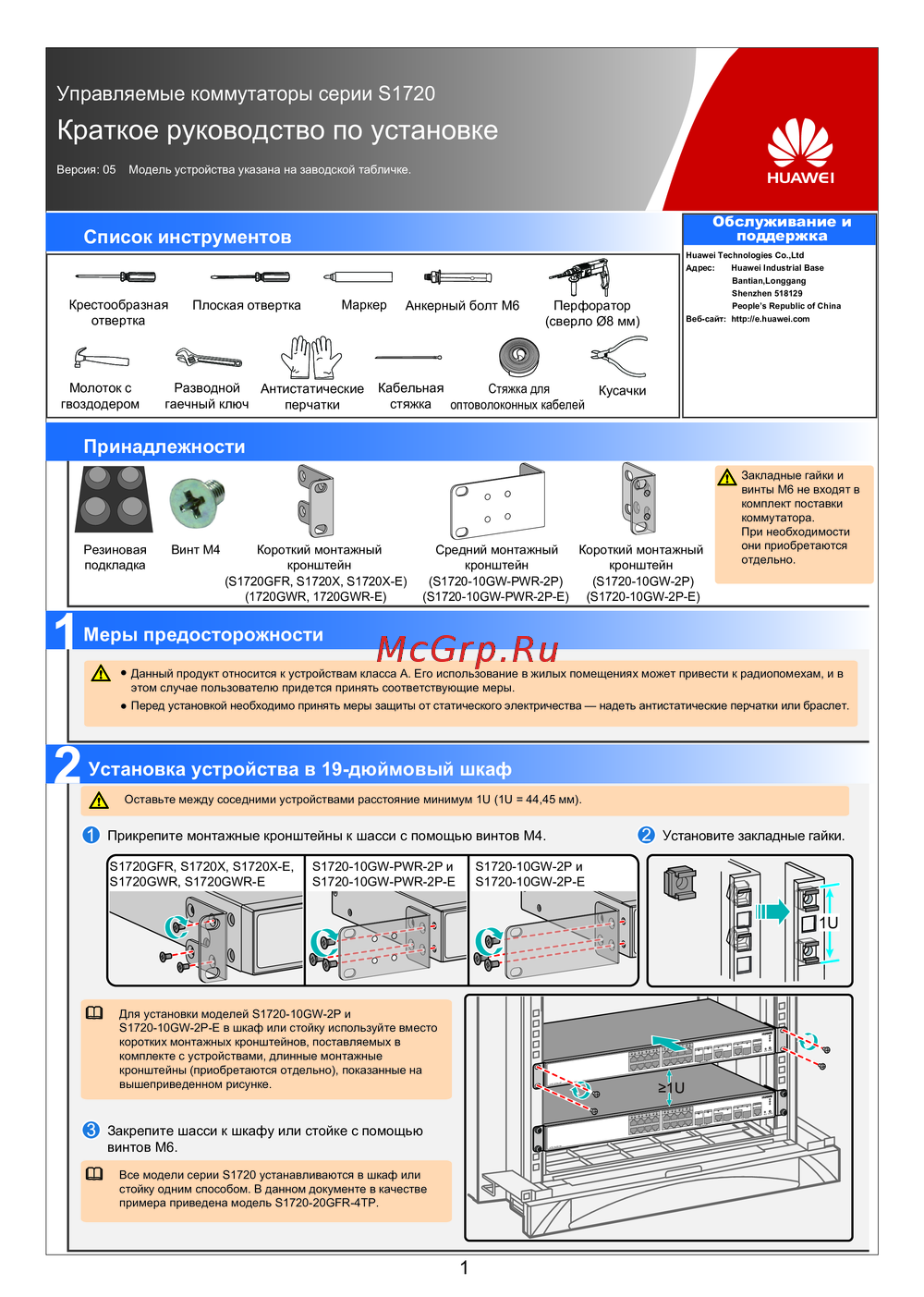 Huawei S1720-28GFR-4TP-ACКраткий обзор функций
 -
Huawei S1720-20GFR-4TPКраткая инструкция
-
Huawei S1720-10GW-2P-EСжатое руководство пользователя
-
Huawei S1720-10GW-2PБыстрый старт
-
Huawei S1720-10GW-PWR-2P-EКраткое руководство
-
Huawei S1720-10GW-PWR-2PКраткая инструкция по использованию
-
Huawei S1720GWR-EКраткая инструкция по использованию
-
Huawei S1720GWRКраткая инструкция по использованию
-
Huawei S1720X-EКраткое руководство
-
Huawei S1720XБыстрый старт
-
Huawei S1720GFRКраткое руководство пользователя
-
 Huawei CE6880Краткая эксплуатационная инструкция
Узнайте, как делиться интернет-соединением вашего телефона через USB или создать портативную Wi-Fi точку доступа. Подробные инструкции и советы.