![Huawei U8650 Sonic — как разблокировать экран и использовать домашний экран устройства [16/77]](/icons/site-icon-64.png)
Huawei U8650 Sonic — как разблокировать экран и использовать домашний экран устройства [16/77]
Превью страниц
Страница 16 /
77
![Huawei U8650 Sonic [16/77] Unlocking the screen](/views2/1004207/page16/bg10.png)
12
2.5.2 Unlocking the Screen
1. Press to wake up the screen.
2. Drag the lock icon from left to right to unlock the screen.
If you have set up a screen unlock pattern, you will be prompted to draw the
pattern on the screen to unlock it.
2.6 Home Screen
10:23
Touch to view all your applications.
Shortcuts
Notifications bar:
Displays the reminders and status icons of
your phone. Flick down to open the
notifications panel.
Display area:
Shows the operation and display areas of
your phone.
Indicates the current screen.
Touch to view thumbnails of all screens.
Содержание
530- Welcome to huawei
- Reading before proceeding
- Getting to know your mobile phone
- Contents
- Contacts 2
- Calling 8
- Using the onscreen keyboard 6
- Synchronizing information 2
- Messaging 8
- Google services 5
- Getting connected 3
- Entertainment 9
- Using other applications 4
- Managing your mobile phone 8
- Appendix 4
- Safety precautions
- Reading before proceeding
- Legal notice
- Copyright huawei technologies co ltd 2011 all rights reserved
- Trademarks and permissions
- Third party software statement
- Notice
- Limitations of liability
- Import and export regulations
- Disclaimer of warranties
- Personal information and data security
- Phone at a glance
- Mobile phone view
- Getting to know your mobile phone
- Phone option
- Key functions at your fingertips
- Installing your mobile phone
- Installing the sim card
- Installing the battery
- Charging the battery
- Important information about the battery
- Battery saving tips
- Application
- Turning on fast boot
- Setting up your mobile phone
- Setting
- Restarting your mobile phone
- Restar
- Powering on your mobile phone
- Powering off your mobile phone
- Power on or off your mobile phone
- Power of
- Phone option
- Fast boo
- Locking the screen
- Locking and unlocking the screen
- Displa
- Auto rotate scree
- Airplane mod
- Using the touchscreen
- Using airplane mode
- Touchscreen actions
- Touch and hol
- Setting
- Rotating your mobile phone screen
- Unlocking the screen
- Press to wake up the screen
- If you have set up a screen unlock pattern you will be prompted to draw the if you have set up a screen unlock pattern you will be prompted to draw the pattern on the screen to unlock it
- Home screen
- Drag the lock icon from left to right to unlock the screen
- Notification and status icons
- Notifications panel
- Notification
- Closing the notification panel
- Call forwardin
- Opening the notifications panel
- Viewing other parts of the home screen
- Select actio
- Screen numbe
- Moving a screen item
- Home setting
- Customizing the home screen
- Advanced setting
- Adding a new screen item
- Editing a screen item
- Edit ico
- Downloa
- Changing the wallpaper
- Changing the theme
- Application icon
- Animatio
- Wallpapers
- Wallpape
- Setting home screen animations
- Select actio
- Removing a screen item
- Live wallpapers
- Home setting
- Gallery
- Using the microsd card as usb mass storage
- Using a microsd card
- Moving icons in the application list
- Installing the microsd card optional
- Application list
- Removing the microsd card
- Making a call
- Calling
- Making a call with the dialer application
- Making a call from contacts
- Making a call from call log
- Dialpa
- Contact
- Call lo
- Answering or rejecting a call
- Answering an incoming call
- Rejecting an incoming call
- Ending a call
- Other operations during a call
- Merge call
- Making a conference call
- Contact
- Call lo
- Add cal
- Switching between calls
- Swap call
- Stop recor
- Recording calls
- Using call log
- Opening the contacts application
- Importing contacts from a sim card
- Contacts
- Adding an entry to contacts
- Indexing contacts
- Favorite
- Create contac
- Contact
- Adding a contact to your favorites
- Adding a contact
- Add to favorite
- Select al
- Searching for a contact
- Favorite
- Editing a contact
- Edit contac
- Deleting a contact
- Delete contac
- Contact
- Connecting through quick contact for android
- Communicating with your contacts
- Communicating with a contact
- Create grou
- Contact
- Adding a contact to your groups
- Add to group
- Add member
- Managing groups
- Joining and separating contacts
- Editing a group
- Edit grou
- Creating a group
- Using the onscreen keyboard
- Separating contacts
- Joining contacts
- Displaying the keyboard panel
- Using the landscape keyboard
- Using the android keyboard
- Choosing an input method
- Opening messaging
- Messaging
- Customizing keyboard settings
- Creating and sending a text message
- Sms and mms
- Slidesho
- Opening and viewing a multimedia message
- New messag
- Messagin
- Insert smile
- File manage
- Creating and sending a multimedia message
- Contact
- Adding a slideshow
- Add subjec
- Add slid
- Copying a text message to notepad or calendar
- Copy message t
- Calenda
- Adding an email account
- Setting
- Replying to a message
- Notepa
- Multiselec
- Customizing the message settings
- Viewing an email message
- Manual setu
- Creating and sending an email message
- Compos
- Adding other email accounts
- Add attachmen
- Add accoun
- Account
- Deleting an email account
- Changing email account settings
- Account setting
- Server setting
- Save as draf
- Replying to an email message
- Reply al
- Remove accoun
- Notification setting
- General setting
- Using the smart traffic manager
- Open the smart traffic
- Gprs 3g
- Getting connected
- Checking the network connection
- Data enable
- Connecting to a wireless network
- Connec
- Add wi fi networ
- Wireless network
- Wi fi setting
- Wi fi network
- Turning on wi fi
- Turning on the data service
- Setting
- Mobile network
- Wireless network
- Usb tetherin
- Tethering portable hotspo
- Sharing your phone s data connection via usb
- Sharing your phone s data connection as a portable wi fi hotspot
- Sharing your phone s data connection
- Setting
- Installing the usb tethering drive
- Activesync 4
- Window
- Refres
- Portable wi fi hotspot setting
- Portable wi fi hotspo
- Opening the browser
- Opening a web page
- New windo
- Forwar
- Browser
- Browse
- Bookmark
- Customizing the browser settings
- Browse
- Bookmark
- Bluetooth
- Adding a bookmark
- Setting a home page
- Setting
- Set home pag
- Opening a bookmark
- Most visite
- Managing bookmarks
- Histor
- Wireless network
- Turning on bluetooth
- Setting
- Sending files via bluetooth
- Pairing and connecting a bluetooth device
- Discoverabl
- Bluetooth setting
- Bluetoot
- Disconnecting or unpairing a bluetooth device
- Taking photos and recording videos
- Opening your camera
- Entertainment
- Viewing your photos
- Taking a photo
- Recording a video
- Capture screen
- Viewing your videos
- Viewing a picture
- Using the gallery
- Opening the gallery
- Galler
- Enjoying the music
- Discar
- Cropping a picture
- Copying music to the microsd card
- Rotating a picture
- Rotate righ
- Rotate lef
- Opening the music library
- Huawei musi
- Playlist
- Playing music
- Folder
- Opening the fm radio
- New playlis
- My favorit
- Listening to fm radio
- Fm radi
- Creating playlists
- Adding music to playlist
- Add to playlis
- Playlist
- Playing music in playlists
- Tuning the fm radio
- Google services
- Creating a google account
- Using gmail
- Switching between accounts
- Opening gmail
- I agree nex
- Google terms of servic
- Creating and sending an email
- Compos
- Add cc bc
- Add accoun
- Accounts sync setting
- Account
- Using talk
- Setting
- Searching for an email
- Replying to or forwarding an email
- Reply al
- Opening talk
- Forwar
- Customizing your gmail settings
- Setting notifications for new instant messages
- Setting
- Send invitatio
- Select ringtone
- Im notifications
- Adding a friend
- Add frien
- Accepting an invitation
- Vibrate
- Starting a chat
- Using maps
- Use wireless network
- Use gps satellite
- Signing out of talk
- Sign ou
- Setting
- Searching for places of interest
- Opening maps
- My locatio
- Location securit
- Getting directions
- Enabling location source
- Direction
- Android market terms of service
- Youtub
- Using youtube
- Using market
- Top rate
- Sharing a video
- Searching for a video
- Opening youtube
- Opening market
- Most viewe
- Most discusse
- Clear ma
- Searching for applications
- My app
- Installing an application
- Developer info
- Application
- Unknown source
- Uninstalling an application
- Uninstal
- Setting
- Synchronizing information
- Managing your accounts
- Adding an account
- Sign ou
- Removing an account
- General sync setting
- Customizing your account synchronization
- Configuring general sync settings
- Using the calendar
- Using other applications
- Opening the calendar
- Changing an account s synchronization settings
- Setting the synchronize and display
- Setting an event reminder
- Repetition
- Reminder
- New even
- Event detail
- Creating an event
- Calendar
- All da
- Add reminde
- Select rington
- Opening the clock
- Opening the alarms
- Hide declined event
- Default reminder tim
- Customizing the calendar settings
- Vibrat
- Using the clock
- Use home time zon
- Setting
- Switching to the advanced panel
- Setting an alarm
- Setting
- Rington
- Opening the calculator
- Notepa
- Customizing alarm settings
- Calculato
- Basic pane
- Advanced pane
- Adding an alarm
- Add alar
- Vibrat
- Using the notepad
- Using the calculator
- Setting the display
- Setting the date and time
- Managing your mobile phone
- Adjusting the screen brightness
- Select rington
- Screen timeou
- Phone rington
- Messagin
- Displa
- Changing the phone ringtone
- Changing the message ringtone
- Adjusting the volume
- Adjusting the time before the screen turns off
- Turning on silent mode
- Silent mod
- Setting ringers
- Setting
- Text to speech settings
- Switching off the data service
- Setting text to speech
- Setting phone services
- Setting
- Mobile network
- Installing voice data
- Install voice dat
- Data roamin
- Data enable
- Customizing call settings
- Call setting
- Wireless network
- Voice input outpu
- Turning on data roaming
- Setting
- Set up sim card loc
- Set up screen loc
- Protecting your mobile phone with a screen lock pattern
- Protecting your mobile phone
- Patter
- Lock sim car
- Location securit
- Continu
- Confir
- Change sim pi
- Change screen loc
- Adjusting the speech rate
- Voice input outpu
- Turning on your sim card pin
- Text to speech settings
- Speech rat
- Uninstal
- Sort by siz
- Setting
- Set up screen loc
- Protecting your mobile phone with a numeric pin
- Managing applications
- Manage application
- Location securit
- Forgot pattern
- Continu
- Change screen loc
- Application
- Viewing an installed application
- Unlocking your mobile phone if you forget the lock pattern
- Uninstalling an application
- Select action
- Restore from s
- Quick backu
- Moving an application to microsd card
- Move to sd car
- Move to phon
- Manage application
- Filename
- Browse
- Backup to s
- Backing up data by using backup to sd
- Application
- Ways to free up your mobile phone memory
- All backu
- Using all backup
- Uninstall applicatio
- Setting
- Warnings and precautions
- Restoring factory data
- Resetting your mobile phone
- Electronic device
- Backing up my data
- Appendix
- Traffic security
- Potentially explosive atmosphere
- Medical device
- Safety of children
- Prevention of hearing damage
- Operating environment
- Battery and charger
- Accessories
- Cleaning and maintenance
- Fcc statement
- Emergency call
- Certification information sar
- Reduction of hazardous substances
- Disposal and recycling information
- Caution
- Set as rington
- Luxembour
- How do i set a song as phone ringtone
- How do i prevent automatic switching of orientation when rotating phone
- Eu regulatory conformance
- Displa
- Auto rotate scree
- Www huaweidevice com certificatio
- Setting
- Setting
- Set up screen loc
- Patter
- Location securit
- How do i stop the song playing in the background
- How do i set the unlock pattern
- How do i return to the calling screen
- How do i hide the keyboard
- How do i create an application shortcut on the home screen
- How can i change the keyboard mode
Похожие устройства
-
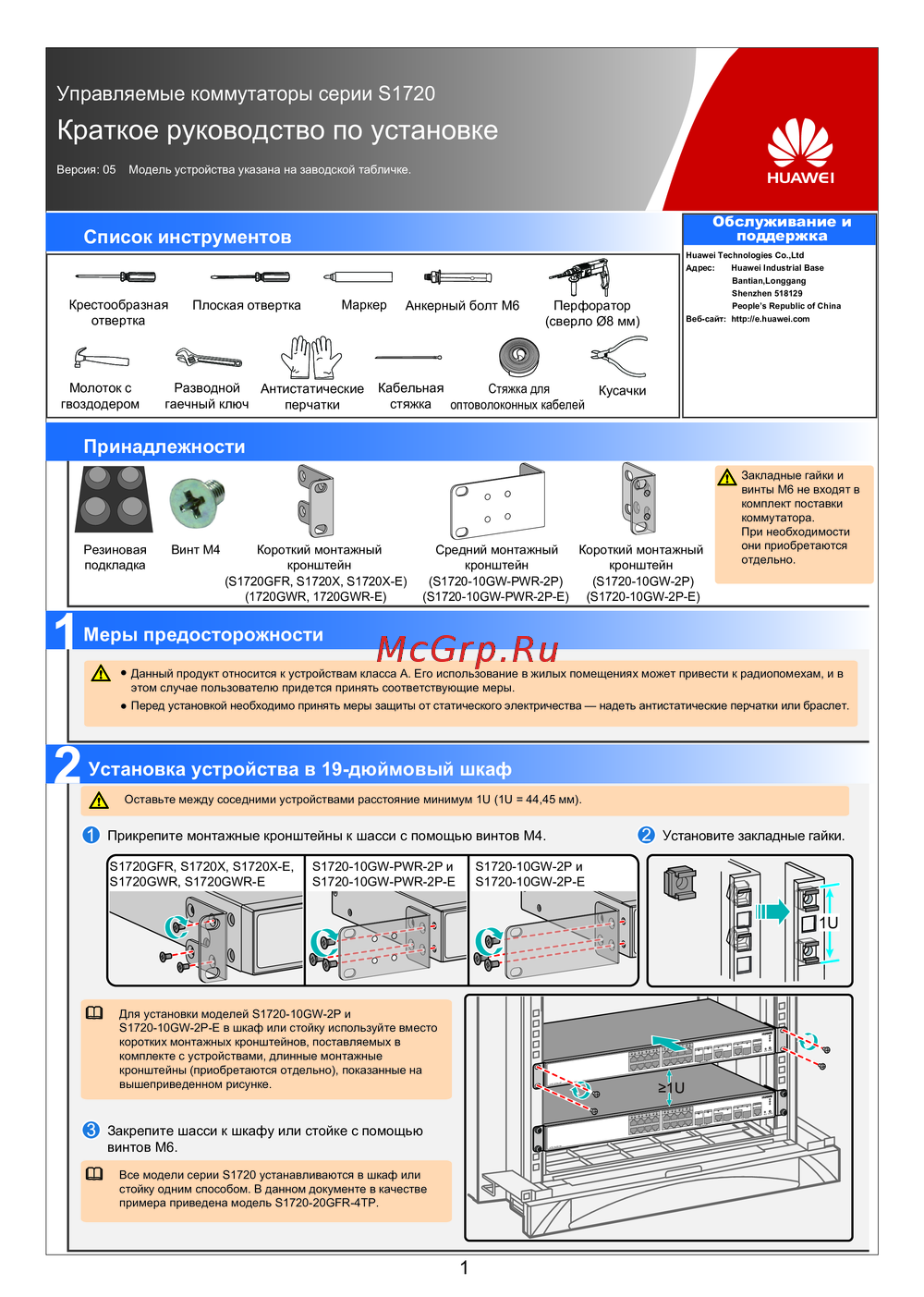 Huawei S1720-28GFR-4TP-ACКраткий обзор функций
 -
Huawei S1720-20GFR-4TPКраткая инструкция
-
Huawei S1720-10GW-2P-EСжатое руководство пользователя
-
Huawei S1720-10GW-2PБыстрый старт
-
Huawei S1720-10GW-PWR-2P-EКраткое руководство
-
Huawei S1720-10GW-PWR-2PКраткая инструкция по использованию
-
Huawei S1720GWR-EКраткая инструкция по использованию
-
Huawei S1720GWRКраткая инструкция по использованию
-
Huawei S1720X-EКраткое руководство
-
Huawei S1720XБыстрый старт
-
Huawei S1720GFRКраткое руководство пользователя
-
 Huawei CE6880Краткая эксплуатационная инструкция
Узнайте, как разблокировать экран вашего устройства и использовать домашний экран для доступа к приложениям и уведомлениям. Простые шаги для удобного управления.