![Soundmax 10013941 — инструкция по эксплуатации устройства с видеозаписью [3/20]](/img/pdf.png)
Soundmax 10013941 — инструкция по эксплуатации устройства с видеозаписью [3/20]
![Soundmax 10013941 [3/20] Instruction manual](/views2/1411694/page3/bg3.png)
Содержание
- Sm dvr50hd p.1
- Soundmax p.1
- Instruction manual p.2
- Utilization of the product p.2
- Soundmax p.2
- Instruction manual p.3
- Front panel p.3
- Soundmax p.4
- Instruction manual p.4
- Instruction manual p.5
- Soundmax p.6
- Instruction manual p.6
- Руководство по эксплуатации p.7
- Меры предосторожности p.7
- Операции с устройством p.8
- Общая информация p.8
- Soundmax p.8
- Руководство по эксплуатации p.9
- Настройки p.10
- Руководство по эксплуатации p.10
- Soundmax p.10
- Руководство по эксплуатации p.11
- Руководство по эксплуатации p.12
- Soundmax p.12
- Общая информация p.13
- Ене p.13
- Уважаемый покупатель p.14
- Диод p.14
- Soundmax p.14
- Ене p.17
- Данная информация может быть изменена p.17
- Более точные сведения о сервисных центрах в вашем регионе доступны на сайте p.17
- Условия гарантии p.19
- Soun imax p.19
- И работоспособности не имею p.20
- Печать p.20
- Модель p.20
- Дата производства p.20
- Дата продажи p.20
- Гарантийный талон p.20
- Soundmax p.20
- Серийный номер p.20
- Сведения о ремонте p.20
- С условиями гарантийного обслуживания согласен претензий по комплектности внешнему виду p.20
- Продавца p.20
- Подпись продавца p.20
Похожие устройства
-
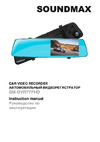 Soundmax SM-DVR77FHDРуководство по работе с устройством
 -
 Soundmax SM-DVR77FHDИнструкция по эксплуатации
 -
Soundmax SM-DVR55FHDИнструкция по эксплуатации
-
 Soundmax SM-DVR51FHD BlackИнструкция по эксплуатации
 -
 Soundmax SM-DVR50HD BlackИнструкция по эксплуатации
 -
 Space Technology ST-NVR-P0806K15, (версия 2)Инструкция по эксплуатации
 -
 Space Technology ST-NVR-V1612F97Инструкция по эксплуатации
 -
 Space Technology ST-NVR-V0908F95Инструкция по эксплуатации
 -
 Space Technology ST-HVR-S0405X20Инструкция по эксплуатации
 -
 Space Technology ST-NVR-V8016K15Инструкция по эксплуатации
 -
 Space Technology ST-NVR-V0605A45Инструкция по эксплуатации
 -
 Space Technology ST-NVR-S3208X25, (версия 2)Инструкция по эксплуатации
Instruction manual Front panel To unmount the stand pull it towards you then lift the plastic ear on the suction cup Power and charging To charge the battery of this unit connect its USB port to the PC with the supplied USB cable or connect it to a car lighter socket with the supplied car adapter The power icon d l l ll on the display indicates the remaining battery power 8 Reset button hole 9 MIC Microphone 10 Night vision LED 11 Mini USB port 12 Speaker 13 Camera lens Operations Mounting Insert the fixing pins on the top of the stand into the bracket holding hole in the top of the unit and move the unit backward until a click to fix it tightly to the bracket Press the suction cup to a surface in the car then push it along the bar to the windshield Make sure the stand is fixed properly to the surface You can adjust the angle of the stand by loosening the washer and bending the assembly knot Video mode Before you start recording insert a MicroSD memory card into the memory card slot of this unit until a click Insert the card with correct side After the card is inserted the device will turn off in order to preserve the information Press POWER button to turn it on again E MicroSD capacity supported up to 32 GB class 4 or higher For correct and satisfactory operation licensed MicroSD memory cards of famous brands should be used with this unit Avoid using memory cards of unknown brands Auto recording After you connect the unit to car power source recording will be started automatically After you disconnect the power source the unit will continue recording according to the settings Manual recording Press POWER to switch on the unit press and hold it again if you want to switch off the unit In recording mode the top left corner o1 the display shows the camera symbol indicating that the unit is ready for recording Press OK button to start recording Press this button again to stop recording While recording the recording time is shown in red figures in the top left corner of the display The unit will save video files automatically after each 1 2 3 5 10 20 minutes see the Setup paragraph below for more details When the memory card is filled old files will be deleted and the new files will be recorded instead Press OK button to stop and to continue recording
Узнайте, как правильно использовать устройство для видеозаписи в автомобиле. Подробные инструкции по зарядке, установке и записи видео.