![Asus PRIME Z590-P — настройка управления вентиляторами в BIOS для системных блоков [48/64]](/img/pdf.png)
Asus PRIME Z590-P — настройка управления вентиляторами в BIOS для системных блоков [48/64]
Превью страниц
Страница 48 /
64
![Asus PRIME Z590-P [48/64] These items allow you to set the control modes for chassis fans configuration options auto detect dc mode pwm mode auto detect detects the type of chassis fan installed and automatically switches the control modes](/views2/1769201/page48/bg30.png)
48
PRIME / TUF GAMING Intel
®
500 Series BIOS Manual
Chassis Fan 1(~3) Q-Fan Control
These items allow you to set the control modes for chassis fans.
Conguration options: [Auto Detect] [DC Mode] [PWM Mode]
[Auto Detect] Detects the type of chassis fan installed and automatically
switches the control modes.
[DC Mode] Enables the Q-Fan control in DC mode for 3-pin fan.
[PWM Mode] Enables the Q-Fan control in PWM mode for 4-pin fan.
Chassis Fan 1(~3) Profile
Allow you to set the appropriate performance levels for chassis fans.
If Chassis FAN 1(~3) Profile is set to [Manual], we suggest raising your fan/pump duty
to 100% if your CPU temperature exceeds 75°C. Please be noted CPU performance will
throttle due to overheating with inefcient fan/pump duty.
The following items will not appear if you set Chassis Fan 1(~3) Profile to [Full Speed].
Chassis Fan 1(~3) Q-Fan Source
Chassis fans will be controlled according to the selected temperature sources.
Conguration options: [CPU] [MotherBoard] [VRM] [Chipset] [Multiple Sources]
The following items appear only when you set [Chassis Fan 1(~3) Q-Fan Source] to
[Multiple Sources].
Temperature Source 1(~3)
These items allow you to select up to three temperature sources and chassis
fans will automatically change based on the highest temperature.
Conguration options: [CPU] [MotherBoard] [VRM] [Chipset] [N/A]
Chassis Fan 1(~3) Step Up/Down
Allow you to set the values of chassis fans step up/down.
Conguration options: [0 sec] [12 sec] [25 sec] [51 sec] [76 sec] [102 sec] [127 sec]
[153 sec] [178 sec] [204 sec]
Chassis Fan 1(~3) Fan Speed Low Limit
Allow you to set the lower speed limit for chassis fans. A warning message will
appear when the limit is reached. When set to [Ignore], no future warning message
will appear. Conguration options: [Ignore] [200 RPM] [300 RPM] [400 RPM]
[500 RPM] [600 RPM]
• The following items appear only when you set Chassis Fan 1(~3) Profile to [Manual].
• Use the <+> and <-> keys to adjust the value or directly key in a desired value within
the valid range for each of the items below.
Chassis Fan 1(~3) Upper Temperature
Allow you to set the upper limit of the chassis temperature. Chassis fans will
operate at the maximum duty cycle when the source temperature reaches the
limit. Conguration options: [0] – [100]
The upper temperature cannot be lower than the lower temperature.
Содержание
- Motherboard p.1
- Series bios manual p.2
- E17783 first edition january 2021 p.2
- Prime tuf gaming inte p.2
- Contents p.3
- Knowing bios p.4
- Bios menu screen p.5
- Bios setup program p.5
- Entering bios setup after post p.5
- Entering bios at startup p.5
- Ez mode p.6
- Prime tuf gaming inte p.6
- Series bios manual p.6
- Hotkey for the advanced bios settings p.6
- The default screen for entering the bios setup program can be changed refer to the setup mode item in the 8 boot configuration section for details p.6
- The boot device options vary depending on the devices you installed to the system p.6
- Advanced mode p.7
- The advanced mode provides advanced options for experienced end users to configure the bios settings the figure below shows an example of the advanced mode refer to the following sections for the detailed configurations p.7
- Series bios manual p.7
- Hotkey p.7
- Prime tuf gaming inte p.7
- Language p.8
- Menu bar p.8
- Submenu items p.8
- Search f9 p.8
- Qfan control f6 p.8
- Myfavorite f3 p.8
- Menu items p.8
- Aura f4 p.9
- Resize bar p.9
- Last modified button p.9
- Hot keys p.9
- Configuration fields p.9
- General help p.9
- Scroll bar p.9
- Q fan control p.10
- Configuring fans manually p.10
- My favorites menu p.11
- Adding items to my favorites p.11
- Main menu p.12
- If you have set a user password you must enter the user password for accessing the system the user password item on top of the screen shows the default not installed after you set a password this item shows installed p.13
- Administrator password p.13
- To clear the user password follow the first and second steps as in changing a user password but leave the other boxes blank then select p.13
- To clear the administrator password follow the first and second steps as in changing an administrator password but leave the other boxes blank then select p.13
- To change an administrator password p.13
- To change a user password p.13
- Series bios manual p.13
- Prime tuf gaming inte p.13
- If you have set an administrator password we recommend that you enter the administrator password for accessing the system otherwise you might be able to see or change only selected fields in the bios setup program p.13
- User password p.13
- To set an administrator password p.13
- To set a user password p.13
- To continue after you clear the password the user password item on top of the screen shows not installed p.13
- To continue after you clear the password the administrator password item on top of the screen shows not installed p.13
- Ai tweaker menu p.14
- Ai overclock tuner p.14
- Bclk spread spectrum p.15
- Cpu core ratio p.15
- Asus multicore enhancement p.15
- Svid behavior p.15
- Dram odd ratio mode p.15
- Primary timings p.16
- Oc tuner p.16
- Dram timing control p.16
- Dram frequency p.16
- Secondary timings p.16
- Third timings p.20
- Digi vrm p.22
- Internal cpu power management p.23
- Thermal velocity boost p.24
- Internal pll voltage p.25
- Tweaker s paradise p.25
- Prime tuf gaming inte p.25
- Key to apply the optimized setting for the sub items below p.25
- Gt pll voltage p.25
- Fclk frequency for early power on p.25
- Configuration options normal 800mhz 1ghz 400mhz auto p.25
- Configuration options auto enabled p.25
- Configuration options auto 2 v 2 v 2 v 2 v p.25
- Allows you to enable or disable realtime memory timings when set to enabled the system will allow performing realtime memory timing changes after mrc_done configuration options disabled enabled p.25
- Allows you to configure the offset for the gt pll vcc trim configuration options auto 0 00 1 45 p.25
- Allows you to configure the offset for the core pll vcc trim configuration options auto 0 00 1 45 p.25
- 6 core active p.25
- Vppddr voltage p.25
- Series bios manual p.25
- Realtime memory timing p.25
- Min cpu cache ratio p.26
- Max cpu cache ratio p.26
- Cpu core cache voltage p.26
- Pch vccin 1 v p.27
- Dram voltage p.27
- Dram ref voltage control p.27
- Cpu vccio voltage p.27
- Cpu system agent voltage p.27
- Platform misc configuration p.28
- Pci express native power management p.28
- Advanced menu p.28
- Sa pci express p.29
- Dmi link aspm control p.29
- Peg aspm p.29
- Pch pci express p.29
- L1 substates p.29
- Dmi gen3 aspm control p.29
- Dmi gen3 aspm p.29
- Tcc offset time window p.30
- Cpu configuration p.30
- Pci express clock gating p.30
- Hardware prefetcher p.30
- Adjacent cache line prefetch p.30
- Dual tau boost p.31
- Intel r speed shift technology p.31
- Cpu power management control p.31
- Cpu c states p.31
- Active processor cores p.31
- Thermal monitor p.31
- Intel vmx virtualization technology p.31
- Intel r speedstep tm p.31
- Hyper threading p.31
- System agent sa configuration p.32
- Peg port configuration p.32
- Memory configuration p.32
- Graphics configuration p.32
- Pci express configuration p.33
- Sata mode selection p.33
- Sata controller s p.33
- Pch storage configuration p.33
- Pch configuration p.33
- Aggressive lpm support p.33
- Pch fw configuration p.34
- Tpm device selection p.34
- Smart self test p.34
- Sata6g_1 6 hot plug p.34
- Sata6g_1 6 gray p.34
- Disable pcie tunneling over usb4 p.35
- Wake from thunderbolt tm devices p.35
- Thunderbolt tm configuration p.35
- Native os security for tbt p.35
- Discrete thunderbolt tm support p.35
- Discrete thunderbolt tm configuration p.35
- Prime tuf gaming inte p.37
- Pci subsystem settings p.37
- Allows you to enable or disable single root io virtualization support this requires that the system has sr iov capable pcie devices configuration options disabled enabled p.37
- Allows you to enable or disable resizable bar support this requires that the system has resizable bar capable pcie devices and the system supports 64 bit pci decoding configuration options disabled auto p.37
- Allows you to enable or disable 64 bit capable devices to be decoded in above 4g address space this requires that the system supports 64 bit pci decoding configuration options enabled disabled p.37
- Above 4g decoding p.37
- The items in this menu allow you to set pci pci x and pci express settings p.37
- Sr iov support p.37
- Series bios manual p.37
- Re size bar support p.37
- Legacy usb support p.38
- Xhci hand off p.38
- Usb single port control p.38
- Usb configuration p.38
- Nvme configuration p.39
- Network stack configuration p.39
- Network stack p.39
- Hd audio p.40
- Pcie bandwidth bifurcation configuration p.40
- Onboard devices configuration p.40
- Intel lan p.40
- Connectivity mode wi fi bluetooth p.41
- Usb power delivery in soft off state s5 p.41
- Serial port configuration p.41
- M _3 sata6g_56 switch p.41
- M _2 configuration p.41
- Led lighting p.41
- Restore ac power loss p.42
- Power on by ps 2 keyboard p.42
- Erp ready p.42
- Energy star ready p.42
- Cec ready p.42
- Apm configuration p.42
- Power on by rtc p.43
- Power on by pci e p.43
- Hdd ssd smart information p.43
- Device p.43
- Cpu temperature cpu package temperature motherboard temperature vrm temperature chipset temperature xxx c xxx f p.44
- Temperature monitor p.44
- Monitor menu p.44
- Cpu core voltage 12v voltage 5v voltage 3 v voltage dram voltage cpu vccio voltage pch vccio 1 v xx xxx v p.45
- Voltage monitor p.45
- Fan speed monitor p.45
- Cpu fan speed cpu optional fan speed chassis fan 1 3 speed aio pump speed xxxx rpm p.45
- Q fan tuning p.46
- Q fan configuration p.46
- Cpu q fan control p.46
- These items allow you to set the control modes for chassis fans configuration options auto detect dc mode pwm mode auto detect detects the type of chassis fan installed and automatically switches the control modes p.48
- Series bios manual p.48
- Pwm mode enables the q fan control in pwm mode for 4 pin fan p.48
- Prime tuf gaming inte p.48
- Dc mode enables the q fan control in dc mode for 3 pin fan p.48
- Chassis fan 1 3 q fan control p.48
- Aio pump control p.49
- Series bios manual p.49
- Pwm mode enables the q fan control in pwm mode for 4 pin fan p.49
- Prime tuf gaming inte p.49
- Dc mode enables the q fan control in dc mode for 3 pin fan p.49
- Allows you to set aio pump fan control mode configuration options auto detect dc mode pwm mode auto detect detects the type of aio pump fan installed and automatically switches the control modes p.49
- Allows you to select the appropriate performance level for aio pump fan configuration options standard silent turbo full speed manual p.49
- Aio pump profile p.49
- This item allows you to enable or disable the cpu temperature led to light up to indication high cpu temperature configuration options disabled enabled p.50
- This item allows you to enable or disable the chassis intrusion detection function configuration options disabled enabled p.50
- Series bios manual p.50
- Prime tuf gaming inte p.50
- Cpu temperature led switch p.50
- Chassis intrusion detection support p.50
- Boot menu p.51
- Launch csm p.51
- Csm compatibility support module p.51
- Os type p.52
- Secure boot p.52
- Key management p.53
- Secure boot mode p.53
- Fast boot p.55
- Boot configuration p.55
- Interrupt 19 capture p.56
- Ami native nvme driver support p.56
- Wait for f1 if error p.56
- Option rom messages p.56
- Bootup numlock state p.56
- Boot logo display p.56
- Setup mode p.57
- Boot sector mbr gpt recovery policy p.57
- Boot override p.57
- Boot option priorities p.57
- Publish hii resources p.58
- Asus ez flash 3 utility p.58
- Tool menu p.58
- Bios image rollback support p.58
- Series bios manual p.59
- Ssd speed performance may degrade over time due to accumulated files and frequent data writing secure erase completely cleans your ssd and restores it to factory default settings p.59
- Prime tuf gaming inte p.59
- Load from profile p.59
- Asus user profile p.59
- Asus secure erase p.59
- And then select yes p.59
- Allows you to store or load multiple bios settings and displays the status of the user profiles p.59
- Myasus p.60
- Asus spd information p.60
- Asus armoury crate p.60
- Discard changes exit p.61
- Save changes reset p.61
- Load optimized defaults p.61
- Launch efi shell from usb drives p.61
- Exit menu p.61
- Updating bios p.62
- Ez update p.62
- Asus ez flash 3 p.63
- Asus crashfree bios 3 p.64
- Recovering the bios p.64
Похожие устройства
-
 Asus TUF GAMING B550-PROРуководство по быстрому запуску
 -
 Asus PRIME A520M-A IIКраткое руководство пользователя
 -
 Asus PRIME B250M-PLUSКраткое руководство
 -
 Asus TUF GAMING Z590-PLUSКраткое руководство
 -
 Asus ProArt B650-CREATORКраткий обзор функций
 -
 Asus TUF GAMING B650-PLUSБыстрый старт
 -
 Asus ROG STRIX X670E-I GAMING WIFIКраткое руководство пользователя
 -
Asus ROG FPS-IIРуководство по быстрому запуску
-
 Asus Pro WS W680M-ACE SEКраткая эксплуатационная инструкция
 -
 Asus PRIME B760M-A WIFI D4Инструкция в сокращённом виде
 -
 Asus PRIME H770-PLUSБыстрый старт
 -
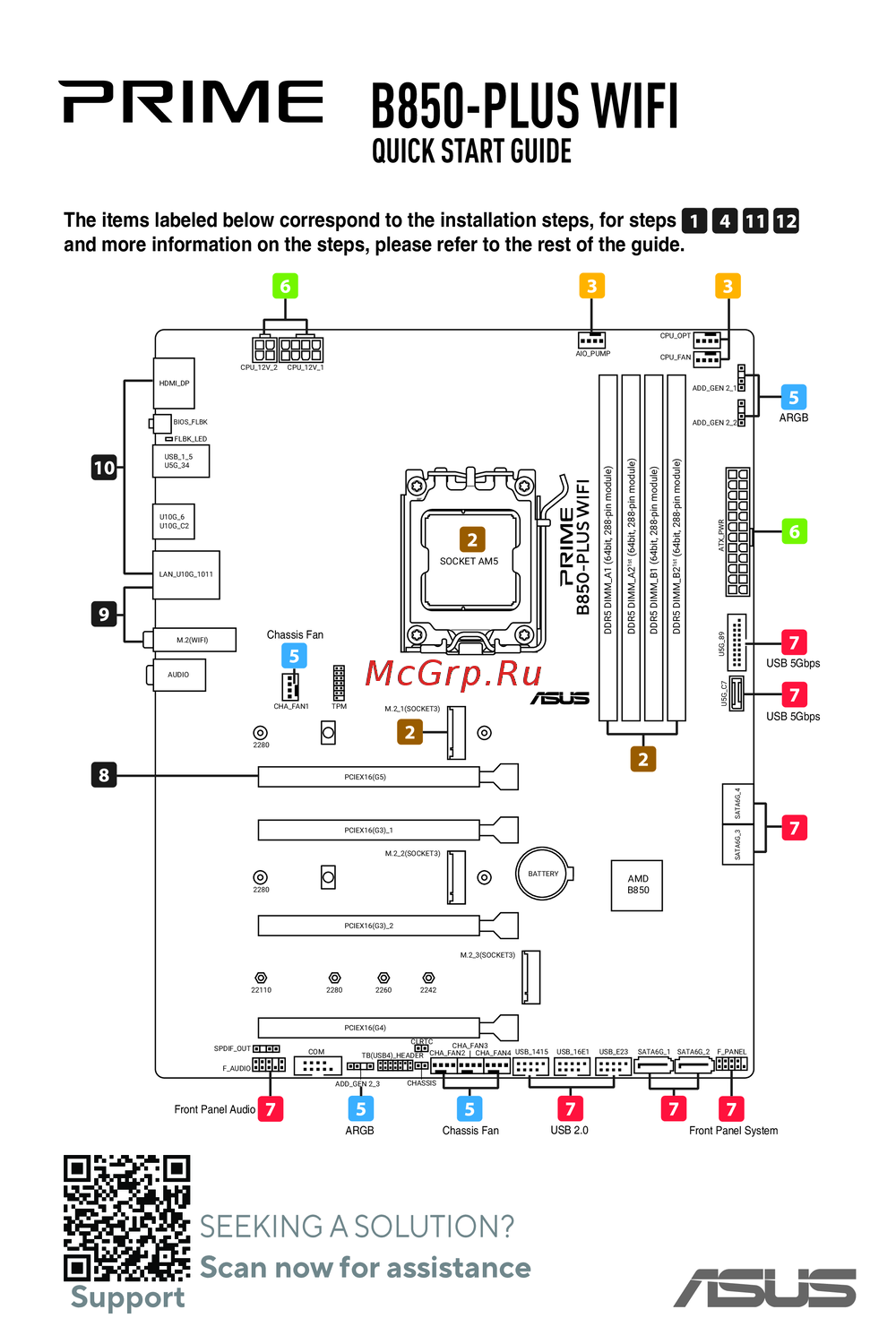 Asus B850-PLUS WIFIКраткое руководство
Узнайте, как правильно настроить управление вентиляторами в BIOS для оптимизации охлаждения вашего системного блока. Подробные инструкции и советы.