
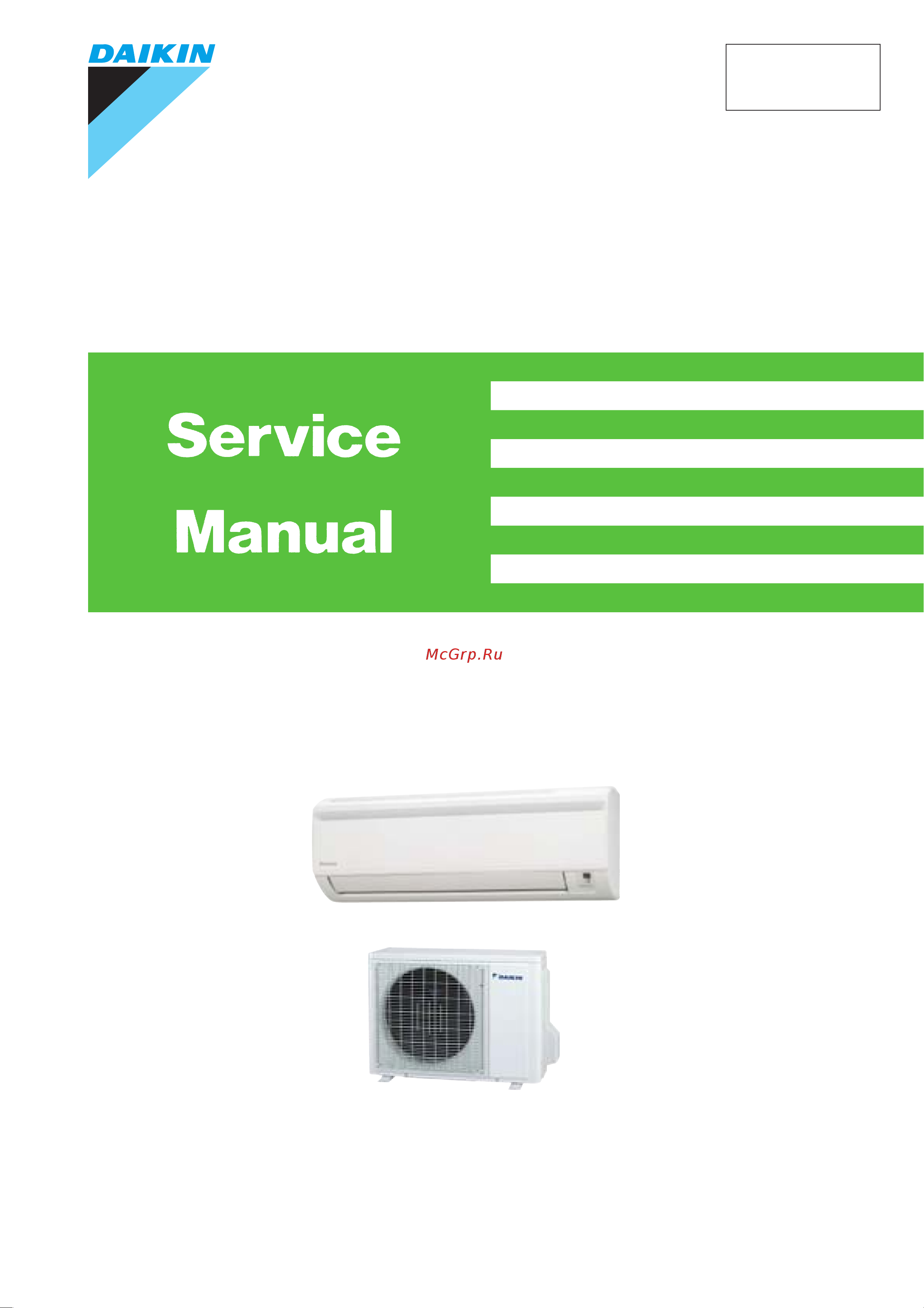
Daikin FTYN35GXV1B Сервис мануал онлайн
Содержание
- Sibe01 829 p.1
- Split pair p.1
- Wall mounted type g series p.1
- Indoor unit p.2
- Outdoor unit p.2
- Non inverter pair g series p.2
- Heat pump p.2
- Specifications p.3
- Part 3 printed circuit board connector wiring diagram p.3
- Part 2 specifications p.3
- Functions p.3
- Function of thermistor 3 3 control specification 4 p.3
- Printed circuit board connector wiring diagram 0 p.3
- Part 5 operation manual 7 p.3
- Part 1 list of function p.3
- Introduction v p.3
- Functions 4 p.3
- System configuration 8 2 instructions 9 p.3
- Part 4 functions and control 3 p.3
- Part 6 service diagnosis 1 p.4
- Part 7 removal procedure 1 p.4
- Outdoor unit 4 p.4
- Indoor unit 2 p.4
- Caution for diagnosis 2 2 problem symptoms and measures 3 3 service check function 4 4 troubleshooting 5 p.4
- Piping diagrams 10 p.4
- Part 9 appendix 09 p.4
- Part 8 others 05 p.4
- Others 06 p.4
- Check 7 p.4
- Wiring diagrams 13 p.5
- Drawings flow charts iii p.5
- Index i p.5
- Warning p.6
- Safety cautions p.6
- Introduction p.6
- Cautions regarding safety of workers p.6
- Warning p.7
- Caution p.7
- Warning p.8
- Cautions regarding safety of users p.8
- Warning p.9
- Caution p.9
- Used icons p.10
- Icons are used to attract the attention of the reader to specific information the meaning of each icon is described in the table below p.10
- Caution p.10
- Part 1 list of function p.12
- Functions p.12
- List of function p.13
- Holding functions no functions p.13
- Functions sibe01 829 p.13
- Functions p.13
- List of function 3 p.14
- Sibe01 829 functions p.14
- Holding functions no functions p.14
- Specifications p.16
- Part 2 specifications p.16
- Specifications sibe01 829 p.17
- Hz 230v p.17
- Specifications p.17
- Sibe01 829 specifications p.18
- Hz 220v p.18
- Specifications 7 p.18
- Printed circuit board connector wiring diagram 0 p.20
- Part 3 printed circuit board connector wiring diagram p.20
- Indoor unit 0 p.20
- Indoor unit p.21
- Printed circuit board connector wiring diagram p.21
- Control pcb p.22
- Signal receiver pcb p.22
- Sibe01 829 printed circuit board connector wiring diagram p.22
- Printed circuit board connector wiring diagram 11 p.22
- Part 4 functions and control p.24
- Functions 4 p.24
- Control specification 4 p.24
- Power airflow flap wide angle louvers and auto swing p.25
- Functions p.25
- Fan speed control for indoor units p.26
- Thermostat control p.27
- Automatic operation p.28
- Programme dry function p.29
- Outline programme dry function removes humidity while preventing the room temperature from lowering since the microcomputer controls airflow rate the fan adjustment buttons are inoperable in this mode p.29
- If 1 c set temp room temp 2 c then the operation is in zone c zone c p.29
- If 0 c room temp set temp 1 c then the operation is in zone b zone b p.29
- Details of the control during the first 12 minutes of the dry mode run from 1 after operation halt for 2 hours or more or 2 mode change from heat fan or auto heat dry mode must run under cool mode with auto indoor fan for 12 minutes or until room temp set temp 1 c after this the dry mode may run under either zone a b c or d as below p.29
- C the operation is in zone a zone a p.29
- C then the operation is in zone d zone d p.30
- When the unit is operating under heating mode the set temperature is decreased by 1 c after the first half an hour 2 c after the second half an hour and total of 3 c after the following 1 hour this function will prevent night sweat during summer season p.31
- When the unit is operating under cooling mode the set temperature is increased by 0 c after the first half an hour 1 c after the second half an hour and total of 2 c after the following 1 hour this function will prevent excessive cooling during summer season p.31
- When the sleep operation is set the sleep operation circuit activates the sleep operation circuit maintains the airflow setting made by users p.31
- This function is available under cool heat and auto mode p.31
- The sleep operation circuit p.31
- Sleep operation p.31
- Details of the control when powerful button is pushed the fan speed and the target temperature will be converted to the following states for 20 minutes p.32
- Powerful operation p.32
- Outline in order to exploit the cooling and heating capacity to full extent operate the air conditioner by increasing the indoor fan rotating speed p.32
- Ex powerful operation in cooling mode p.32
- Titanium apatite photocatalytic air purifying filter p.33
- Signal receiving sign p.33
- Self diagnosis digital display p.33
- Other functions p.33
- On off button on indoor unit p.33
- On off button p.33
- Mold proof air filter p.33
- Hot start function p.33
- Auto restart function p.33
- Function of thermistor p.34
- Control specification p.35
- Compressor protection function p.35
- 3 minute standby p.35
- Freeze up protection control p.35
- Four way valve switching p.35
- Heating peak cut control p.36
- Outline in heating defrosting is carried out by the cooling cycle reverse cycle to prevent the outdoor heat exchanger being frosted the defrosting time or outdoor heat exchanger temperature must be more than its fixed value when finishing p.37
- Functions and control p.37
- Detail time chart p.37
- Defrost control p.37
- Control specification sibe01 829 p.37
- System configuration 8 2 p.38
- Part 5 operation manual p.38
- System configuration p.39
- Warning p.40
- Safety precautions p.40
- Instructions p.40
- Caution p.40
- Electrical work p.41
- Consider nuisance to your neighbours from noises p.41
- System relocation p.41
- Installation site p.41
- Names of parts p.42
- Indoor unit p.42
- Outdoor unit p.43
- Indoor unit p.43
- Remote controller p.44
- To set the batteries p.45
- Preparation before operation p.45
- To operate the remote controller p.46
- To fix the remote controller holder on the wall p.46
- Preparation before operation p.46
- Attention p.46
- Leave the remote controller for 4 seconds without pressing any button p.47
- Hold down or button for 2 seconds p.47
- To set the clock p.47
- Tips for saving energy p.47
- Press button to increase the clock time p.47
- Press button to decrease the clock time p.47
- Please note p.47
- To stop operation p.48
- To start operation p.48
- To change the temperature setting p.48
- Auto dry cool heat fan operation p.48
- Press fan setting button p.49
- To change the airflow rate setting p.49
- Note on heat operation p.49
- Note on dry operation p.49
- Note on cool operation p.49
- Note on auto operation p.49
- Note on airflow rate setting p.49
- Adjusting the airflow direction p.50
- To adjust the vertical blades louvers p.50
- To adjust the horizontal blades flaps p.50
- To start powerful operation p.51
- To cancel powerful operation p.51
- Powerful operation p.51
- To start quiet operation p.52
- To cancel quiet operation p.52
- Quiet operation p.52
- To use on timer operation p.53
- To use off timer operation p.53
- To cancel the on timer operation p.53
- To cancel the off timer operation p.53
- Timer operation p.53
- To set personalize operation p.54
- Personalize operation p.54
- To use personalize operation p.54
- To set sleep operation p.55
- To cancel sleep operation p.55
- Sleep operation p.55
- Indoor unit outdoor unit and remote controller p.56
- Front panel p.56
- Caution p.56
- Care and cleaning p.56
- Take off the air purifying filter with bacteriostatic virustatic functions p.57
- Set the air filter and air purifying filter with bacteriostatic virustatic functions as they were and close the front panel p.57
- Pull out the air filters p.57
- Open the front panel page 18 p.57
- Filters p.57
- Clean or replace each filter p.57
- Air purifying filter with bacteriostatic virustatic functions p.57
- Air filter p.57
- Wash the air filters with water or clean them with vacuum cleaner p.57
- Operate the fan only for several hours on a fine day to dry out the inside p.58
- Replacement p.58
- Remove the tabs on the filter frame and replace with a new filter p.58
- Remove dust with a vacuum cleaner and wash lightly with water 2 if it is very dirty soak it for 10 to 15 minutes in water mixed with a neutral cleaning agent 3 do not remove filter from frame when washing with water 4 after washing shake off remaining water and dry in the shade 5 when shaking off remaining water do not wring the filter p.58
- Maintenance p.58
- Before a long idle period p.58
- After operation stops turn off the breaker for the room air conditioner 3 clean the air filters and set them again 4 take out batteries from the remote controller p.58
- Troubleshooting p.59
- Trouble shooting p.59
- This happens when smells of the room furniture or cigarettes are absorbed into the unit and discharged with the airflow p.59
- These cases are not troubles p.59
- Case explanation p.59
- Check again p.60
- Case check p.60
- Call the service shop immediately p.61
- We recommend periodical maintenance p.61
- Warning p.61
- Turn the breaker off and call the service shop p.61
- The power cord is abnormally hot or damaged an abnormal sound is heard during operation the safety breaker a fuse or the earth leakage breaker cuts off the operation frequently a switch or a button often fails to work properly there is a burning smell water leaks from the indoor unit p.61
- Important information regarding the refrigerant used p.61
- Disposal requirements p.61
- Part 6 service diagnosis p.62
- Check 7 p.62
- Caution for diagnosis 2 2 problem symptoms and measures 3 3 service check function 4 4 troubleshooting 5 p.62
- Caution for diagnosis p.63
- Problem symptoms and measures p.64
- The code indication changes in the sequence shown below and notifies with a long beep p.65
- Service check function p.65
- Press either on timer or off timer cancel button repeatedly until a long beep is produced p.65
- Note 1 a short beep and two consecutive beeps indicate non corresponding codes 2 to cancel the code display hold the on timer or off timer cancel button down for 5 seconds the code display also cancels itself if the button is not pressed for 1 minute p.65
- Check method 1 when the on timer or off timer cancel button is held down for 5 seconds a 00 indication flashes on the temperature display section p.65
- Timer cancel button p.65
- The temperature display sections on the main unit indicate corresponding codes p.65
- Troubleshooting p.66
- Error codes and description p.66
- Displayed only when system down occurs p.66
- Indoor unit pcb abnormality p.67
- Freeze up protection control high pressure control or indoor heat exchanger thermistor abnormality p.68
- Troubleshooting sibe01 829 p.69
- Troubleshooting p.69
- Service diagnosis p.69
- Check no 6 refer to p 7 p.69
- Caution p.69
- Be sure to turn off power switch before connect or disconnect connector or parts damage may be occurred p.69
- Fan motor or related abnormality ac motor p.70
- Detection error due to faulty indoor unit pcb p.70
- Check no 6 refer to p 9 p.70
- When the detected rotation speed is less than 50 of each tap under maximum fan motor rotation demand p.70
- Troubleshooting p.70
- The rotation speed detected by the hall ic during fan motor operation is used to determine abnormal fan motor operation p.70
- Supposed causes p.70
- Remote controller display p.70
- Operation halt due to short circuit inside the fan motor winding p.70
- Operation halt due to faulty capacitor of the fan motor p.70
- Operation halt due to breaking of wire inside the fan motor p.70
- Operation halt due to breaking of the fan motor lead wires p.70
- Method of malfunction detection p.70
- Malfunction decision conditions p.70
- Thermistor or related abnormality p.71
- Heat exchanger thermistor p.71
- Room temperature thermistor p.72
- High pressure control in cooling or outdoor heat exchanger thermistor abnormality p.73
- Be sure to turn off power switch before connect or disconnect connector or parts damage may be occurred p.74
- Troubleshooting p.74
- Sibe01 829 troubleshooting p.74
- Service diagnosis 63 p.74
- Check no 9 refer to p 9 p.74
- Check no 7 refer to p 8 p.74
- Check no 6 refer to p 7 p.74
- Caution p.74
- Troubleshooting p.75
- The supply power is detected for its requirement different from pair type and multi type by the indoor outdoor transmission signal p.75
- The pair type and multi type are interconnected p.75
- Supposed causes p.75
- Remote controller display p.75
- Method of malfunction detection p.75
- Malfunction decision conditions p.75
- Indoor unit pcb defective p.75
- Hardware error tact switch pin short p.75
- Wrong outdoor unit pcb mounted or defective p.75
- Wrong models interconnected p.75
- Wrong indoor unit pcb mounted p.75
- Insufficient gas p.76
- Troubleshooting sibe01 829 p.77
- Troubleshooting p.77
- Service diagnosis p.77
- Check no 6 refer to p 7 p.77
- Caution be sure to turn off power switch before connect or disconnect connector or parts damage may be occurred p.77
- Thermistor resistance check p.78
- R25 10k ω b 3450 p.78
- Check no 6 remove the connectors of the thermistors on the pcb and measure the resistance of each thermistor using tester the relationship between normal temperature and resistance is shown in the graph and the table below p.78
- Service diagnosis p.79
- Installation condition check p.79
- Check sibe01 829 p.79
- Check no 7 p.79
- Sibe01 829 check p.80
- Service diagnosis 69 p.80
- Replace the pcb failure of 2 p.80
- Replace the pcb p.80
- Replace the fan motor both 1 and 2 result p.80
- Output voltage of about 5 v between pins 1 and 3 p.80
- Outdoor unit fan system check p.80
- Hall ic check p.80
- Generation of 3 pulses between pins 2 and 3 when the fan motor is operating p.80
- Faulty pcb p.80
- Faulty hall ic p.80
- Failure of 1 p.80
- Check no 9 p.80
- Check no 6 1 check the connector connection 2 with the power on operation off and the connector connected check the following p.80
- Outdoor unit 4 p.82
- Indoor unit 2 p.82
- Part 7 removal procedure p.82
- Part 8 others p.83
- Others 06 p.83
- Trial operation and testing p.84
- Pump down operation p.84
- Others p.84
- When two indoor units are installed in one room the two wireless remote controllers can be set for different addresses p.85
- Slide the metallic cover to remove it 4 claws on the electrical parts box p.85
- Remove the front panel p.85
- Remove the electrical parts box 1 screw p.85
- Pcb in the indoor unit p.85
- Jumper settings p.85
- Jumper setting p.85
- How to set the different addresses p.85
- Cut the jumper ja on pcb p.85
- Cut the jumper j4 p.85
- Wireless remote controller p.85
- When two units are installed in one room p.85
- Wiring diagrams 13 p.87
- Piping diagrams 10 p.87
- Part 9 appendix p.87
- Piping diagrams p.88
- Indoor units p.88
- Ftyn25gxv1b fty25gxv1 ftyn35gxv1b fty35gxv1 p.88
- Sibe01 829 piping diagrams p.89
- Ryn35gxv1b p.89
- Ryn25gxv1b p.89
- Outdoor units p.89
- Appendix 111 p.89
- Ry25gxv1 p.90
- Piping diagrams sibe01 829 p.90
- Appendix p.90
- Ry35gxv1 p.90
- Wiring diagrams p.91
- Ryn25gxv1b ryn35gxv1b ry25gxv1 ry35gxv1 p.91
- Outdoor units p.91
- Indoor units p.91
- Ftyn25gxv1b ftyn35gxv1b fty25gxv1 fty35gxv1 p.91
- Numerics p.93
- Drawings flow charts p.95
Похожие устройства
-
 Daikin FTXA50(A)(B)2V1BTРуководство по настройке
 -
Daikin FTXA42(A)(B)2V1BTРуководство по настройке
-
Daikin FTXA35(A)(B)2V1BTИнструкция пользователя
-
Daikin FTXA25(A)(B)2V1BTРуководство по работе с устройством
-
Daikin FTXA20(A)(B)2V1BTРуководство пользователя
-
Daikin CTXA15(A)(B)2V1BTЭксплуатационная инструкция
-
Daikin FTXA50(A)(B)2V1BSИнструкция пользователя
-
Daikin FTXA42(A)(B)2V1BSРуководство по эксплуатации
-
Daikin FTXA35(A)(B)2V1BSРуководство по использованию
-
Daikin FTXA25(A)(B)2V1BSРуководство по эксплуатации
-
Daikin FTXA20(A)(B)2V1BSИнструкция по применению
-
Daikin CTXA15(A)(B)2V1BSИнструкция пользователя