![Sony NV-U53 — technische Daten und Spezifikationen für Hauptgerät und Zubehör [44/194]](/icons/site-icon-64.png)
Sony NV-U53 — technische Daten und Spezifikationen für Hauptgerät und Zubehör [44/194]
Превью страниц
Страница 44 /
194
![Sony NV-U53 [44/194] Drahtlose kommunikation](/views2/1783545/page44/bg2c.png)
22
Technische Daten
NV-U93T/U83
Hauptgerät
Betriebstemperatur: 5 – 45 ºC
Betriebsspannung: 5 V Gleichstrom
über mitgeliefertes USB-Kabel oder gesondert
erhältliches Netzteil
Verbindungsanschlüsse:
Anschluss für Anschlussstation
Buchse DC IN 5V
USB-Buchse
Kopfhörerbuchse
Speicherkarteneinschub:
Einschub für Memory Stick Duo
Lautsprecher: 20 × 40 mm, oval
Stromaufnahme: max. 1,5 A
Abmessungen: ca. 145 × 87 × 20 mm
(B × H × T, ohne vorstehende Teile und
Bedienelemente)
Gewicht: ca. 250 g
Monitor
System: Transmissives LCD-Display
Anzeigesteuerung: a-Si-TFT-Aktivmatrixsystem
Abmessungen: 4,8 Zoll (16:9)
ca. 106 × 60, 122 mm (h × v, D)
Segment: 391.680 (816 × 480) Punkte
Drahtlose Kommunikation
Kommunikationssystem:
Bluetooth-Standard Version 2.0
Sendeleistung: Bluetooth-Standard Leistungsklasse 2
(max. +4 dBm)
Maximale Kommunikationsreichweite:
Sichtlinie ca. 10 m*
1
Frequenzbereich:
2,4 GHz Frequenzbereich (2,4000 – 2,4835 GHz)
Modulationsverfahren: FHSS
Kompatible Bluetooth-Profile*
2
:
HFP (Hands-free Profile)
OPP (Object Push Profile)
*1 Die tatsächliche Reichweite hängt von
verschiedenen Faktoren ab, wie z. B. Hindernissen
zwischen Geräten, Magnetfeldern um einen
Mikrowellenherd, statischer Elektrizität,
Empfangsempfindlichkeit, Leistung der Antenne,
Betriebssystem, Softwareanwendung usw.
*2 Bluetooth-Standardprofile geben den Zweck der
Bluetooth-Kommunikation zwischen den Geräten
an.
Anschlussstation
Betriebstemperatur: 5 – 45 ºC
Betriebsspannung: 5,2 V Gleichstrom
über mitgelieferten 12-V-/24-V-
Autobatterieadapter (negative Erdung)
Verbindungsanschlüsse:
Anschluss für Gerät
Buchse DC IN 5.2V
TMC-Antennenbuchse (nur NV-U93T)
Empfangsfrequenzbereich: 87,5 – 108,0 MHz
(nur NV-U93T)
Ladedauer/Betriebsdauer des
eingebauten Akkus
Ladedauer
Mit dem mitgelieferten Autobatterieadapter/mit
dem gesondert erhältlichen Netzteil:
ca. 3 Stunden (bei eingeschaltetem Gerät) bzw.
1,5 Stunden (im Bereitschaftsmodus)
Mit dem mitgelieferten USB-Kabel:
ca. 3 Stunden (im Bereitschaftsmodus)
Betriebsdauer
Bis zu 2 Stunden, je nach Gebrauchsbedingungen
Entsorgungshinweis: Bitte werfen Sie nur
entladene Batterien in die Sammelboxen beim
Handel oder den Kommunen. Entladen sind
Batterien in der Regel dann, wenn das Gerät
abschaltet und „Batterie leer“ signalisiert oder
nach längerer Gebrauchsdauer der Batterien
nicht mehr einwandfrei funktioniert.
Um sicherzugehen, kleben Sie die Batteriepole
z. B. mit einem Klebestreifen ab oder geben Sie
die Batterien einzeln in einen Plastikbeutel.
Содержание
696- Customer support portal
- Quick start guide
- Personal navigation system
- Nv u93t nv u83 nv u73t nv u53
- On trademarks
- On copyrights
- Nv u93t u83 nv u73t u53
- Disposal of waste batteries applicable in the european union and other european countries with separate collection systems
- Disposal of old electrical electronic equipment applicable in the european union and other european countries with separate collection systems
- Nv u93t u83
- Nv u73t u53
- In no event shall sony be liable for any incidental indirect or consequential damages or other damages including without limitation loss of profits loss of revenue loss of data loss of use of the product or any associated equipment downtime and purchaser s time related to or arising out of the use of this product its hardware and or its software
- Caution
- Using the supplied software 14
- Table of contents
- System settings 13
- Route searching 11
- Bluetooth function nv u93t u83 only 13
- Basic operations 9
- Additional information 15
- Warning
- On safety
- On handling
- On gps
- Safe and efficient use
- Radio frequency exposure
- On the software
- On the positioning system position plus nv u93t u83 only
- Important notice for the bluetooth function nv u93t u83 only
- Emergency calls
- Driving
- Connecting to other devices
- Nv u93t u83
- Nv u73t u53
- Location of controls
- Basic operations
- Turning the unit on off
- Receiving gps signals
- Performing initial setup
- Nv u93t u83
- Nv u73t u53
- Menu operation
- Keyboard operation
- Gesture command operation
- Setting the destination in other ways
- Setting the destination and starting guidance
- Route searching
- Map display
- Information on map tool menu
- Guidance displays
- Bluetooth function nv u93t u83 only
- Activating the bluetooth function
- System settings
- Pairing and connecting this unit with a mobile phone
- Connecting with a mobile phone from this unit
- Using the supplied software
- Receiving calls
- Making calls
- Contents
- Precautions
- On bluetooth communication nv u93t u83 only
- Connecting to your computer
- Additional information
- What is a memory stick
- Types of memory stick duo that the system can use
- Others
- About the memory stick
- Clean the surface of the suction cup with a soft wet lint free cloth if it becomes dirty and attachment strength weakens be sure to dry the suction cup before reattaching clean the display window with a commercially available cleaning cloth
- When replacing the fuse in the car battery adapter be sure to use one matching the amperage rating stated on the original fuse 2 a if the fuse blows check the power connection and replace the fuse if the fuse blows again after replacement there may be an internal malfunction in such a case consult your nearest sony dealer
- Warning never use a fuse with an amperage rating exceeding the one supplied with the unit as this could damage the unit
- Some stationary blue red or green dots may appear on the monitor these are called bright spots and can happen with any lcd the lcd panel is precision manufactured with more than 99 9 of its segments functional however it is possible that a small percentage typically 0 1 of the segments may not light up properly this will not however interfere with your viewing
- Note on lcd panel
- Maintenance
- Fuse replacement
- Cleaning
- Notes on unit disposal
- Specifications
- Nv u93t u83
- Nv u73t u53
- Monitor
- Main unit
- Cradle
- Charging time
- Built in battery charging time usage time
- Usage time
- Optional accessories
- Troubleshooting
- The following checklist will help you remedy problems you may encounter with your unit before going through the checklist below check the connection and operating procedures
- General
- Continue to next page t
- Resetting the unit
- If the navigation software freezes try resetting the unit press the reset button then turn on the unit
- Bluetooth function nv u93t u83 only
- Wichtig bitte nehmen sie sich etwas zeit um den geräte pass vollständig auszufüllen dieser befindet sich auf der hinteren umschlagseite dieser bedienungsanleitung
- Entsorgung von gebrauchten elektrischen und elektronischen geräten anzuwenden in den ländern der europäischen union und anderen europäischen ländern mit einem separaten sammelsystem für diese geräte
- Unter keinen umständen übernimmt sony die haftung für neben indirekte oder folgeschäden oder für irgendwelche anderen schäden einschliesslich und ohne jede einschränkung jeglicher haftung für entgangenen gewinn entgangenes einkommen datenverlust nutzungsausfall des produkts oder zugehöriger geräte ausfallzeiten oder zeitaufwand des benutzers die auf die verwendung dieses produkts der zugehörigen hardware und oder software zurückgehen oder in verbindung damit auftreten
- Nv u93t u83
- Nv u73t u53
- Entsorgung von gebrauchten batterien und akkumulatoren anzuwenden in den ländern der europäischen union und anderen europäischen ländern mit einem separaten sammelsystem für diese produkte
- Achtung
- Weitere informationen 17
- Systemeinstellungen 14
- Routensuche 12
- Inhalt
- Grundfunktionen 10
- Bluetooth funktion nur nv u93t u83 15
- Arbeiten mit der mitgelieferten software 16
- Umgang mit dem system
- Sicherheit
- Achtung
- Sicherer und effizienter gebrauch
- Hochfrequenzstrahlung
- Führen von fahrzeugen
- Fortsetzung auf der nächsten seite t
- Das positionsbestimmungssystem position plus nur nv u93t u83
- Das gps system
- Wichtiger hinweis zur bluetooth funktion nur nv u93t u83
- Nv u93t u83
- Lage und funktion der teile und bedienelemente
- Die software
- Nv u73t u53
- Nv u93t u83
- Nv u73t u53
- Grundfunktionen
- Empfangen von gps signalen
- Ein ausschalten des geräts
- Ausführen der grundkonfiguration
- Arbeiten mit dem menü
- Gesture command bedienung mit dem finger
- Arbeiten mit der tastatur
- Festlegen des ziels und starten der routenführung
- Festlegen des ziels auf andere weise
- Routensuche
- Kartenanzeige
- Informationen zum kartenwerkzeugmenü
- Anzeigen für die routenführung
- Systemeinstellungen
- Routenanzeige
- Modus zum verschieben des kartenausschnitts
- Dynamische routeninformationen
- Tätigen von anrufen
- Pairing und herstellen einer verbindung mit einem mobiltelefon
- Herstellen einer verbindung zu einem mobiltelefon von diesem gerät aus
- Bluetooth funktion nur nv u93t u83
- Aktivieren der bluetooth funktion
- Inhalt
- Entgegennehmen von anrufen
- Arbeiten mit der mitgelieferten software
- Weitere informationen
- Sicherheitsmaßnahmen
- Informationen zur bluetooth kommunikation nur nv u93t u83
- Anschließen an einen computer
- Was ist ein memory stick
- Sonstiges
- Informationen zum memory stick
- Für dieses system geeignete memory stick duo typen
- Hinweis zum lcd display
- Auf dem monitor können unbewegliche blaue rote oder grüne punkte erscheinen solche so genannten lichtpunkte können bei allen lcd displays auftreten das lcd display wird in einer hochpräzisionstechnologie hergestellt so dass über 99 99 der segmente korrekt funktionieren ein kleiner prozentsatz der segmente in der regel 0 01 leuchtet unter umständen jedoch nicht ordnungsgemäß diese ausfälle beeinträchtigen die bildqualität allerdings nicht
- Wartung
- Reinigung
- Hinweise zur entsorgung des geräts
- Austauschen der sicherung
- Die batterie kann bei falscher handhabung explodieren auf keinen fall darf sie aufgeladen auseinandergenommen oder ins feuer geworfen werden
- Anschlussstation
- Technische daten
- Nv u93t u83
- Ladedauer betriebsdauer des eingebauten akkus
- Hauptgerät
- Drahtlose kommunikation
- Sonderzubehör
- Nv u73t u53
- Monitor
- Ladedauer betriebsdauer des eingebauten akkus
- Ladedauer
- Hauptgerät
- Betriebsdauer
- Störungsbehebung
- Bluetooth funktion nur nv u93t u83
- Anhand der folgenden checkliste können sie die meisten probleme die möglicherweise an ihrem gerät auftreten selbst beheben bevor sie die folgende checkliste durchgehen überprüfen sie bitte zunächst ob sie das gerät richtig angeschlossen und bedient haben
- Allgemeines
- Zurücksetzen des geräts
- Wenn die navigationssoftware abstürzt setzen sie das gerät zurück drücken sie die taste reset und schalten sie anschließend das gerät ein
- Traitement des appareils électriques et électroniques en fin de vie applicable dans les pays de l union européenne et aux autres pays européens disposant de systèmes de collecte sélective
- Elimination des piles et accumulateurs usages applicable dans les pays de l union européenne et aux autres pays européens disposant de systèmes de collecte sélective
- A propos de ce manuel ce guide de démarrage rapide contient des instructions relatives aux opérations de base des modèles nv u93t u83 u73t et u53 avant d installer et d utiliser ce système lisez attentivement le présent manuel ainsi que le guide read this first manuel d installation fourni pour plus de détails reportez vous au mode d emploi au format pdf disponible sur le disque de l application fourni le modèle nv u93t est utilisé dans les captures d écran les fonctions disponibles comme position plus bluetooth ou tmc varient suivant le modèle vérifiez le nom de votre modèle et reportez vous aux indications mentionnant les différences entre les modèles dans chaque section de ce manuel il est possible que les illustrations contenues dans ce manuel diffèrent de l apparence réelle de l appareil conservez ce manuel ainsi que le guide read this first pour toute référence ultérieure
- Sony ne peut en aucun cas etre tenue responsable de tout dommage direct ou indirect de quelque nature que ce soit ni d autres dommages y compris mais sans limitation les pertes de benefices les pertes de revenus les pertes de donnees et l incapacite a utiliser le produit ou tout equipement associe ainsi que des indisponibilites et pertes de temps liees a ce produit ou resultant de son utilisation de son materiel et ou de son logiciel
- Nv u93t u83
- Nv u73t u53
- Attention
- Utilisation du logiciel fourni 16
- Table des matières
- Réglages du système 14
- Recherche d un itinéraire 12
- Opérations de base 10
- Informations complémentaires 17
- Fonction bluetooth nv u93t u83 uniquement 15
- Sécurité
- Manipulation
- Avertissement
- Utilisation efficace en toute sécurité
- Suite à la page suivante t
- Raccordement à d autres périphériques
- Exposition aux fréquences radio
- Conduite
- Avis important concernant la fonction bluetooth nv u93t u83 uniquement
- A propos du système de positionnement position plus nv u93t u83 uniquement
- A propos du gps
- Nv u93t u83
- Emplacement des commandes
- A propos du logiciel
- Nv u73t u53
- Utilisation des menus
- Configuration initiale
- Réception des signaux gps
- Opérations de base
- Nv u93t u83
- Nv u73t u53
- Mise sous hors tension de l appareil
- Utilisation du clavier
- Fonction gesture command commande gestuelle
- Recherche d un itinéraire
- Définition de la destination par d autres moyens
- Définition de la destination et démarrage du radioguidage
- Informations sur le menu outil de la carte
- Ecrans de radioguidage
- Affichage de la carte
- Informations dynamiques sur l itinéraire
- Ecran de l itinéraire
- Réglages du système
- Mode de défilement de la carte
- Pairage et connexion de cet appareil à un téléphone mobile
- Fonction bluetooth nv u93t u83 uniquement
- Connexion à un téléphone mobile à partir de cet appareil
- Appels
- Activation de la fonction bluetooth
- Utilisation du logiciel fourni
- Réception d appels
- Contenu
- Raccordement à votre ordinateur
- Précautions
- Informations complémentaires
- Communication bluetooth nv u93t u83 uniquement
- Autres
- A propos du memory stick
- Types de memory stick duo compatibles
- Qu est ce qu un memory stick
- Remarque sur le panneau lcd
- Nettoyez la surface de la ventouse avec un chiffon doux humide non pelucheux si elle est sale et que la fixation est moins fiable séchez bien la ventouse avant de la refixer nettoyez la fenêtre d affichage avec un chiffon de nettoyage disponible dans le commerce
- Nettoyage
- Entretien
- Des points immobiles bleus rouges ou verts peuvent apparaître sur le moniteur il s agit de points lumineux et ils peuvent apparaître sur n importe quel écran lcd le panneau lcd est le fruit d une technologie de pointe et plus de 99 99 des segments sont fonctionnels toutefois un petit pourcentage d entre eux généralement 0 01 peut ne pas s allumer correctement ceci n occasionne toutefois aucune gêne lors du visionnage
- Remplacement du fusible
- Remarques sur la mise au rebut de l appareil
- Utilisée de façon incorrecte la pile peut exploser ne pas la recharger la démonter ni la jeter au feu
- Support
- Spécifications
- Nv u93t u83
- Communication sans fil
- Appareil principal
- Accessoires en option
- Temps de charge durée d utilisation de la batterie intégrée
- Temps de charge durée d utilisation de la batterie intégrée
- Nv u73t u53
- Dépannage
- Appareil principal
- Accessoires en option
- Fonction bluetooth nv u93t u83 uniquement
- Si le logiciel de navigation est figé essayez de réinitialiser l appareil appuyez sur la touche reset puis mettez l appareil sous tension
- Réinitialisation de l appareil
- Verwijdering van oude elektrische en elektronische apparaten toepasbaar in de europese unie en andere europese landen met gescheiden ophaalsystemen
- Verwijdering van oude batterijen in de europese unie en andere europese landen met afzonderlijke inzamelingssystemen
- Informatie over deze handleiding deze beknopte handleiding bevat instructies voor algemene handelingen op de nv u93t u83 u73t en u53 voordat u dit systeem installeert en gebruikt leest u deze handleiding en het document read this first installatiehandleiding aandachtig door raadpleeg de pdf handleiding op de bijgeleverde disc met de toepassing voor meer informatie in deze handleiding wordt het model nv u93t gebruikt voor illustratiedoeleinden beschikbare functies zoals position plus bluetooth of tmc verschillen per model controleer de naam van uw model en raadpleeg de verschillen die worden aangegeven in elk gedeelte van deze handleiding illustraties in deze handleiding kunnen afwijken van het apparaat bewaar deze handleiding en read this first zodat u deze later weer kunt raadplegen
- Nv u93t u83
- Nv u73t u53
- Let op
- In geen geval is sony aansprakelijk voor enige incidentele of indirecte schade of gevolgschade of andere schade inclusief maar niet beperkt tot winstderving omzetverlies gegevensverlies het niet kunnen gebruiken van het product of enige bijbehorende apparaten downtime en tijd van de koper in relatie tot of als gevolg van het gebruik van dit product de hardware en of de software
- Systeeminstellingen 14
- Routes zoeken 12
- Inhoudsopgave
- De bijgeleverde software gebruiken 16
- Bluetooth functie alleen nv u93t u83 15
- Algemene handelingen 10
- Aanvullende informatie 17
- Waarschuwing
- Veiligheid
- Gebruik
- Verbinding maken met andere apparaten
- Veilig en efficiënt gebruik
- Het positiebepalingssysteem position plus alleen nv u93t u83
- Blootstelling aan radiofrequenties
- Belangrijke kennisgeving voor de bluetooth functie alleen nv u93t u83
- Autorijden
- Vervolg op volgende pagina t
- Software
- Nv u93t u83
- Bedieningselementen
- Nv u73t u53
- Nv u93t u83
- Nv u73t u53
- Menubewerkingen
- Het apparaat in uitschakelen
- Gps signalen ontvangen
- Eerste installatie uitvoeren
- Algemene handelingen
- Gesture command bediening bediening door middel van gebaren
- Bewerkingen met het toetsenbord
- De bestemming op andere manieren instellen
- De bestemming instellen en de begeleiding starten
- Routes zoeken
- Kaartscherm
- Informatie over het menu van de kaart
- Begeleidingsschermen
- Systeeminstellingen
- Routescherm
- Dynamische route informatie
- Bladerstand voor de kaart
- Verbinding maken met een mobiele telefoon vanaf dit apparaat
- Gesprekken ontvangen
- Dit apparaat koppelen en verbinden met een mobiele telefoon
- De bluetooth functie activeren
- Bluetooth functie alleen nv u93t u83
- Bellen
- De bijgeleverde software gebruiken
- Aansluiten op de computer
- Inhoud
- Voorzorgsmaatregelen
- Overige
- Bluetooth communicatie alleen nv u93t u83
- Aanvullende informatie
- Wat is een memory stick
- U kunt de volgende typen memory stick duo gebruiken met het systeem
- Typen memory stick duo die door het systeem kunnen worden gebruikt
- Memory stick pro duo
- Memory stick duo niet compatibel met magicgate magicgate memory stick duo
- Informatie over de memory stick
- Een memory stick is een compact ic opnamemedium met een grote capaciteit het medium is speciaal ontwikkeld voor het uitwisselen delen van digitale gegevens tussen memory stick compatibele apparaten maar kan ook worden gebruikt als een verwisselbaar extern medium voor gegevensopslag
- Reinigen
- Opmerkingen over het weggooien van het apparaat
- Opmerking over het lcd scherm
- Onderhoud
- Zekeringen vervangen
- Technische gegevens
- Oplaadduur gebruiksduur ingebouwde batterij
- Nv u93t u83
- Houder
- Hoofdeenheid
- Draadloze communicatie
- Optionele accessoires
- Oplaadduur gebruiksduur ingebouwde batterij
- Oplaadduur
- Nv u73t u53
- Monitor
- Hoofdeenheid
- Gebruiksduur
- De onderstaande controlelijst kan u helpen bij het oplossen van problemen die zich met het apparaat kunnen voordoen voordat u de onderstaande controlelijst doorneemt moet u eerst de aanwijzingen voor aansluiting en gebruik controleren
- Algemeen
- Vervolg op volgende pagina t
- Problemen oplossen
- Het apparaat opnieuw instellen
- Bluetooth functie alleen nv u93t u83
- Als de navigatiesoftware vastloopt start u het apparaat opnieuw op druk op de reset toets en schakel het apparaat in
- Trattamento delle pile esauste applicabile in tutti i paesi dell unione europea e in altri paesi europei con sistema di raccolta differenziata
- Trattamento del dispositivo elettrico od elettronico a fine vita applicabile in tutti i paesi dell unione europea e in altri paesi europei con sistema di raccolta differenziata
- Informazioni sul presente manuale nella presente guida rapida all uso sono contenute le istruzioni per le operazioni di base dei modelli nv u93t u83 u73t e u53 prima di procedere all installazione o all uso del sistema leggere attentamente questo manuale e il documento read this first manuale di installazione in dotazione per ulteriori informazioni consultare il manuale in formato pdf contenuto nel disco delle applicazioni in dotazione per le illustrazioni delle schermate viene utilizzato il modello nv u93t è possibile che le funzioni disponibili quali position plus bluetooth o tmc varino seconda del modello in uso verificare il nome del modello quindi consultare le diverse indicazioni contenute in ogni sezione del presente manuale le illustrazioni presenti in questo manuale potrebbero non corrispondere all unità in uso conservare il presente manuale e il documento read this first per eventuali riferimenti futuri
- Nv u93t u83
- Nv u73t u53
- In nessun caso sony potrà essere ritenuta responsabile di danni accidentali indiretti consequenziali o di altri danni inclusi senza alcuna limitazione perdite di profitti perdite di guadagno perdite di dati perdite dell utilizzo del prodotto o di qualsiasi apparecchio associato e tempi di fermo dovuti all uso del presente prodotto o dei relativi componenti hardware e o software
- Attenzione
- Informazioni aggiuntive 17
- Indice
- Impostazioni del sistema 15
- Funzione bluetooth solo nv u93t u83 15
- Uso del software in dotazione 16
- Ricerca del percorso 12
- Operazioni di base 10
- Sicurezza
- Manutenzione
- Avvertenza
- Uso sicuro ed efficace
- Nota importante sulla funzione bluetooth solo nv u93t u83
- Informazioni sul sistema di rilevamento della posizione position plus solo nv u93t u83
- Informazioni sui segnali gps
- Esposizione alle radiofrequenze
- Continua alla pagina successiva t
- Connessione ad altri dispositivi
- Posizione dei comandi
- Nv u93t u83
- Informazioni sul software
- Nv u73t u53
- Ricezione dei segnali gps
- Operazioni di menu
- Operazioni di base
- Nv u93t u83
- Nv u73t u53
- Impostazione iniziale
- Accensione spegnimento dell unità
- Operazioni mediante la tastiera
- Gesture command comando mediante tratto
- Ricerca del percorso
- Impostazione della destinazione e avvio della guida
- Altri metodi per impostare la destinazione
- Schermate di guida
- Schermata della mappa
- Informazioni sul menu degli strumenti della mappa
- Schermata del percorso
- Modo di scorrimento della mappa
- Informazioni sul percorso dinamico
- Impostazioni del sistema
- Funzione bluetooth solo nv u93t u83
- Connessione a un telefono cellulare a partire dall unità
- Attivazione della funzione bluetooth
- Associazione e connessione dell unità a un telefono cellulare
- Uso del software in dotazione
- Ricezione di chiamate
- Contenuto
- Come effettuare le chiamate
- Precauzioni
- Informazioni sulla comunicazione bluetooth solo nv u93t u83
- Informazioni aggiuntive
- Collegamento al computer
- Tipi di memory stick duo supportati dal sistema
- Memory stick
- Informazioni sulla memory stick
- È possibile che sullo schermo vengano visualizzati costantemente punti blu rossi o verdi tali punti luminosi vengono visualizzati su qualsiasi schermo lcd il pannello lcd è stato prodotto con una tecnologia ad alta precisione mediante cui oltre il 99 99 dei segmenti è operativo tuttavia è possibile che una minima percentuale solitamente pari allo 0 01 di questi segmenti non si illumini correttamente ciò non interferisce tuttavia con la visualizzazione delle immagini
- Se la ventosa è sporca e la relativa forza di adesione diminuisce pulirla con un panno morbido umido e senza lanugine prima di riapplicare la ventosa accertarsi che sia completamente asciutta pulire la finestra del display con un panno di pulizia disponibile in commercio
- Pulizia
- Nota sul pannello lcd
- Manutenzione
- Sostituzione del fusibile
- Note sullo smaltimento dell unità
- La batteria può esplodere se usata scorrettamente pertanto non deve essere ricaricata smontata o gettata nel fuoco
- Supporto
- Nv u93t u83
- Comunicazione senza fili
- Caratteristiche tecniche
- Accessori opzionali
- Unità principale
- Tempo di carica tempo di utilizzo della batteria incorporata
- Unità principale
- Tempo di carica tempo di utilizzo della batteria incorporata
- Nv u73t u53
- Guida alla soluzione dei problemi
- Accessori opzionali
- Funzione bluetooth solo nv u93t u83
- Se il software di navigazione si blocca tentare di risolvere il problema azzerando l unità premere il tasto reset quindi spegnere l unità
- Azzeramento dell unità
- Tratamiento de los equipos eléctricos y electrónicos al final de su vida útil aplicable en la unión europea y en países europeos con sistemas de recogida selectiva de residuos
- Tratamiento de las baterías al final de su vida útil aplicable en la unión europea y en países europeos con sistemas de recogida selectiva de residuos
- Acerca de este manual esta guía de inicio rápido contiene instrucciones para las operaciones básicas de los modelos nv u93t u83 u73t y u53 antes de instalar y utilizar el sistema lea detenidamente este manual y el documento read this first manual de instalación suministrado si desea obtener más información consulte el manual pdf suministrado con el disco de la aplicación nv u93t es el modelo utilizado para las ilustraciones de las pantallas las funciones disponibles como por ejemplo position plus bluetooth o tmc varían según el modelo compruebe el nombre del modelo y consulte las diferentes indicaciones en cada una de las secciones de este manual las ilustraciones de este manual pueden no coincidir con el dispositivo en sí conserve este manual y el documento read this first en un lugar donde pueda consultarlo en el futuro
- Nv u73t u53
- En ningún caso sony será responsable de los daños indirectos imprevistos derivados ni de ningún otro tipo incluidos sin limitación los daños por pérdida de beneficios o ingresos la pérdida de datos la pérdida de uso del producto o de equipamiento asociado tiempo de inactividad y pérdida de tiempo del comprador relacionados o derivados del uso de este producto o del hardware y software de éste
- Atención
- Nv u93t u83
- Utilización del software suministrado 16
- Tabla de contenido
- Operaciones básicas 10
- Información adicional 17
- Función bluetooth únicamente el modelo nv u93t u83 15
- Configuración del sistema 14
- Búsqueda de rutas 12
- Seguridad
- Manipulación
- Advertencia
- Continúa en la página siguiente t
- Conexión a otros dispositivos
- Conducción
- Aviso importante sobre la función de bluetooth únicamente el modelo nv u93t u83
- Acerca del sistema de posicionamiento position plus únicamente el modelo nv u93t u83
- Uso seguro y eficiente
- Exposición a la radiofrecuencia
- Ubicación de los controles
- Software
- Nv u93t u83
- Nv u93t u83
- Nv u73t u53
- Encendido apagado de la unidad
- Recepción de señales gps
- Operaciones básicas
- Funcionamiento del menú
- Configuración inicial
- Operaciones con el teclado
- Función gesture command operaciones gestuales
- Indicación del destino e inicio de las instrucciones
- Búsqueda de rutas
- Otras formas de indicar el destino
- Pantallas de instrucciones
- Pantalla de mapa
- Información del menú de herramientas del mapa
- Visualización de la ruta
- Modo de desplazamiento de mapa
- Información de ruta dinámica
- Configuración del sistema
- Recepción de llamadas
- Realización de llamadas
- Función bluetooth únicamente el modelo nv u93t u83
- Emparejamiento y conexión de la unidad con un teléfono móvil
- Conexión con un teléfono móvil desde la unidad
- Activación de la función bluetooth
- Contenido
- Conexión al ordenador
- Utilización del software suministrado
- Precauciones
- Información adicional
- Comunicación bluetooth únicamente el modelo nv u93t u83
- Tipos de memory stick duo que puede utilizar el sistema
- Qué es un memory stick
- Acerca del memory stick
- Sustitución del fusible
- Notas sobre cómo deshacerse de la unidad
- Nota sobre el panel lcd
- Mantenimiento
- Limpieza
- La pila puede explotar si la trata mal no la recargue desarme ni la tire al fuego
- Especificaciones
- Comunicación inalámbrica
- Accesorios opcionales
- Unidad principal
- Tiempo de carga tiempo de uso de la batería incorporada
- Nv u93t u83
- Unidad principal
- Tiempo de carga tiempo de uso de la batería incorporada
- Solución de problemas
- Nv u73t u53
- Accesorios opcionales
- Función bluetooth únicamente el modelo nv u93t u83
- Continúa en la página siguiente t
- Si el software de navegación se bloquea pruebe a reiniciar la unidad pulse el botón reset y encienda la unidad
- Restauración de la unidad
- Omhändertagande av gamla elektriska och elektroniska produkter användbar i den europeiska unionen och andra europeiska länder med separata insamlingssystem
- Om den här manualen den här snabbstartguiden innehåller information om grundläggande hantering av nv u93t u83 u73t och u53 innan du installerar och använder det här systemet bör du noga läsa igenom den här manualen och den medföljande read this first installationsmanual mer information finns i pdf manualen på den medföljande programvaruskivan nv u93t är den modell som används för skärmillustrationerna vilka funktioner som finns tillgängliga t ex position plus bluetooth eller tmc beror på vilken modell du använder se efter vilken modell du har och använd indikatorerna i texten som visar skillnaderna mellan de olika modellerna det är inte säkert att illustrationerna i den här manualen exakt stämmer överens med enheten som den ser ut i verkligheten förvara den här manualen och read this first på en plats där den finns till hands du kan behöva den som referens i framtiden
- Avfallsinstruktion rörande förbrukade batterier gäller i eu och andra europiska länder med separata insamlingssystem
- Nv u73t u53
- Varning
- Sony kan inte under några förhållanden göras ansvarig för direkta eller indirekta skador följdskador eller andra skador inräknat och utan begränsning ekonomiska förluster förlorad inkomst dataförlust eller förluster som uppkommit av att enheten eller tillhörande utrustning inte har kunnat användas på grund av ställtid eller förlust av köparens tid som varit beroende av användandet av den här produkten och dess maskin och eller programvara
- Nv u93t u83
- Ytterligare information 16
- Systeminställningar 14
- Ruttsökning 11
- Innehållsförteckning
- Grundläggande hantering 10
- Bluetooth funktionen endast nv u93t u83 14
- Använda den medföljande programvaran 15
- Varning
- Om säkerhet
- Om hantering
- Om gps
- Exponering av radiofrekvenser
- Anslutning till andra enheter
- Viktig information angående bluetooth funktionen endast nv u93t u83
- Säker och effektiv användning
- Om programvaran
- Om positionssystemet position plus endast nv u93t u83
- Nödsamtal
- Körning
- Nv u93t u83
- Nv u73t u53
- Kontrollernas placering
- Utföra initierande inställning
- Ta emot gps signaler
- Slå på stänga av enheten
- Nv u93t u83
- Nv u73t u53
- Grundläggande hantering
- Gesture command kontroll pekstyrning
- Åtgärder från tangentbordet
- Menyhantering
- Ställa in resmål och startanvisningar
- Ruttsökning
- Information om kartverktygsmenyn
- Anvisningsskärmar
- Andra sätt att ange resmålet
- Kartvisning
- Dynamisk ruttinformation
- Systeminställningar
- Ihopparning och anslutning av den här enheten till en mobiltelefon
- Bluetooth funktionen endast nv u93t u83
- Ansluta till en mobiltelefon från den här enheten
- Aktivera bluetooth funktionen
- Innehåll
- Använda den medföljande programvaran
- Ta emot samtal
- Ringa upp
- Ytterligare information
- Om bluetooth kommunikation endast nv u93t u83
- Försiktighetsåtgärder
- Ansluta till en dator
- Övrigt
- Vad är memory stick
- Om memory stick
- Det här systemet kan använda följande typer av memory stick duo
- Rengöring
- Rengör ytan på sugkoppen med en mjuk fuktig luddfri duk om den blivit smutsig och inte längre fäster lika bra torka sugkoppen innan du sätter tillbaka den bildfönstret rengör du med en rengöringsduk av det slag som finns att köpa i handeln
- När du byter säkring i bilbatteriadaptern måste du se till att den nya säkringen är märkt med samma amperetal som originalsäkringen 2 5 a om säkringen går sönder kontrollerar du strömanslutningen och sätter in en ny säkring om säkringen går sönder igen kan det bero på ett internt fel kontakta i så fall närmaste sony återförsäljare
- Eventuellt kan några små blåa röda eller gröna punkter visas konstant på skärmen de kallas ljuspunkter och kan uppstå på alla lcd skärmar lcd skärmen är tillverkad med hög precision och har 99 99 eller fler aktiva bildpunkter det är däremot möjligt att en liten procent typiskt ungefär 0 01 av bildpunkterna inte tänds som de ska det här fenomenet kommer inte vara någon olägenhet vid normalt bruk
- Byta säkring
- Angående lcd skärmen
- Varning använd aldrig en säkring med högre amperetal än den säkring som medföljer enheten eftersom det kan medföra att enheten skadas
- Underhåll
- Om kassering av enheten
- Tekniska data
- Nv u93t u83
- Nv u73t u53
- Inbyggt batteri uppladdningstid användningstid
- Huvudenhet
- Fäste
- Fortsätt till nästa sida t
- Extra tillbehör
- Inbyggt batteri uppladdningstid användningstid
- Felsökning
- Extra tillbehör
- Allmänt
- Bluetooth funktion endast nv u93t u83
- Återställa enheten
- Om navigeringsprogramvaran låser sig kan du försöka att återställa enheten tryck på reset knappen och slå sedan på strömmen till enheten
- Tratamento de pilhas no final da sua vida útil aplicável na união europeia e em países europeus com sistemas de recolha selectiva de resíduos
- Tratamento de equipamentos eléctricos e electrónicos no final da sua vida útil aplicável na união europeia e em países europeus com sistemas de recolha selectiva de resíduos
- Este manual este guia de iniciação rápida contém instruções para as operações básicas dos modelos nv u93t u83 u73t e u53 antes de instalar e funcionar com este sistema leia este manual e a documentação read this first manual de instalação fornecida até ao fim para mais informações consulte o manual em formato pdf no disco com a aplicação fornecido o modelo utilizado nas ilustrações de ecrã é o nv u93t as funções disponíveis como position plus bluetooth ou tmc diferem em função do modelo verifique o nome do modelo e consulte as diferenças indicadas em cada secção deste manual as ilustrações deste manual podem ser diferentes das do seu aparelho guarde este manual e a documentação read this first num sítio onde possa consultá los futuramente
- Nv u93t u83
- Nv u73t u53
- Atenção
- A sony não aceita nenhuma responsabilidade por quaisquer danos acidentais indirectos ou consequenciais ou de outra natureza incluindo sem limitações a perda de lucros receitas dados utilização do produto ou de qualquer equipamento associado tempo de inactividade e tempo do utilizador resultante da utilização deste produto do seu hardware e ou software
- Índice
- Utilizar o software fornecido 15
- Procurar uma rota 11
- Operações básicas 10
- Informações adicionais 16
- Função bluetooth só nos modelos nv u93t u83 14
- Ajustes do sistema 14
- Segurança
- Manuseamento
- Utilização segura e eficiente
- O software
- O sistema de posicionamento position plus só nos modelos nv u93t u83
- Ligar a outros aparelhos
- Exposição da frequência de rádio
- Condução
- Chamadas de emergência
- Aviso importante para a função bluetooth só nos modelos nv u93t u83
- Nv u93t u83
- Nv u73t u53
- Localização dos controlos
- Nv u73t u53
- Ligar desligar o aparelho
- Executar a configuração inicial
- Receber os sinais gps
- Nv u93t u83
- Utilização do menu
- Operações básicas
- Funcionamento do gesture command comando por gestos
- Utilização do teclado
- Procurar uma rota
- Definir o destino e iniciar o guia de navegação
- Outras maneiras de definir o destino
- Informação sobre o menu de ferramentas do mapa
- Ecrãs de orientação
- Ecrã do mapa
- Função bluetooth só nos modelos nv u93t u83
- Emparelhar e ligar o aparelho ao telemóvel
- Ajustes do sistema
- Activar a função bluetooth
- Ligar a um telemóvel a partir deste aparelho
- Utilizar o software fornecido
- Receber chamadas
- Fazer chamadas
- Conteúdo
- Precauções
- Ligar ao computador
- Informações adicionais
- Comunicação bluetooth só nos modelos nv u93t u83
- Tipos de memory stick duo que o sistema pode utilizar
- Outros
- O que é um memory stick
- O memory stick
- Limpeza
- Limpe a superfície da ventosa com um pano macio sem cotão e molhado caso esta fique suja e a força de sucção diminua seque a ventosa antes de voltar a colocá la limpe o visor com um pano de limpeza à venda no mercado
- Aviso nunca utilize um fusível com uma amperagem superior à do fusível fornecido pois pode danificar o aparelho
- Substituição do fusível
- Quando substituir o fusível do adaptador para ligação à bateria do automóvel utilize um fusível com a amperagem indicada no fusível original 2 5 a se o fusível se fundir verifique a ligação e substitua o fusível se depois de o substituir o fusível voltar a fundir se pode haver uma avaria interna nesse caso contacte o agente da sony mais próximo
- Podem aparecer alguns pontos fixos de cor azul vermelha ou verde no monitor são designados por pontos brilhantes e podem aparecer em qualquer lcd o lcd foi fabricado com precisão sendo que mais de 99 99 dos segmentos são funcionais no entanto é possível que uma pequena percentagem geralmente 0 01 dos segmentos não se acenda correctamente contudo a visualização não é afectada
- Nota sobre o lcd
- Manutenção
- Notas sobre como deitar fora o aparelho
- Nv u93t u83
- Características técnicas
- Unidade principal
- Tempo de carga tempo de utilização da bateria interna
- Suporte
- Nv u73t u53
- Continua na página seguinte t
- Acessórios opcionais
- Resolução de problemas
- Acessórios opcionais
- Tempo de carga tempo de utilização da bateria interna
- Se o software de navegação deixar de funcionar experimente reiniciar o aparelho carregue no botão reset e ligue o aparelho
- Reiniciar o aparelho
- Função bluetooth só nos modelos nv u93t u83
Похожие устройства
-
 Sony NV-U53Краткий справочник
 -
 Sony NV-U52SКраткий справочник
 -
 Sony NV-U52SРуководство по эксплуатации
 -
 Sony NV-U51Руководство по эксплуатации
 -
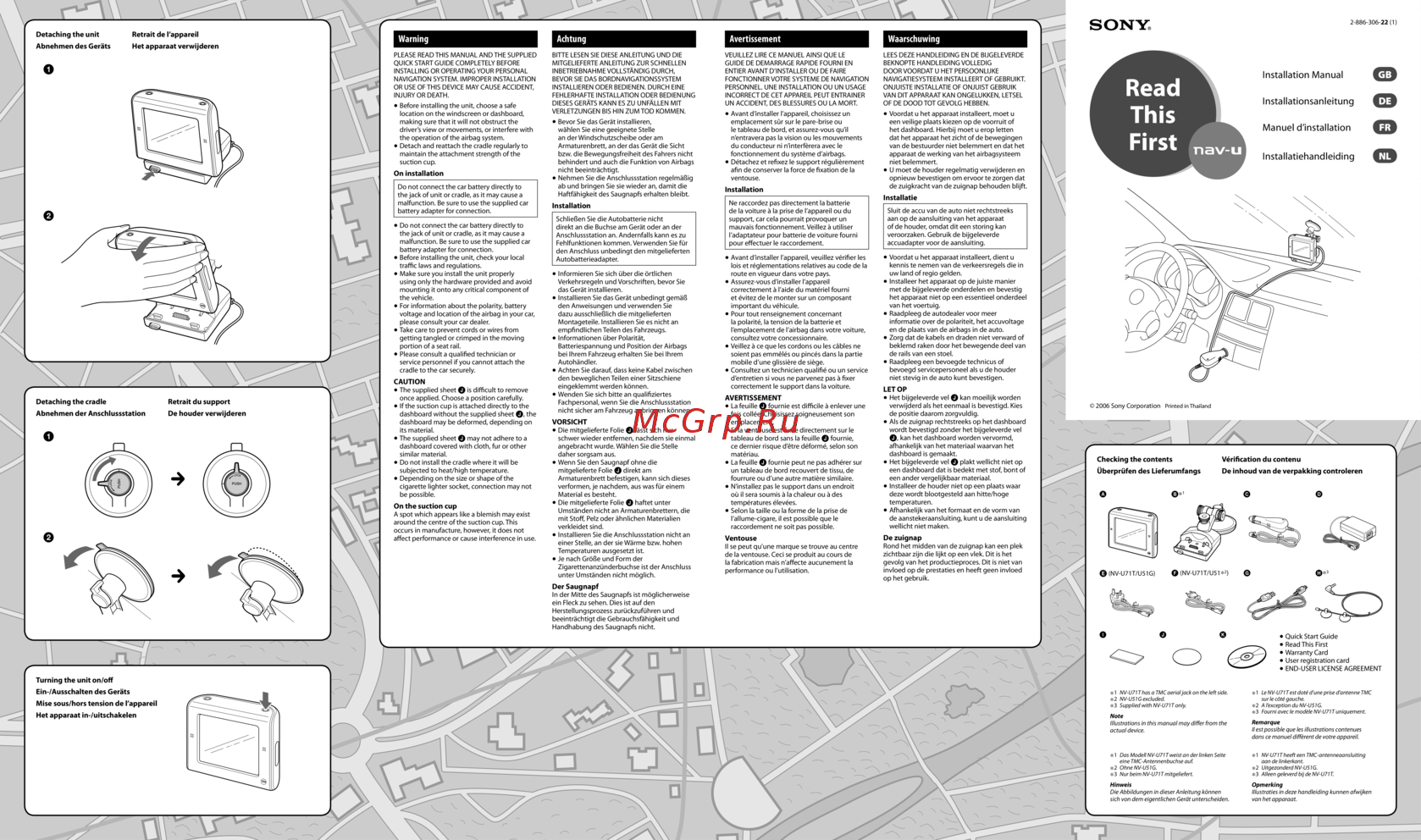 Sony NV-U51Краткий справочник
 -
Sony NV-U51AРуководство по эксплуатации
-
Sony NV-U51AКраткий справочник
-
Sony NV-U51DРуководство по эксплуатации
-
Sony NV-U51DКраткий справочник
-
Sony NV-U51BРуководство по эксплуатации
-
Sony NV-U51BКраткий справочник
-
Sony NV-U51GРуководство по эксплуатации
Entdecken Sie die technischen Daten und Spezifikationen für das Hauptgerät und die Anschlussstation. Erfahren Sie mehr über die Betriebsbedingungen, Anschlüsse und Funktionen.
