![Iriver U10 — важные меры предосторожности и безопасность использования устройства [41/46]](/icons/site-icon-64.png)
Iriver U10 — важные меры предосторожности и безопасность использования устройства [41/46]
![Iriver U10 [41/46] Product](/views2/1800749/page41/bg29.png)
Содержание
141- Using u10
- Quick start
- Additional information
- Along with music playback u10 has a lot of other features
- U10 works with river plus 2
- Quick start
- Quick start
- Getting started
- River click system
- Qukk start
- Locating the controls
- Step 4 play music
- Step 3 transfer music
- Step 2 connect to the computer and charge the battery
- Step 1 install iriver plus 2
- Setting up u10 to ploy music
- Quick start
- River d click system
- Quick start
- You can also use u10 as a removable disk drive
- Using ui0 as a removable disk drive
- Quick start
- Using u10
- Connecting u10
- Connecting to a computer
- Charging the battery
- Using u10
- Disconnecting from a computer
- Organizing and transferring media files
- Along with music playback u10 has a lot of other features
- Using u10
- U10 supports following audio format
- Using ulo
- U10 supports following picture format
- Pictures
- Using u10
- U10 supports following video format
- Follow these steps to play videos in u10
- Using u10
- U10 supports following text format
- Follow these steps to read text files in ui 0
- Using ulo
- Ui 0 supports following flash format
- Follow these steps to play flash contents in u10
- Flash games
- Using u10
- Iriver d click system j
- Introduction to
- Using u10
- Basic features
- Using u10
- Searching for a song
- Playing a song
- Organizing playlists
- Using u10
- During playback
- During navigation
- Advanced features
- Using u10
- Using preset
- Scanning channels manually not using preset
- Scanning channels automatically using preset
- Fm radio
- Basic features
- 95 mhz
- Using u10
- Advanced features
- Recording
- Basic features
- According to each recording quality and type of recording
- Using u10
- The approximate size of recorded file for each minute is
- Standby screen
- Standby
- Using u10
- Advanced features
- Viewing a picture
- Using u10
- Searching for a picture
- Pictures
- Basic features
- While viewing a picture
- Using u10
- During navigation
- Advanced features
- Basic features
- Using u10
- Searching for a video
- Playing a video
- While playing a video
- Using u10
- During navigation
- Advanced features
- Using u10
- Searching for a text
- Reading a text
- Basic features
- Advanced features
- Searching for a flash content
- Playing a flash content
- Flash games
- Basic features
- Clock screen
- Basic features
- Alarm clock
- Advanced features
- Using u10
- Searching for a file
- Browse
- Basic features
- Using u10
- Settings_sound
- Using u10
- Settings_
- Using u10
- Settings_timer
- Using u10
- Settings extra
- Troubleshooting
- Additional information
- Additional informal
- Additional information
- What is the firmware
- How to upgrade the firmware
- Firmware upgrade
- Additional i reformation
- Product
- Precautions and safety
- Electricity
- Additional imformation
- Using u10
- Precautions and safety
- Others
- Additional information
- Trademarks
- Limited liability
- Copyrights trademarks limited liability
- Copyrights
- Additional imformation
- Federal communications commission fcc
- Certification
Похожие устройства
-
 Iriver T5Инструкция 2
 -
 Iriver T5Инструкция 1
 -
 Iriver U10Краткое руководство
 -
 Iriver U10Инструкция по эксплуатации
 -
 Iriver E30Инструкция по эксплуатации
 -
 Iriver T9Инструкция по эксплуатации
 -
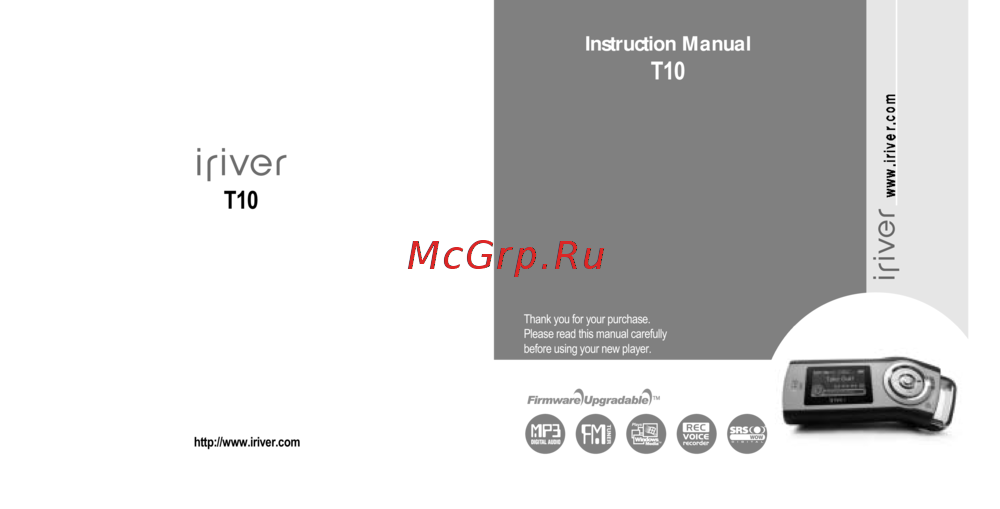 Iriver T10Инструкция по эксплуатации
 -
 Iriver B30Инструкция по эксплуатации
 -
 Iriver E150Инструкция по эксплуатации
 -
 Iriver LplayerИнструкция по эксплуатации
 -
 Iriver MplayerИнструкция по эксплуатации
 -
 Iriver T6Инструкция по эксплуатации
Additional Imformation Precautions and Safety Electricity AC adaptor Is not Included In the box 1 Do not overload a single power circuit 2 Firmly plug the adaptor into the wall socket Unplug adaptor when it is not in use 3 Do not kink or crease the power cable or place heavy objects on the power cable 4 immediately power off the player and unplug the AC adaptor If water or other liquids are present 5 immediately power off the player and unplug the AC adaptor If smoke or odors emit from the player or adaptor 6 Unplug the AC adaptor during electrical storms Product 1 Do not place heavy objects on the player 2 Keep away from harsh environments including humid dusty and smoky areas 3 Avoid contact with water and other liquids 4 Do not use excessive force on the buttons 5 Keep out of direct sunlight and extreme head and cold 6 Do not drop or subject the device to impact 7 Do not dean with chemical or detergent 8 Keep the player away from strong magnets 9 Do not assemble or modify 10 Do not disconnect USB cable while transferring data 39
Узнайте о ключевых мерах предосторожности при использовании устройства. Соблюдайте рекомендации для безопасной эксплуатации и продления срока службы.