![Makita HR007GZ [22/140] Description of the wireless activation lamp status](/icons/site-icon-64.png)
Makita HR007GZ [22/140] Description of the wireless activation lamp status
Превью страниц
Страница 22 /
140
![Makita HR007GZ [22/140] Description of the wireless activation lamp status](/views2/1919513/page22/bg16.png)
22 ENGLISH
4. Push the wireless activation button on the tool
briey.Thewirelessactivationlampwillblinkinblue.
►Fig.52: 1. Wireless activation button 2. Wireless
activation lamp
5. Pull the switch trigger of the tool. Check if the
vacuum cleaner runs while the switch trigger is being
pulled.
To stop the wireless activation of the vacuum cleaner,
push the wireless activation button on the tool.
NOTE: The wireless activation lamp on the tool will
stop blinking in blue when there is no operation for
2 hours. In this case, set the stand-by switch on the
vacuum cleaner to "AUTO" and push the wireless
activation button on the tool again.
NOTE: The vacuum cleaner starts/stops with a delay.
There is a time lag when the vacuum cleaner detects
a switch operation of the tool.
NOTE: The transmission distance of the wireless unit
may vary depending on the location and surrounding
circumstances.
NOTE: When two or more tools are registered to one
vacuum cleaner, the vacuum cleaner may start run-
ning even if you do not pull the switch trigger because
another user is using the wireless activation function.
Description of the wireless activation lamp status
►Fig.53: 1. Wireless activation lamp
The wireless activation lamp shows the status of the wireless activation function. Refer to the table below for the
meaning of the lamp status.
Status Wireless activation lamp Description
Color
On
Blinking
Duration
Standby Blue
2 hours The wireless activation of the vacuum cleaner is available. The
lampwillautomaticallyturnowhennooperationisperformed
for 2 hours.
When
the tool is
running.
The wireless activation of the vacuum cleaner is available and the
tool is running.
Tool
registration
Green
20 seconds Ready for the tool registration. Waiting for the registration by the
vacuum cleaner.
2 seconds Thetoolregistrationhasbeennished.Thewirelessactivation
lamp will start blinking in blue.
Cancelling
tool
registration
Red
20 seconds Ready for the cancellation of the tool registration. Waiting for the
cancellation by the vacuum cleaner.
2 seconds Thecancellationofthetoolregistrationhasbeennished.The
wireless activation lamp will start blinking in blue.
Others Red
3 seconds The power is supplied to the wireless unit and the wireless activa-
tion function is starting up.
O - - The wireless activation of the vacuum cleaner is stopped.
Cancelling tool registration for the
vacuum cleaner
Perform the following procedure when cancelling the
tool registration for the vacuum cleaner.
1.
Install the batteries to the vacuum cleaner and the tool.
2.
Set the stand-by switch on the vacuum cleaner to "AUTO".
►Fig.54: 1. Stand-by switch
3. Press the wireless activation button on the vac-
uum cleaner for 6 seconds. The wireless activation
lamp blinks in green and then become red. After that,
press the wireless activation button on the tool in the
same way.
►Fig.55: 1. Wireless activation button 2. Wireless
activation lamp
If the cancellation is performed successfully, the wire-
less activation lamps will light up in red for 2 seconds
and start blinking in blue.
NOTE:Thewirelessactivationlampsnishblinkingin
red after 20 seconds elapsed. Press the wireless acti-
vation button on the tool while the wireless activation
lamp on the cleaner is blinking. If the wireless acti-
vation lamp does not blink in red, push the wireless
activationbuttonbrieyandholditdownagain.
Содержание
870- Hr007g
- Applicable battery cartridge and charger
- Warning
- Specifications
- Recommended cord connected power source
- Intended use
- English original instructions
- Warning
- Vibration
- Save all warnings and instruc tions for future reference
- Safety warnings
- General power tool safety warnings
- Ec declaration of conformity
- Cordless rotary hammer safety warnings
- Tips for maintaining maximum battery life
- Save these instructions
- Important safety instructions for battery cartridge
- Caution
- Warning
- Save these instructions
- Installing or removing battery cartridge
- Important safety instructions for wireless unit
- Functional description
- Caution
- Tool battery protection system
- Switch action
- Reversing switch action
- Protections against other causes
- Overload protection
- Overheat protection
- Overdischarge protection
- Lighting up the front lamp
- Indicating the remaining battery capacity
- Caution
- Warning
- Selecting the action mode
- Safety warnings about connecting lanyard tether strap to the hook
- Rotation with hammering
- Rotation only
- Notice
- Hammering only
- Connecting lanyard tether strap to the hook
- Caution
- Side grip auxiliary handle
- Notice
- Installing and removing drill bit
- Grease
- Electronic function
- Caution
- Assembly
- Torque limiter
- Uninstallation
- Storage
- Notice
- Installation
- Dust cup set
- Dust cup
- Dust collection system
- Depth gauge
- Chisel angle when chipping scaling or demolishing
- Caution
- Adjusting nozzle position
- Adjusting drilling depths
- Drilling in wood or metal
- Chipping scaling demolition
- Caution
- Uninstallation
- Operation
- Notice
- Hammer drilling operation
- Using dust cup set
- Notice
- Installing drill chuck set
- Disposing of dust
- Diamond core drilling
- Caution
- Blow out bulb
- Beating dust on the filter
- Starting the wireless activation function
- Notice
- Installing the wireless unit
- Caution
- Wireless activation function
- What you can do with the wireless activation function
- Tool registration for the vacuum cleaner
- Description of the wireless activation lamp status
- Cancelling tool registration for the vacuum cleaner
- Troubleshooting for wireless activation function
- English
- Beforeaskingforrepairs conductyourowninspectionfirst ifyoufindaproblemthatisnotexplainedinthemanual do not attempt to dismantle the tool instead ask makita authorized service centers always using makita replace ment parts for repairs
- Replacing sealing cap
- Replacing filter of dust case
- Optional accessories
- Notice
- Maintenance
- Caution
- Buller
- Avsedd användning
- Varning
- Tillgänglig batterikassett och laddare
- Svenska originalinstruktioner
- Specifikationer
- Rekommenderad sladdansluten strömkälla
- Vibration
- Varning
- Säkerhetsvarningar för batteridriven borrhammare
- Säkerhetsvarningar
- Spara alla varningar och instruk tioner för framtida referens
- Eg försäkran om överensstämmelse
- Allmänna säkerhetsvarningar för maskiner
- Varning
- Tips för att uppnå batteriets max imala livslängd
- Spara dessa anvisningar
- Försiktigt
- Viktiga säkerhetsanvisningar för batterikassetten
- Viktiga säkerhetsanvisningar för den trådlösa enheten
- Spara dessa anvisningar
- Montera eller demontera batterikassetten
- Försiktigt
- Funktionsbeskrivning
- Överhettningsskydd
- Överbelastningsskydd
- Varning
- Tända frontlampan
- Skyddssystem för maskinen batteriet
- Skydd mot andra orsaker
- Reverseringsspakens funktion
- Indikerar kvarvarande batterikapacitet
- Försiktigt
- Avtryckarens funktion
- Överurladdningsskydd
- Välja arbetsläge
- Säkerhetsvarningar om anslutning av rep fästrem på kroken
- Slagborrning
- Observera
- Försiktigt
- Endast slag
- Endast borrning
- Ansluta repet fästrem på kroken
- Observera
- Montering
- Momentbegränsare
- Mejselvinkel vid huggmejsling gradmejsling eller demolering
- Installera och ta bort borrbits
- Försiktigt
- Elektronisk funktion
- Sidohandtag extrahandtag
- Observera
- Nedmontering
- Montering
- Inställning av munstyckets läge på dammuppsamlarsystemet
- Inställning av borrdjup
- Förvaring
- Försiktigt
- Djupmått
- Dammuppsamlingssystem
- Dammuppsamlarsats
- Dammuppsamlare
- Huggmejsling gradmejsling demolering
- Försiktigt
- Borrning i trä eller metall
- Användning
- Slagborrning
- Observera
- Vad du kan göra med funktionen för trådlös aktivering
- Observera
- Montering av borrchucksats
- Gummituta
- Försiktigt
- Funktion för trådlös aktivering
- Borttagning av damm
- Borrning med diamantkrona
- Banka av damm från filtret
- Använda dammuppsamlarsatsen
- Starta funktionen för trådlös aktivering
- Observera
- Installera den trådlösa enheten
- Försiktigt
- Verktygsregistrering för dammsugaren
- Utförföljanderutinvidupphävandeavverktygsregistre ringen för dammsugaren
- Upphäver verktygsregistrering för dammsugaren
- Tryck på knappen för trådlös aktivering på damm sugaren i 6 sekunder lampan för trådlös aktivering blinkar grönt och blir sedan röd tryck sedan på knap pen för trådlös aktivering på verktyget på samma sätt fig 5 1 knapp för trådlös aktivering 2 lampa för trådlös aktivering
- Sätt dammsugarens stand by omkopplare på auto fig 4 1 stand by omkopplare
- Svenska
- Om upphävandet har utförts ordentligt kommer lam porna för trådlös aktivering att lysa rött i 2 sekunder och börjablinkaiblått
- Obs lamporna för trådlös aktivering slutar blinka rött efter att 20 sekunder har gått tryck på knappen för trådlös aktivering på maskinen när lampan för trådlös aktivering på dammsugaren blinkar om lam pan för trådlös aktivering inte blinkar rött trycker du kort på knappen för trådlös aktivering och håller in den igen
- Lampan för trådlös aktivering visar status för den trådlösa aktiveringsfunktionen se innebörden av lampans status i tabellen nedan
- Installera batterierna till dammsugaren och verktyget
- Fig 3 1 lampa för trådlös aktivering
- Beskrivning av status för lampan för trådlös aktivering
- Svenska
- Innanduberomreparationskaduförstutföraenegenkontroll omduhittarettproblemsomintefinnsförklarati bruksanvisningen ska du inte försöka att ta isär maskinen fråga istället ett auktoriserad servicecenter för makita och använd alltid reservdelar från makita för reparationer
- Felsökning för funktionen för trådlös aktivering
- Byta filter i dammbehållaren
- Valfria tillbehör
- Underhåll
- Observera
- Försiktigt
- Byta ut tätningslocket
- Tekniske data
- Riktig bruk
- Passende batteri og lader
- Norsk originalinstruksjoner
- Anbefalt ledning koblet til strømkilde
- Advarsel
- Sikkerhetsadvarsel
- Oppbevar alle advarsler og instruksjoner for senere bruk
- Generelle advarsler angående sikkerhet for elektroverktøy
- Efs samsvarserklæring
- Advarsel
- Vibrasjoner
- Sikkerhetsadvarsler for batteridrevet borhammer
- Viktige sikkerhetsanvisninger for batteriinnsats
- Tips for å opprettholde maksimal batterilevetid
- Ta vare på disse instruksene
- Viktige sikkerhetsanvisninger for trådløs enhet
- Ta vare på disse instruksene
- Sette inn eller ta ut batteri
- Funksjonsbeskrivelse
- Forsiktig
- Overlastsikring
- Indikere gjenværende batterikapasitet
- Forsiktig
- Bryterfunksjon
- Batterivernsystem for verktøy batteri
- Advarsel
- Vern mot andre årsaker
- Tenne frontlampen
- Reverseringsfunksjon
- Overutladingsvern
- Overopphetingsvern
- Velge en funksjon
- Sikkerhetsadvarsler om påsetting av fangsnor sikkerhetsstropp på kroken
- Rotasjon med hammerboring
- Påsetting av fangsnor sikkerhetsstropp på kroken
- Forsiktig
- Bare rotasjon
- Bare hammerboring
- Momentbegrenser
- Meiselvinkel ved meisling pikking eller brekking
- Forsiktig
- Elektronisk funksjon
- Støttehåndtak hjelpehåndtak
- Smørefett
- Montering og avtaking av boret
- Montering
- Støvoppsamlingssystem
- Støvkoppsett
- Støvkopp
- Oppbevaring
- Montere
- Justering av dyseposisjonen til støvoppsamlingssystemet
- Justere boredybder
- Forsiktig
- Dybdemåler
- Demontere
- Forsiktig
- Boring i treverk eller metall
- Slagborfunksjon
- Meisling avskalling nedriving
- Utblåsningsballong
- Trådløsaktiverings funksjon
- Montere borekjokssett
- Hva du kan gjøre med trådløsaktiveringsfunksjonen
- Forsiktig
- Diamantkjerneboring
- Bruke støvkoppsettet
- Banke ut støv av filteret
- Avhending av støv
- Verktøyregistrering for støvsugeren
- Starte trådløsaktiveringsfunksjonen
- Installere den trådløse enheten
- Forsiktig
- Avbryte verktøyregistrering for støvsugeren
- Trådløsaktiveringslampenviserstatusentiltrådløsaktiveringsfunksjonen dufinnerinformasjonomlampestatusens betydning i tabellen nedenfor
- Trykk på trådløsaktiveringsknappen på støvsu geren i 6 sekunder trådløsaktiveringslampen blinker grønt og blir deretter rød deretter trykker du på trådløs aktiveringsknappen på verktøyet på samme måte fig 5 1 trådløsaktiveringsknapp 2 trådløsaktiveringslampe
- Still ventebryteren på støvsugeren på auto fig 4 1 ventebryter
- Sett batteriene i støvsugeren og verktøyet
- Merk trådløsaktiveringslampene slutter å blinke rødt når det har gått 20 sekunder trykk på trådløs aktiveringsfunksjonenpåverktøyetmenstrådløsak tiveringslampen på støvsugeren blinker hvis tråd løsaktiveringslampen ikke blinker rødt trykker du på trådløsaktiveringsknappen et kort øyeblikk og holder deninneigjen
- Hvis avbrytingen er vellykket vil trådløsaktiveringslam pene lyse rødt i 2 sekunder og begynne å blinke blått
- Gå frem på følgende måte når du skal avbryte verktøy registrering for støvsugeren
- Fig 3 1 trådløsaktiveringslampe
- Beskrivelse av trådløsaktiveringslampens status
- Inspiserutstyretselvførdubestillerreparasjon ikkeprøvådemontereverktøyethvisdufinneretproblemsomikke er forklart i brukerveiledningen i stedet bør du ta kontakt med et av makitas autoriserte servicesentre som alltid brukerreservedelerframakitatilreparasjoner
- Feilsøking for trådløsaktiveringsfunksjonen
- Vedlikehold
- Valgfritt tilbehør
- Skifte ut det tettende lokket
- Sette filteret tilbake i støvbeholderen
- Forsiktig
- Varoitus
- Tekniset tiedot
- Suositeltu johdollinen virtalähde
- Suomi alkuperäiset ohjeet
- Melutaso
- Käyttötarkoitus
- Käytettävä akkupaketti ja laturi
- Tärinä
- Turvavaroitukset
- Säilytä varoitukset ja ohjeet tule vaa käyttöä varten
- Sähkötyökalujen käyttöä koskevat yleiset varoitukset
- Ey vaatimustenmukaisuusvakuutus
- Akkukäyttöisen poravasaran käyttöä koskevat varoitukset
- Säilytä nämä ohjeet
- Huomio
- Akkupakettia koskevia tärkeitä turvaohjeita
- Vihjeitä akun käyttöiän pidentämiseksi
- Varoitus
- Toimintojen kuvaus
- Säilytä nämä ohjeet
- Langatonta yksikköä koskevat tärkeät turvallisuusohjeet
- Huomio
- Akun asentaminen tai irrottaminen
- Ylikuormitussuoja
- Varoitus
- Työkalun akun suojausjärjestelmä
- Suojaus muilta haitallisilta tapahtumilta
- Pyörimissuunnan vaihtokytkimen toiminta
- Kytkimen käyttäminen
- Huomio
- Etulampun sytyttäminen
- Akun jäljellä olevan varaustason ilmaisin
- Ylipurkautumissuoja
- Ylikuumenemissuoja
- Vain poraus
- Vain iskutoiminto
- Turvaliinan liekaköyden koukkuun kiinnittämiseen liittyvät varoitukset
- Turvaliinan liekaköyden kiinnittäminen koukkuun
- Toiminnon valitseminen
- Poraus iskutoiminnolla
- Koukku
- Huomio
- Huomautus
- Sivukahva apukahva
- Poranterän kiinnittäminen tai irrottaminen
- Kokoonpano
- Huomio
- Huomautus
- Vääntömomentin rajoitin
- Voitele
- Talttateräkulma piikatessa kuoriessa ja rakenteita rikottaessa
- Sähköinen toiminta
- Varastoiminen
- Syvyystulkki
- Pölynkeräysjärjestelmän suutinasennon säätäminen
- Pölynkeräysjärjestelmä
- Pölykorkkisarja
- Pölykorkki
- Poraussyvyyden säätö
- Irrottaminen
- Huomio
- Huomautus
- Asennus
- Huomautus
- Työskentely
- Poraus puuhun tai metalliin
- Piikkaus kuorinta purkutyö
- Iskuporatoiminta
- Huomio
- Timanttiporanterällä poraus
- Pölyn tamppaaminen suodattimesta
- Pölyn hävittäminen
- Pölykorkkisarjan käyttö
- Puhallin
- Poranteräistukkasarjan asentaminen
- Mitä langattomalla aktivointitoiminnolla voi tehdä
- Langaton aktivointitoiminto
- Huomio
- Huomautus
- Huomautus
- Langattoman yksikön asennus
- Langattoman aktivointitoiminnon aloitus
- Laitteen rekisteröinti pölynimurille
- Huomio
- Langattoman aktivoinnin merkkivalon tilan kuvaus
- Laiterekisteröinnin peruutus pölynimurille
- Langattoman aktivointitoiminnon vianetsintä
- Tiivistekorkin vaihto
- Pölysäiliön suodattimen vaihto
- Lisävarusteet
- Kunnossapito
- Huomio
- Huomautus
- Anbefalet ledningstilsluttet strømforsyningskilde
- Advarsel
- Tilsigtet brug
- Specifikationer
- Dansk oprindelige instruktioner
- Anvendelig akku og oplader
- Vibration
- Sikkerhedsadvarsler for akku borehammer
- Sikkerhedsadvarsler
- Gem alle advarsler og instruktio ner til fremtidig reference
- Ef overensstemmelseserklæring
- Almindelige sikkerhedsregler for el værktøj
- Advarsel
- Vigtige sikkerhedsinstruktioner for akkuen
- Tips til opnåelse af maksimal akku levetid
- Gem denne brugsanvisning
- Forsigtig
- Advarsel
- Vigtige sikkerhedsinstruktioner for trådløs enhed
- Isætning eller fjernelse af akkuen
- Gem disse forskrifter
- Funktionsbeskrivelse
- Forsigtig
- Tænding af lampen foran
- Overbelastningsbeskyttelse
- Omløbsvælgerbetjening
- Indikation af den resterende batteriladning
- Forsigtig
- Beskyttelsessystem til værktøj batteri
- Beskyttelse mod overophedning
- Beskyttelse mod overafladning
- Beskyttelse mod andre årsager
- Afbryderbetjening
- Advarsel
- Valg af funktionsmåden
- Sikkerhedsadvarsler om tilslutning af tøjresnor sikkerhedsline til krogen
- Rotation med hamring
- Montering af tøjresnor sikkerhedsline på krogen
- Kun rotation
- Kun hamring
- Forsigtig
- Bemærkning
- Sidehåndtag ekstra håndtag
- Samling
- Montering og afmontering af borebit
- Momentbegrænser
- Forsigtig
- Fedtstof
- Elektronisk funktion
- Bemærkning
- Vinkel på mejsel under mejsling afbankning eller nedrivning
- System til støvopsamling
- Støvopsamlersæt
- Støvopsamler
- Opbevaring
- Montering
- Justering af positionen af studsen på systemet til støvopsamling
- Justering af boredybder
- Forsigtig
- Dybdemåler
- Bemærkning
- Afmontering
- Forsigtig
- Bemærkning
- Anvendelse
- Afmontering
- Mejsling afbankning nedrivning
- Hammerboring
- Udblæsningskolbe
- Montering af borepatronsæt
- Forsigtig
- Brug af støvopsamlersættet
- Bortskaffelse af støv
- Boring med diamantkerne
- Boring i træ eller metal
- Bemærkning
- Afbankning af støv på filteret
- Montering af en trådløs enhed
- Maskinregistrering til støvsugeren
- Hvad kan du foretage dig med den trådløse aktiveringsfunktion
- Forsigtig
- Bemærkning
- Trådløs aktiveringsfunktion
- Start af den trådløse aktiveringsfunktion
- Beskrivelse af den trådløse aktiveringslampes status
- Annullerer maskinregistrering for støvsugeren
- Udfør selv en inspektion inden de anmoder om reparation hvis de opdager et problem som ikke er forklaret i brugsanvisningen må de ikke forsøge at adskille maskinen rådfør dem i stedet med et autoriseret makita servicecenter og brug altid originale makita udskiftningsdele til reparationer
- Fejlfinding i forbindelse med den trådløse aktiveringsfunktion
- Vedligeholdelse
- Udskiftning af tætningshætten
- Udskiftning af filteret på støvbakken
- Forsigtig
- Ekstraudstyr
- Bemærkning
- Paredzētā lietošana
- Latviešu oriģinālie norādījumi
- Ieteicamais ar vadu savienojamais barošanas avots
- Brīdinājums
- Trokšņa līmenis
- Specifikācijas
- Piemērotā akumulatora kasetne un lādētājs
- Vispārīgi elektrisko darbarīku drošības brīdinājumi
- Vibrācija
- Glabājiet visus brīdinājumus un norādījums lai varētu tajos ieskatīties turpmāk
- Ek atbilstības deklarācija
- Drošības brīdinājumi bezvadu perforatora lietošanai
- Drošības brīdinājumi
- Brīdinājums
- Uzmanību
- Svarīgi drošības norādījumi par akumulatora kasetni
- Saglabājiet šos norādījumus
- Ieteikumi akumulatora kalpoša nas laika pagarināšanai
- Brīdinājums
- Akumulatora kasetnes uzstādīšana un izņemšana
- Uzmanību
- Svarīgi drošības norādījumi par bezvadu ierīci
- Saglabājiet šos norādījumus
- Funkciju apraksts
- Uzmanību
- Slēdža darbība
- Priekšējās lampas ieslēgšana
- Griešanās virziena pārslēdzēja darbība
- Darbarīka akumulatora aizsardzības sistēma
- Brīdinājums
- Atlikušās akumulatora jaudas indikators
- Aizsardzība pret pārslodzi
- Aizsardzība pret pārkaršanu
- Aizsardzība pret citiem cēloņiem
- Aizsardzība pret akumulatora pārmērīgu izlādi
- Darba režīma izvēle
- Āķis
- Uzmanību
- Triecienurbšana
- Tikai kalšana
- Saites stiprinājuma saites pievienošana āķim
- Parasta urbšana
- Ievērībai
- Drošības brīdinājumi par saites stiprinājuma saites pievienošanu āķim
- Uzmanību
- Urbja uzgaļa uzstādīšana un noņemšana
- Sānu rokturis palīgrokturis
- Montāža
- Ievērībai
- Griezes momenta ierobežotājs
- Eļļošana
- Elektronika
- Uzstādīšana
- Uzmanību
- Urbšanas dziļuma regulēšana
- Putekļu savākšanas sistēmas uzgaļa pozīcijas regulēšana
- Putekļu savākšanas sistēma
- Putekļu piltuves komplekts
- Putekļu piltuve
- Kalta leņķis atšķelšanai materiālu noņemšanai vai nojaukšanai
- Ievērībai
- Glabāšana
- Dziļummērs
- Atvienošana
- Ievērībai
- Ekspluatācija
- Atšķelšana materiālu noņemšana nojaukšana
- Atvienošana
- Uzmanību
- Urbšana kokā vai metālā
- Triecienurbšana
- Uzmanību
- Urbšana ar dimanta cilindrisko urbi
- Urbja spīļpatronas komplekta uzstādīšana
- Putekļu piltuves komplekta lietošana
- Putekļu likvidēšana
- Netīrumu nosišana no filtra
- Izpūšanas balons
- Ievērībai
- Iespējas ko sniedz bezvadu sistēmas aktivizēšanas funkcija
- Darbarīka reģistrācija putekļu sūcējam
- Bezvadu sistēmas aktivizēšanas funkcijas startēšana
- Bezvadu sistēmas aktivizēšanas funkcija
- Bezvadu ierīces uzstādīšana
- Uzmanību
- Ievērībai
- Darbarīka reģistrācijas atcelšana putekļu sūcējam
- Bezvadu sistēmas aktivizēšanas lampiņas statusa apraksts
- Traucējummeklēšana bezvadu sistēmas aktivizēšanas funkcijai
- Pirmsnodošanasremontāvispirmsveicietpārbaudipats jakonstatējatkļūmi kasnavaprakstītarokasgrāmatā nemēģinietdarbarīkuizjaukt dodietiesuzmakitapilnvarotuapkopescentruunremontamvienmērizmantojiettikai makitarezervesdaļas
- Latviešu
- Uzmanību
- Putekļu tvertnes filtra maiņa
- Papildu piederumi
- Ievērībai
- Hermētiskā vāciņa maiņa
- Apkope
- Rekomenduojamas laidu prijungiamas maitinimo šaltinis
- Numatytoji naudojimo paskirtis
- Lietuvių kalba originali instrukcija
- Įspėjimas
- Triukšmas
- Tinkama akumuliatoriaus kasetė ir arba įkroviklis
- Specifikacijos
- Įspėjimas
- Įspėjimai dėl akumuliatorinio smūginio grąžto saugos
- Vibracija
- Saugos įspėjimai
- Išsaugokite visus įspėjimus ir instrukcijas kad galėtumėte jas peržiūrėti ateityje
- Eb atitikties deklaracija
- Bendrieji įspėjimai dirbant elektriniais įrankiais
- Įspėjimas
- Svarbios saugos instrukcijos taikomos akumuliatoriaus kasetei
- Saugokite šias instrukcijas
- Perspėjimas
- Patarimai ką daryti kad akumu liatorius veiktų kuo ilgiau
- Veikimo aprašymas
- Svarbios saugumo instrukcijos dėl belaidžio bloko
- Saugokite šias instrukcijas
- Perspėjimas
- Akumuliatoriaus kasetės uždėjimas ir nuėmimas
- Įspėjimas
- Įrankio akumuliatoriaus apsaugos sistema
- Priekinės lemputės uždegimas
- Perspėjimas
- Likusios akumuliatoriaus galios rodymas
- Jungiklio veikimas
- Atbulinės eigos jungimas
- Apsauga nuo visiško išeikvojimo
- Apsauga nuo perkrovos
- Apsauga nuo perkaitimo
- Apsauga nuo kitų sutrikimų
- Veikimo režimo pasirinkimas
- Tik kalimas
- Tik gręžimas
- Saugos įspėjimai apie saugos dirželio diržo tvirtinimą prie kablio
- Saugos dirželio diržo tvirtinimas prie kablio
- Perspėjimas
- Pastaba
- Kalamasis gręžimas
- Kablys
- Tepalas
- Surinkimas
- Sukimo momento ribotuvas
- Perspėjimas
- Pastaba
- Grąžto įdėjimas ir išėmimas
- Elektroninė funkcija
- Šoninė rankena papildoma rankena
- Sandėliavimas
- Perspėjimas
- Pastaba
- Nuėmimas
- Montavimas
- Kalto kampas nudaužymo grandymo arba griovimo darbams
- Gylio ribotuvas
- Gręžimo gylio reguliavimas
- Dulkių surinkimo sistemos antgalio padėties nustatymas
- Dulkių surinkimo sistema
- Dulkių rinktuvo komplektas
- Dulkių rinktuvas
- Nuėmimas
- Naudojimas
- Gręžimas į medį arba metalą
- Smūginis gręžimas
- Skėlimas nuodegų šalinimas ardymas
- Perspėjimas
- Pastaba
- Perspėjimas
- Pastaba
- Išpūtimo kriaušė
- Gręžimas deimantiniu šerdiniu grąžtu
- Grąžto griebtuvo komplekto montavimas
- Dulkių rinktuvo komplekto naudojimas
- Dulkių išmetimas
- Dulkių iš filtro pašalinimas
- Ką galima padaryti su belaidžio aktyvinimo funkcija
- Belaidžio bloko įdėjimas
- Belaidžio aktyvinimo funkcijos paleidimas
- Belaidžio aktyvinimo funkcija
- Įrankio nustatymas vakuuminiame valymo įrenginyje
- Perspėjimas
- Pastaba
- Įrankio nustatymo vakuuminiame valymo įrenginyje atšaukimas
- Belaidžio aktyvinimo lemputės būsenos aprašymas
- Prieškreipdamiesidėlremontodarbų pirmiausiapatikrinkitegedimuspatys kilusproblemų apiekuriasnepaaiš kintavartotojovadove nemėginkiteardytiįrankio kreipkitėsįįgaliotuosius makita techninėspriežiūroscentrus kuriuoseremontuivisuometnaudojamosoriginalios makita keičiamosiosdalys
- Lietuvių kalba
- Belaidžio aktyvinimo funkcijos trikčių šalinimas
- Techninė priežiūra
- Sandarinimo dangtelio pakeitimas
- Perspėjimas
- Pastaba
- Pasirenkami priedai
- Dulkių rinktuvo filtro pakeitimas
- Hoiatus
- Eesti originaaljuhend
- Tehnilised andmed
- Soovitatud juhtmega ühendatav toiteallikas
- Sobiv akukassett ja laadija
- Kavandatud kasutus
- Üldised elektritööriistade ohutushoiatused
- Vibratsioon
- Ohutushoiatused
- Juhtmeta puurvasara ohutusnõuded
- Hoidke edaspidisteks viideteks alles kõik hoiatused ja juhtnöörid
- Hoiatus
- Eü vastavusdeklaratsioon
- Vihjeid aku maksimaalse kasu tusaja tagamise kohta
- Hoidke juhend alles
- Hoiatus
- Ettevaatust
- Akukassetiga seotud olulised ohutusjuhised
- Juhtmeta seadmega seotud olulised ohutusjuhised
- Hoidke juhend alles
- Funktsionaalne kirjeldus
- Ettevaatust
- Akukasseti paigaldamine või eemaldamine
- Ülelaadimiskaitse
- Ülekuumenemiskaitse
- Ülekoormuskaitse
- Tööriista aku kaitsesüsteem
- Suunamuutmise lüliti töötamisviis
- Lüliti funktsioneerimine
- Kaitse muude põhjuste korral
- Hoiatus
- Ettevaatust
- Eesmise lambi süütamine
- Aku jääkmahutavuse näit
- Töörežiimi valimine
- Tähelepanu
- Pöörlemine koos haamrifunktsiooniga
- Ohutushoiatused kinnitusrihma kinnitusosaga konksu külge ühendamise kohta
- Kinnitusrihma kinnitusosaga ühendamine konksuga
- Ettevaatust
- Ainult pöörlemisfunktsioon
- Ainult haamrifunktsioon
- Tähelepanu
- Puuriotsaku paigaldamine ja eemaldamine
- Määrimine
- Külgkäepide abipide
- Kokkupanek
- Kaitsesidur
- Ettevaatust
- Elektrooniline funktsioon
- Tähelepanu
- Tolmutopsi komplekt
- Tolmutops
- Tolmukogumissüsteemi otsaku asendi reguleerimine
- Tolmukogumissüsteem
- Sügavuse piiraja
- Puurimissügavuse reguleerimine
- Paigaldamine
- Meisli kaldenurk täksimisel pealiskihi eemaldamisel või lammutustöödel
- Hoiundamine
- Ettevaatust
- Eemaldamine
- Puidu või metalli puurimine
- Löökpuurimise režiim
- Ettevaatust
- Eemaldamine
- Tööriista kasutamine
- Täksimine pealiskihi eemaldamine lammutustööd
- Tähelepanu
- Tähelepanu
- Tolmutopsi komplekti kasutamine
- Tolmu eemaldamine
- Teemant südamikupuuri kasutamine
- Puuripadrunite komplekti paigaldamine
- Läbipõlenud pirn
- Filtrilt tolmu kloppimine
- Ettevaatust
- Mida võimaldab juhtmeta aktiveerimise funktsioon
- Juhtmeta seadme paigaldamine
- Juhtmeta aktiveerimise funktsiooni käivitamine
- Juhtmeta aktiveerimise funktsioon
- Ettevaatust
- Tööriista registreerimine tolmuimeja jaoks
- Tähelepanu
- Tööriista registreerimise tühistamine tolmuimeja jaoks
- Juhtmeta aktiveerimise tule oleku kirjeldus
- Juhtmeta aktiveerimise funktsiooni veaotsing
- Enne remonditöökotta pöördumist kontrollige niidukit ise ärge üritage niidukit lahti võtta kui leiate probleemi mida kasutusjuhendiseikirjeldata selleasemelpöördugemakitavolitatudteeninduskeskusesse kuskasutatakseremon timisel alati makita tagavaraosi
- Valikulised tarvikud
- Tähelepanu
- Tolmukarbi filtri vahetamine
- Tihenduskorgi vahetamine
- Hooldus
- Ettevaatust
- Рекомендованный источник электропитания с проводным подключением
- Подходящий блок аккумулятора и зарядное устройство
- Осторожно
- Назначение
- Технические характеристики
- Русский оригинальные инструкции
- Шум
- Сохраните брошюру с инструк циями и рекомендациями для дальнейшего использования
- Правила техники безопасности при обращении с аккумуляторным перфоратором
- Общие рекомендации по технике безопасности для электроинструментов
- Меры безопасности
- Декларация о соответствии ес
- Вибрация
- Сохраните данные инструкции
- Осторожно
- Важные правила техники безопасности для работы с аккумуляторным блоком
- Сохраните данные инструкции
- Советы по обеспечению мак симального срока службы аккумулятора
- Внимание
- Важные правила техники безопасности для работы с беспроводным блоком
- Установка или снятие блока аккумуляторов
- Сохраните данные инструкции
- Описание работы
- Индикация оставшегося заряда аккумулятора
- Внимание
- Система защиты инструмента аккумулятора
- Осторожно
- Защита от переразрядки
- Защита от перегрузки
- Защита от перегрева
- Защита от других неполадок
- Действие реверсивного переключателя
- Действие выключателя
- Внимание
- Включение передней лампы
- Внимание
- Только ударное действие
- Только вращение
- Примечание
- Подсоединение стропа страховочного ремня к крючку
- Крючок
- Инструкции по технике безопасности при присоединении стропа страховочного ремня к крючку
- Выбор режима действия
- Вращение с ударным действием
- Электронная функция
- Смазка
- Сборка
- Примечание
- Ограничитель крутящего момента
- Внимание
- Боковая ручка вспомогательная рукоятка
- Глубиномер
- Хранение
- Установка и снятие головки сверла
- Установка
- Угол зубила при расщеплении скоблении или разрушении
- Снятие
- Система пылеулавливания
- Регулировка положения сопла системы пылеулавливания
- Регулировка глубины сверления
- Примечание
- Снятие
- Сверление с ударным действием
- Примечание
- Колпак для пыли в сборе
- Колпак для пыли
- Внимание
- Внимани
- Эксплуатация
- Установка
- Установка комплекта сверлильного патрона
- Сверление колонковым алмазным долотом
- Сверление дерева или металла
- Расщепление скобление разрушение
- Примечание
- Очистка фильтра от пыли
- Внимание
- Функция беспроводной активации
- Установка беспроводного блока
- Удаление пыли
- Примечание
- Использование колпака для пыли в сборе
- Груша для продувки
- Внимание
- Что позволяет делать функция беспроводной активации
- Регистрация инструмента для пылесоса
- Примечание
- Запуск функции беспроводной активации
- Отмена регистрации инструмента для пылесоса
- Описание статуса лампы беспроводной активации
- Русский
- Преждечемобращатьсяпоповодуремонта проведитеосмотрсамостоятельно еслиобнаруженанеисправ ность неуказаннаявруководстве непытайтесьразобратьинструмент обратитесьводинизавторизован ныхсервисныхцентровmakita вкоторыхдляремонтавсегдаиспользуютсяоригинальныедеталиmakita
- Поиск и устранение неисправностей для функции беспроводной активации
- Примечание
- Обслуживание
- Замена фильтра корпуса для сбора пыли
- Внимание
- Замена уплотнительной крышки
- Дополнительные принадлежности
- Внимание
- Www makita com
- Makita europe n v
- Makita corporation
- Jan baptist vinkstraat 2 3070 kortenberg belgium
- 11 8 sumiyoshi cho anjo aichi 446 8502 japan
Похожие устройства
-
 Makita HR004GZРуководство по эксплуатации
 -
 Makita HR001GZРуководство по эксплуатации
 -
 Makita HR007GZДеталировка
 -
 Makita HR004GZИнструкция
 -
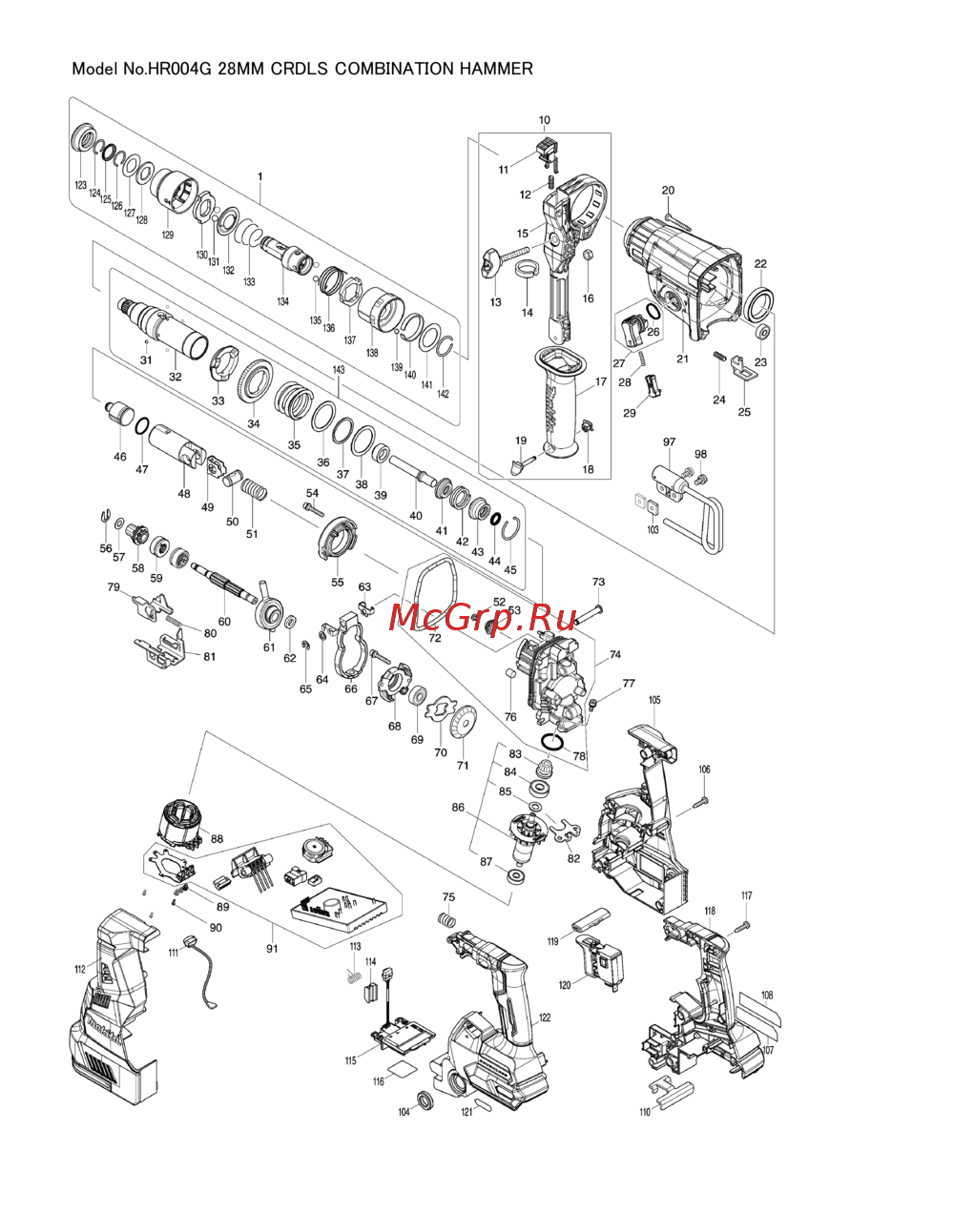 Makita HR004GZДеталировка
 -
Makita HR003GZИнструкция
-
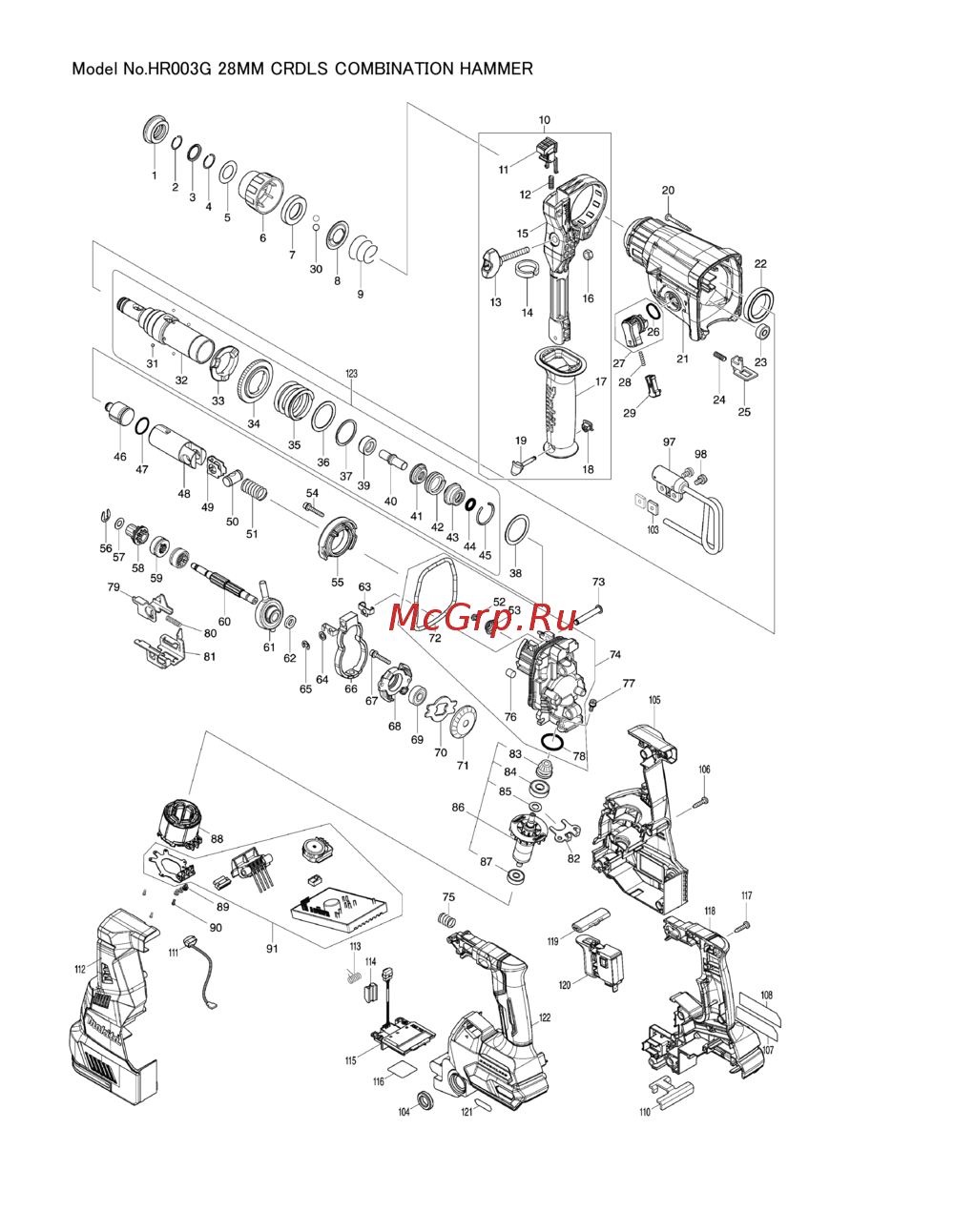 Makita HR003GZДеталировка
 -
Makita HR001GZИнструкция
-
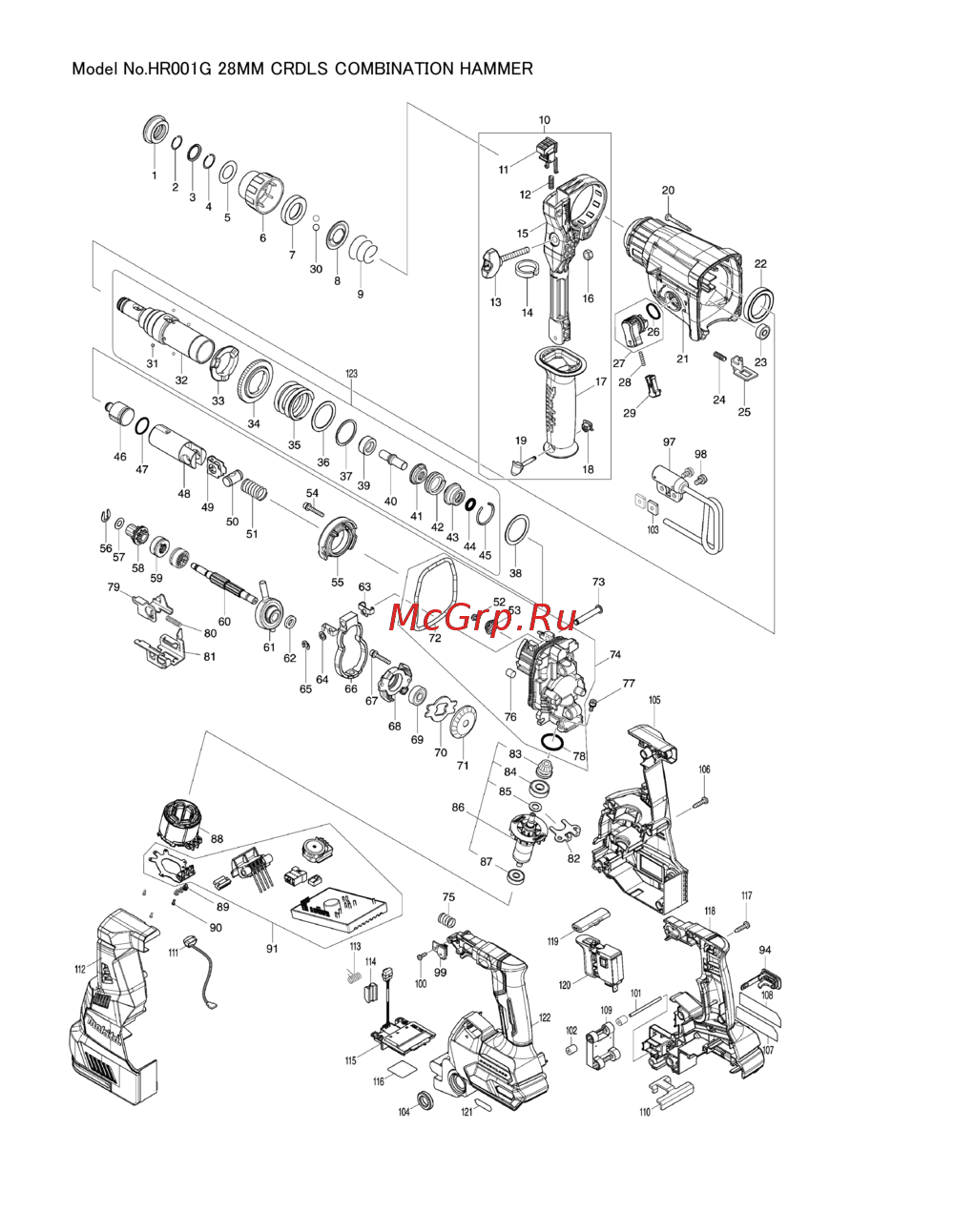 Makita HR001GZДеталировка
 -
 Makita DHR182ZWJИнструкция
 -
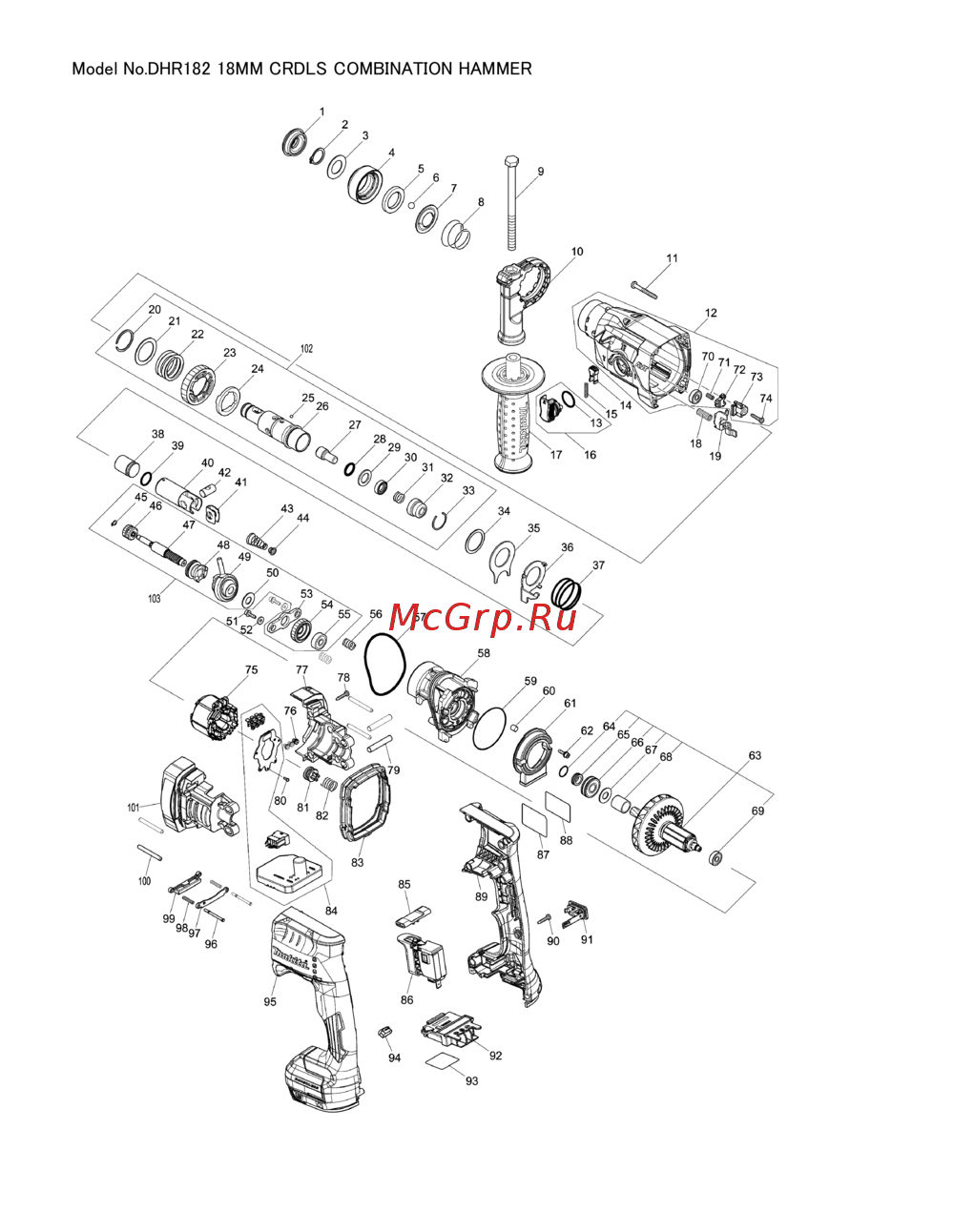 Makita DHR182ZWJДеталировка
 -
Makita DHR182ZИнструкция