![Prestigio GeoVision 5300 BTFMTV 4Gb — пошаговое руководство по созданию маршрутов и авторouting [44/50]](/img/pdf.png)
Prestigio GeoVision 5300 BTFMTV 4Gb — пошаговое руководство по созданию маршрутов и авторouting [44/50]
![Prestigio GeoVision 5300 BTFMTV 4Gb [44/50] Manual route creation](/views2/1056137/page44/bg2c.png)
EN-19
Autorouting using search
Find an object of interest using “Search” and press it with stylus, then select “Go To”
item from the menu. Apart from this item there are also “Insert” — add a point
between two points of existing route, and “Add” — point is added to the end of a
route and continues it. Both items are available only with existing route.
Manual route creation
The difference of this route creation method from previous two is what you can set a
start point and a destination point.
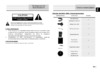
To create a route, press a map using stylus, press the “Cursor” (Fig. 1) button and
“Start” button after the menu appears (Fig. 2). Then find the destination point and
press “Cursor” — “Go To” (Fig. 3). If you using maps supports autorouting, route will
be created referring to this data and will be the shortest or the quickest. Otherwise
waypoints will be connected with strait green lines.
Please note! If GPS-receiver is active, you cannot set the start point!
Autorouting
1 2 3
EN
Содержание
- Gv4700 5700ru user manual ru pdf p.1
- Предостережение p.1
- Предупреждение p.1
- Инструкции по безопасности p.1
- Изображение описание кол во p.2
- Аксессуары p.2
- Список аксессуаров список аксессуаров p.2
- Вид спереди и сбоку p.3
- Обзор устройства p.3
- Обзор устройства p.4
- Вид сверху и снизу вид сверху и снизу p.4
- Системные подключения p.5
- Установка карт памяти microsd установка карт памяти microsd p.5
- Подключение к внешнему usb устройству зарядка p.5
- Системные подключения p.6
- Подключение наушников подключение наушников p.6
- Использование автомобильного зарядного устройства p.6
- Питание устройства p.7
- Обратите внимание при работе с батареей p.7
- Использование использование батареи p.7
- Начало работы p.8
- Функция bluetooth опционально функция bluetooth опционально p.9
- Функция bluetooth главное меню p.9
- Соединение bluetooth p.10
- Функция hands free p.11
- Hands free function p.12
- Функция fm p.13
- Опционально p.13
- Интерфейс программы p.14
- Интерфейс программы p.15
- Интерфейс программы p.16
- Интерфейс программы p.17
- Интерфейс программы p.18
- Автороутинг автороутинг p.19
- Автороутинг p.19
- Ручное создание маршрута p.20
- Автороутинг из поиска автороутинг из поиска p.20
- Автороутинг p.20
- Навител пробки p.21
- Навител sms p.21
- Дополнительно p.21
- Решение проблем p.22
- Технические характеристики p.23
- Соединение с пк p.24
- Примечание p.24
- Caution p.26
- Warning p.26
- Important safety instructions p.26
- Gv4700 5700ru user manual en pdf p.26
- Item name qty p.27
- Accessories list accessories list p.27
- Accessories p.27
- View of main unit p.28
- Front and side view front and side view p.28
- View of main unit p.29
- Top and bottom view top and bottom view p.29
- Inserting microsd card inserting microsd card p.30
- Device connections p.30
- Connecting to external usb device charging p.30
- Device connections p.31
- Connecting to earphones connecting to earphones p.31
- Connecting to car charger p.31
- Working conditions and precautions for the rechargeable battery p.32
- Cautions on battery charging p.32
- About rechargeable battery about rechargeable battery p.32
- Getting started p.33
- Bluetooth function optional bluetooth function optional p.34
- Bluetooth function main menu p.34
- Bluetooth connection p.35
- Hands free function p.36
- Hands free function p.37
- Fm function optional fm function optional p.38
- Fm function p.38
- Program interface p.39
- Program interface p.40
- Program interface p.41
- Program interface p.42
- Autorouting p.43
- Autorouting autorouting p.43
- Manual route creation p.44
- Autorouting using search autorouting using search p.44
- Autorouting p.44
- Navitel traffic p.45
- Navitel sms p.45
- Additional features p.45
- Troubleshooting p.46
- Troubleshooting p.47
- Technical specifications p.48
- Pc connection p.49
- Disclaimer p.49
Похожие устройства
-
 Prestigio GeoVision 360 (2Gb)Инструкция по эксплуатации
 -
 Prestigio GeoVision 3200Инструкция по эксплуатации
 -
Prestigio GeoVision 360 (1Gb)Инструкция по эксплуатации
-
 Prestigio GeoVision 7059 (PGPS7059CIS04GBNV)Инструкция по эксплуатации
 -
 Prestigio GeoVision 5069 (PGPS5069CIS04GBNV)Инструкция по эксплуатации
 -
 Prestigio GeoVision 5059 (PGPS5059CIS04GBNV)Инструкция по эксплуатации
 -
 Prestigio GeoVision 7797 (PGPS7797CIS08GBNV)Инструкция по эксплуатации
 -
 Prestigio GeoVision 5068 (PGPS5068CIS04GBNV)Инструкция по эксплуатации
 -
 Prestigio GeoVision Tour 7795Инструкция по эксплуатации
 -
 Prestigio GeoVision 5566Инструкция по эксплуатации
 -
 Prestigio GeoVision 4050 NavitelИнструкция по эксплуатации
 -
 Prestigio GeoVision 5850Инструкция по эксплуатации
Узнайте, как эффективно использовать функции поиска и создания маршрутов. Создавайте маршруты с помощью стилуса и получайте кратчайшие пути.