![Prestigio GeoVision 5300 BTFMTV 4Gb — использование GPRS для онлайн-сервисов навигации [45/50]](/img/pdf.png)
Prestigio GeoVision 5300 BTFMTV 4Gb — использование GPRS для онлайн-сервисов навигации [45/50]
![Prestigio GeoVision 5700 BTHD 4Gb [45/50] Navitel traffic](/views2/1056137/page45/bg2d.png)
EN-20
If your device has GPRS-module, or provides Internet connection via the
GPRS-module of your mobile phone through Bluetooth, you will be able to use
some «Navitel.Navigator» software features like «Navitel.Traffic» and
«Navitel.SMS» services.
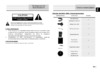
Navitel.Traffic
Using this service you can see the traffic
situation in Russia, Ukraine, Belarus or
any other country you have official map
for. To set the service, go to “Settings” ->
«On-line services» -> ”Traffic Jams”.
When the service is active, the roads are
colorized in different colors, which mean:
red - traffic jam, pink - movement is
complicated, yellow - movement is a bit
complicated, green - favorable traffic(1).
Navitel.SMS
The special window will appear on the screen when you receive the Navitel.SMSI2].
Select “Hide” to hide it or ”Accept” to see options.
Note:
For more detailed information regarding the functionality of Navitel 5.0 software, please,
refer to the compete user manual on CD, or to www.prestigio.com.
Additional features
1
2
EN
Содержание
- Gv4700 5700ru user manual ru pdf p.1
- Предостережение p.1
- Предупреждение p.1
- Инструкции по безопасности p.1
- Изображение описание кол во p.2
- Аксессуары p.2
- Список аксессуаров список аксессуаров p.2
- Вид спереди и сбоку p.3
- Обзор устройства p.3
- Обзор устройства p.4
- Вид сверху и снизу вид сверху и снизу p.4
- Системные подключения p.5
- Установка карт памяти microsd установка карт памяти microsd p.5
- Подключение к внешнему usb устройству зарядка p.5
- Системные подключения p.6
- Подключение наушников подключение наушников p.6
- Использование автомобильного зарядного устройства p.6
- Питание устройства p.7
- Обратите внимание при работе с батареей p.7
- Использование использование батареи p.7
- Начало работы p.8
- Функция bluetooth опционально функция bluetooth опционально p.9
- Функция bluetooth главное меню p.9
- Соединение bluetooth p.10
- Функция hands free p.11
- Hands free function p.12
- Функция fm p.13
- Опционально p.13
- Интерфейс программы p.14
- Интерфейс программы p.15
- Интерфейс программы p.16
- Интерфейс программы p.17
- Интерфейс программы p.18
- Автороутинг автороутинг p.19
- Автороутинг p.19
- Ручное создание маршрута p.20
- Автороутинг из поиска автороутинг из поиска p.20
- Автороутинг p.20
- Навител пробки p.21
- Навител sms p.21
- Дополнительно p.21
- Решение проблем p.22
- Технические характеристики p.23
- Соединение с пк p.24
- Примечание p.24
- Caution p.26
- Warning p.26
- Important safety instructions p.26
- Gv4700 5700ru user manual en pdf p.26
- Item name qty p.27
- Accessories list accessories list p.27
- Accessories p.27
- View of main unit p.28
- Front and side view front and side view p.28
- View of main unit p.29
- Top and bottom view top and bottom view p.29
- Inserting microsd card inserting microsd card p.30
- Device connections p.30
- Connecting to external usb device charging p.30
- Device connections p.31
- Connecting to earphones connecting to earphones p.31
- Connecting to car charger p.31
- Working conditions and precautions for the rechargeable battery p.32
- Cautions on battery charging p.32
- About rechargeable battery about rechargeable battery p.32
- Getting started p.33
- Bluetooth function optional bluetooth function optional p.34
- Bluetooth function main menu p.34
- Bluetooth connection p.35
- Hands free function p.36
- Hands free function p.37
- Fm function optional fm function optional p.38
- Fm function p.38
- Program interface p.39
- Program interface p.40
- Program interface p.41
- Program interface p.42
- Autorouting p.43
- Autorouting autorouting p.43
- Manual route creation p.44
- Autorouting using search autorouting using search p.44
- Autorouting p.44
- Navitel traffic p.45
- Navitel sms p.45
- Additional features p.45
- Troubleshooting p.46
- Troubleshooting p.47
- Technical specifications p.48
- Pc connection p.49
- Disclaimer p.49
Похожие устройства
-
 Prestigio GeoVision 360 (2Gb)Инструкция по эксплуатации
 -
 Prestigio GeoVision 3200Инструкция по эксплуатации
 -
Prestigio GeoVision 360 (1Gb)Инструкция по эксплуатации
-
 Prestigio GeoVision 7059 (PGPS7059CIS04GBNV)Инструкция по эксплуатации
 -
 Prestigio GeoVision 5069 (PGPS5069CIS04GBNV)Инструкция по эксплуатации
 -
 Prestigio GeoVision 5059 (PGPS5059CIS04GBNV)Инструкция по эксплуатации
 -
 Prestigio GeoVision 7797 (PGPS7797CIS08GBNV)Инструкция по эксплуатации
 -
 Prestigio GeoVision 5068 (PGPS5068CIS04GBNV)Инструкция по эксплуатации
 -
 Prestigio GeoVision Tour 7795Инструкция по эксплуатации
 -
 Prestigio GeoVision 5566Инструкция по эксплуатации
 -
 Prestigio GeoVision 4050 NavitelИнструкция по эксплуатации
 -
 Prestigio GeoVision 5850Инструкция по эксплуатации
Узнайте, как использовать GPRS-модуль для доступа к онлайн-сервисам навигации, таким как информация о пробках и SMS-уведомления. Настройте удобные функции для вашего устройства.