
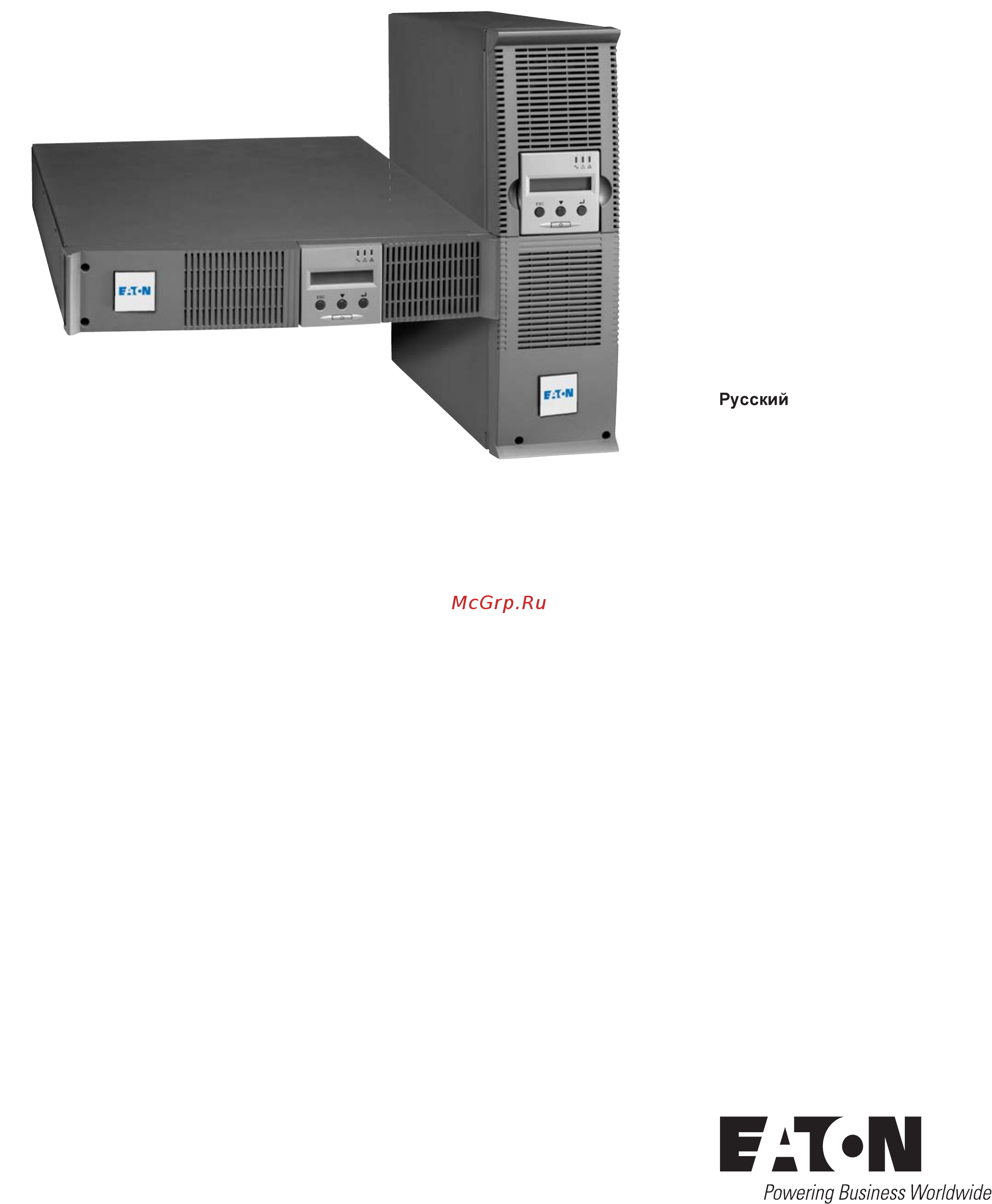
Eaton Powerware EX 3000 RT3U HotSwap DIN Инструкция по эксплуатации онлайн
Превью страниц
Страница 1 /
172
Содержание
495- Rt 2u 2200 rt 3u 3000 rt 2u 3000 rt 3u 3000 rt 3u xl exb rt 3u
- Installation and user manual
- Pulsar series
- Pulsar series
- Substances
- Packing
- Introduction
- Environmental protection
- End of life
- Pictograms
- Introduction
- Installation
- Contents
- Appendices
- Access to measurements and personalisation data
- Presentation
- Operation
- Maintenance
- Tower position
- Standard positions
- Rack position
- Presentation
- Rear panels
- Presentation
- Ex exb optional battery module
- Ex 2200 3000 3000 xl
- Control panel
- Unpacking and contents check
- Installation
- Installation in rack position
- Installation
- Installation in tower position
- Installation of the communication cards optional
- Installation
- Connection of rs232 or usb communication port optional
- Communication ports
- Installation
- Connections with a hotswap mbp module optional
- Connections with a flexpdu power distribution unit module optional
- Ups start up with the hotswap mbp module
- Ups connection without a flexpdu or hotswap mbp module
- Installation
- Hotswap mbp module test
- Hotswap mbp module operation
- Operation on battery power
- Operation
- Low battery warning
- Ups personalisation
- Transfer to battery power
- Start up and normal operation
- Using the ups remote control functions
- Ups shutdown
- Return of ac input power
- Remote control connection and test
- Operation
- End of battery backup time
- Operation
- Personalisation using the control panel
- Local personalisation
- Display menus arrangement
- Access to measurements and personalisation data
- Access to measurements
- Access to measurements and personalisation data
- Personalisation using external software
- Output personalisation
- On off personalisation
- Battery personalisation
- Troubleshooting
- Maintenance
- Troubleshooting a ups equipped with the hotswap mbp module
- Safety recommendations
- Maintenance
- Battery module replacement
- Battery module removal
- Mounting the new battery module
- Maintenance on a ups equipped with the hotswap mbp module
- Maintenance
- Training centre
- Maintenance
- Technical specifications
- Ex 3000 xl
- Appendices
- Glossary
- Appendices
- Www eaton com
- Pulsar series
- Substances
- Respect de l environnement
- Introduction
- Fin de vie
- Emballage
- Pictogrammes utilisés
- Introduction
- Installation
- Annexes
- Utilisation
- Sommaire
- Présentation
- Personnalisation et accès aux mesures
- Maintenance
- Présentation
- Positions standards
- Position tour
- Position rack
- Présentation
- Panneau d affichage et de commande
- Faces arrières
- Ex exb module batterie optionnel
- Ex 2200 3000 3000 xl
- Installation
- Déballage et vérification du contenu
- Installation en position tour
- Installation en position rack
- Installation
- Raccordement du port de communication rs232 ou usb facultatif
- Ports de communication
- Installation des cartes de communication en option
- Installation
- Raccordements avec un module hotswap mbp option
- Raccordements avec un module flexpdu power distribution unit option
- Installation
- Test du module hotswap mbp
- Raccordement d une asi dépourvue de module flexpdu ou hotswap mbp
- Mise en service de l asi avec le module hotswap mbp
- Installation
- Fonctionnement du module hotswap mbp
- Fonctionnement sur batterie
- Utilisation
- Seuil de préalarme de fin d autonomie batterie
- Personnalisation de l asi
- Passage sur batterie
- Mise en service et fonctionnement normal
- Utilisation des fonctions de commande à distance de l asi
- Utilisation
- Retour du réseau électrique
- Raccordement et test des commandes à distance
- Fin d autonomie batterie
- Arrêt de l asi
- Utilisation
- Personnalisation par le panneau de commande
- Personnalisation locale
- Accès aux mesures et personnalisation
- Accès aux mesures
- Synoptique de l afficheur
- Personnalisation par logiciel externe
- Personnalisation marche arrêt on off
- Personnalisation de la sortie
- Personnalisation batterie
- Accès aux mesures et personnalisation
- Maintenance
- Dépannage
- Remplacement du module batterie
- Rappel sur les consignes de sécurité
- Maintenance
- Dépannage d une asi équipée d un module hotswap mbp
- Démontage du module batterie
- Remontage du nouveau module batterie
- Maintenance d une asi équipée d un module hotswap mbp
- Maintenance
- Maintenance
- Centre de formation
- Spécifications techniques
- Annexes
- Glossaire
- Annexes
- Www eaton com
- Pulsar series
- Verpackung
- Umweltfreundlichkeit
- Schadstoffe
- Recycling der usv nach ablauf der lebensdauer
- Einleitung
- Bedeutung der piktogramme
- Allgemeines
- Anhang
- Wartung und service
- Kundenspezifische anpassung und abfrage der messwerte
- Inhalt
- Betriebszustände
- Aufstellung und installation
- Ansichten und beschreibung
- Tower modell
- Rack modell
- Aufstellvarianten
- Ansichten und beschreibung
- Rückansicht
- Ex exb batterie erweiterungsmodul
- Ex 2200 3000 3000 xl
- Bedien und anzeigefeld
- Ansichten und beschreibung
- Aufstellung und installation
- Entfernen der verpackung und überprüfung des lieferumfangs
- Einbau des rack modells
- Aufstellung und installation
- Aufstellung des tower modells
- Kommunikationsschnittstellen
- Einbau der optionalen kommunikationskarten
- Aufstellung und installation
- Anschluss der rs232 bzw der usb schnittstelle wahlweise
- Usv anschluss mit optionalem hotswap mbp modul
- Usv anschluss mit optionalem flexpdu installationsverteiler power distribution unit
- Aufstellung und installation
- Usv anschluss ohne flexpdu und oder hotswap mbp modul
- Funktionsweise des hotswap mbp moduls
- Aufstellung und installation
- Betriebszustände
- Batteriebetrieb
- Voralarm ende der autonomiezeit
- Umschaltung auf batteriebetrieb
- Kundenspezifische anpassung der usv
- Inbetriebnahme und normalbetrieb
- Verwendung der fernbetätigungsfunktionen der usv
- Rückkehr der netzspannung
- Betriebszustände
- Anschluss und test der fernbetätigungen
- Abschaltung der usv
- Abschaltung am ende der autonomiezeit
- Betriebszustände
- Kundenspezifische anpassung über bedienfeld
- Kundenspezifische anpassung und abfrage der messwerte
- Darstellungsmöglichkeiten des displays
- Anzeigesprache und summerfunktion
- Abfrage der messwerte
- Kundenspezifische anpassung über externe software
- Kundenspezifische anpassung und abfrage der messwerte
- Ein aus funktion on off
- Batterie
- Ausgangsgrößen
- Wartung und service
- Fehlerbehebung
- Wartung und service
- Sicherheitsmaßnahmen
- Betriebsstörungen bei einer usv mit hotswap mbp modul
- Austausch des batteriemoduls
- Ausbau des batteriemoduls
- Wartung und service bei usv anlagen mit hotswap mbp modul
- Wartung und service
- Einbau des neuen batteriemoduls
- Trainingscenter
- Wartung und service
- Technische daten
- Ex 3000 xl
- Anhang
- Fachbegriffe
- Anhang
- Www eaton com
- Pulsar series
- Tutela dell ambiente
- Sostanze
- Introduzione
- Imballaggio
- Fine della vita utile
- Pittogrammi utilizzati
- Introduzione
- Allegati
- Utilizzo
- Sommario
- Presentazione
- Personalizzazione e accesso alle misure
- Manutenzione
- Installazione
- Presentazione
- Posizioni standard
- Posizione tower
- Posizione slot
- Vista posteriore
- Presentazione
- Pannello di visualizzazione e di comando
- Ex exb modulo batteria opzionale
- Ex 2200 3000 3000 xl
- Apertura dell imballaggio e verifica del contenuto
- Installazione
- Installazione nella posizione tower
- Installazione nella posizione slot
- Installazione
- Raccordo della porta di comunicazione rs232 o usb facoltativa
- Porte di comunicazione
- Installazione delle schede di comunicazione opzione
- Installazione
- Raccordi con un modulo hotswap mbp opzione
- Raccordi con un modulo flexpdu power distribution unit opzione
- Installazione
- Test del modulo hotswap mbp
- Raccordo di un asi privo di modulo flexpdu o hotswap mbp
- Installazione
- Funzionamento del modulo hotswap mbp
- Attivazione dell asi con il modulo hotswap mbp
- Utilizzo
- Soglia di preallarme per fine autonomia della batteria
- Personalizzazione dell asi
- Passaggio su batteria
- Messa in servizio e funzionamento normale
- Funzionamento su batteria
- Utilizzo delle funzioni di controllo remoto dell asi
- Utilizzo
- Ritorno della rete elettrica
- Fine dell autonomia della batteria
- Collegamento e test dei comandi remoti
- Arresto dell asi
- Utilizzo
- Personalizzazione locale
- Accesso alle misure e personalizzazione
- Accesso alle misure
- Sinottico del display
- Personalizzazione tramite il pannello di comando
- Personalizzazione tramite software esterno
- Personalizzazione dell uscita
- Personalizzazione batteria
- Personalizzazione avvio arresto on off
- Accesso alle misure e personalizzazione
- Riparazione dei guasti
- Manutenzione
- Sostituzione del modulo batteria
- Smontaggio del modulo batteria
- Richiamo sulle istruzioni di sicurezza
- Manutenzione
- Anomalie su un asi dotato di modulo hotswap mbp
- Manutenzione di un asi dotato di modulo hotswap mbp
- Manutenzione
- Rimontaggio del nuovo modulo batteria
- Manutenzione
- Centro di formazione
- Specifiche tecniche
- Ex 3000 xl
- Allegati
- Glossario
- Allegati
- Www eaton com
- Pulsar series
- Sustancias
- Respeto medioambiental
- Introducción
- Final de vida útil
- Embalaje
- Introducción
- Pictogramas utilizados
- Índice
- Utilización
- Presentación
- Personalización y acceso a las medidas
- Mantenimiento
- Instalación
- Anexos
- Presentación
- Posición de torre
- Posición de rack
- Posiciones estándar
- Pulsar ex 2200 3000 3000 xl
- Presentación
- Panel de visualización y de mando
- Caras traseras
- Pulsar ex exb módulo de batería opcional
- Instalación
- Desembalaje y comprobación del contenido
- Instalación en posición de torre
- Instalación en posición de rack
- Instalación
- Puertos de comunicación
- Instalación de las tarjetas de comunicación opcionales
- Instalación
- Conexión del puerto de comunicación rs232 o usb facultativo
- Instalación
- Conexión al módulo flexpdu power distribution unit opcional
- Conexiones a un módulo hotswap mbp opcional
- Instalación
- Funcionamiento del módulo hotswap mbp
- Conexión de un sai sin módulo flexpdu o hotswap mbp
- Test del módulo hotswap mbp
- Puesta en servicio del sai con el módulo hotswap mbp
- Utilización
- Umbral de prealarma de final de autonomía de la batería
- Puesta en servicio y en funcionamiento normal
- Personalización del sai
- Funcionamiento con batería
- Cambio a batería
- Vuelta de la corriente eléctrica
- Utilización de las funciones de mando a distancia del sai
- Utilización
- Parada del sai
- Final de autonomía de la batería
- Conexión y test de los mandos a distancia
- Utilización
- Acceso a las medidas
- Personalización local
- Personalización con el panel de mando
- Descripción sinóptica del visualizador
- Acceso a las medidas y personalización
- Personalización mediante software externo
- Personalización marcha parada on off
- Personalización de la salida
- Personalización de la batería
- Acceso a las medidas y personalización
- Solución de averías
- Mantenimiento
- Sustitución del módulo de batería
- Recordatorio de las instrucciones de seguridad
- Mantenimiento
- Desmontaje del módulo de batería
- Anomalías en un sai equipado con un módulo hotswap mbp
- Montaje del nuevo módulo de batería
- Mantenimiento de un sai equipado con un módulo hotswap mbp
- Mantenimiento
- Mantenimiento
- Centro de formación
- Pulsar ex 3000 xl
- Especificaciones técnicas
- Anexos
- Glosario
- Anexos
- Www eaton com
- Pulsar series
- Verpakking
- Stoffen
- Inleiding
- Einde levensduur
- Zorg voor het milieu
- Inleiding
- Gebruikte pictogrammen
- Onderhoud
- Instellingen en toegang tot metingen
- Installatie
- Inhoud
- Gebruik
- Bijlagen
- Beschrijving
- Tower opstelling
- Standaardopstellingen
- Rack opstelling
- Beschrijving
- Bedieningspaneel
- Achterkant
- Ex exb optionele accumodule
- Ex 2200 3000 3000 xl
- Beschrijving
- Uitpakken en controle van de inhoud
- Installatie
- Plaatsing in tower opstelling
- Plaatsing in rack opstelling
- Installatie
- Installatie van communicatiekaarten optie
- Installatie
- Communicatiepoorten
- Aansluiten van de rs232 of usb communicatiepoort facultatief
- Installatie
- Aansluiting op hotswap mbp module optie
- Aansluiting op een flexpdu module power distribution unit elektrische verdeeldoos optie
- Aansluiten van een ups zonder flexpdu of hotswap mbp module
- Werking van de hotswap mbp module
- Testen van de hotswap mbp module
- Installatie
- In bedrijf stellen van de ups met de hotswap mbp module
- Overschakelen op accubedrijf
- Instellen van de ups
- Ingebruikname en normaal bedrijf
- Gebruik
- Drempelwaarde voor de voorwaarschuwing accu bijna leeg
- Accubedrijf
- Uitschakelen van de ups
- Terugkeer van de netspanning
- Gebruik van de remote bedieningsfuncties van de ups
- Gebruik
- Accu leeg
- Aansluiten en testen van remote bedieningsfuncties
- Gebruik
- Toegang tot metingen en instellingen
- Toegang tot metingen
- Overzicht displayweergaves
- Lokale instellingen
- Instellingen via bedieningspaneel
- Toegang tot metingen en instellingen
- Output instellingen
- Instellingen via externe software
- Instellingen accu
- Instellen aan uit on off
- Problemen oplossen
- Onderhoud
- Onderhoud
- Let op neem de volgende veiligheidsvoorschriften in acht
- Demonteren van de accumodule
- Vervangen van de accumodule
- Storingen op een ups met hotswap mbp module
- Plaatsen van de nieuwe accumodule
- Onderhoud van een ups met een hotswap mbp module
- Onderhoud
- Trainingscentrum
- Onderhoud
- Technische gegevens
- Ex 3000 xl
- Bijlagen
- Definities
- Bijlagen
- Www eaton com
- Pulsar series
- Page 1
- Www eaton com
Похожие устройства
-
 Eaton Powerware EX 3000 RT2U NetpackИнструкция по эксплуатации
 -
Eaton Powerware EX 3000 RT3U HotSwap HWИнструкция по эксплуатации
-
Eaton Powerware EX 3000 RT3U HotSwap IECИнструкция по эксплуатации
-
Eaton Powerware EX 2200 RT3U HotSwap DINИнструкция по эксплуатации
-
Eaton Powerware EX 2200 RT2UИнструкция по эксплуатации
-
Eaton Powerware EX 2200 RTИнструкция по эксплуатации
-
 Eaton Powerware EX 1500 RT2UИнструкция по эксплуатации
 -
Eaton Powerware EX 1500Инструкция по эксплуатации
-
Eaton Powerware EX 1000 RT2UИнструкция по эксплуатации
-
Eaton Powerware EX 1000Инструкция по эксплуатации
-
Eaton Powerware EX 700Инструкция по эксплуатации
-
 Eaton Powerware 9PX 11000i RT6U HotSwap Netpack 3:1Инструкция по эксплуатации