
Tp-Link TL-WA855RE V2 Руководство пользователя онлайн
Превью страниц
Страница 1 /
37

Содержание
75- User guide
- Chapter 2 set up internet connection
- Chapter 1 get to know about your extender
- About this guide
- Contents
- Chapter 5 manage your extender 23
- Chapter 4 more features of your extender 19
- Chapter 3 customize your network 11
- More info
- Conventions
- About this guide
- Get to know about your extender
- Chapter 1
- Product overview
- Easy management with the tp link tether app
- Easy installation quick position
- Bring dead zones back to life
- Appearance
- 2 port and button description
- 1 led explanation
- You can check the extender s working status by following the led explanation table
- Ports or buttons description
- Name status indication
- Chapter 1 get to know about your extender
- Set up internet connection
- Chapter 2
- Quick setup
- Power on
- Connect to the host network
- 2 method two via a web browser
- 1 method one via the wps button
- Position your extender
- Customize your network
- Chapter 3
- Configure wireless network
- Check internet status
- Change lan settings
- Specify dhcp server settings
- Set access control
- Adjust wi fi coverage
- More features of your extender
- Chapter 4
- Use your extender as a wireless adapter
- Transform your existing wired network to a wireless one
- 1 to set up the extender as an access point
- 2 to connect your wireless devices to the extender via wps
- Manage your extender
- Chapter 5
- Set up system time
- Control leds
- Power schedule
- Backup and restore configuration settings
- Upgrade the firmware
- Change login password
- System log
- Q5 i enabled wireless mac filter wireless access control or access control list acl on my router what should i do to configure and use the extender
- Q4 what can i do if i cannot access the web management page
- Q3 what can i do if i forgot my wireless password
- Q2 what can i do if i forgot my login password
- Q1 how to reset the extender to its factory default settings
- Copyright trademarks
- Fcc statement
- Fcc rf radiation exposure statement
- Ce mark warning
- Korea warning statements
- Industry canada statement
- Déclaration d exposition aux radiations
- Canadian compliance statement
- 注意
- Rf exposure information
- Radiation exposure statement
- Ncc notice bsmi notice
- 安全諮詢及注意事項
- Safety information
- Explanations of the symbols on the product label
Похожие устройства
-
 Tp-Link re450Инструкция по эксплуатации
 -
 Tp-Link re200Инструкция по эксплуатации
 -
 Tp-Link RE270K V1Руководство по быстрому старту
 -
 Tp-Link RE270K V1Руководство пользователя
 -
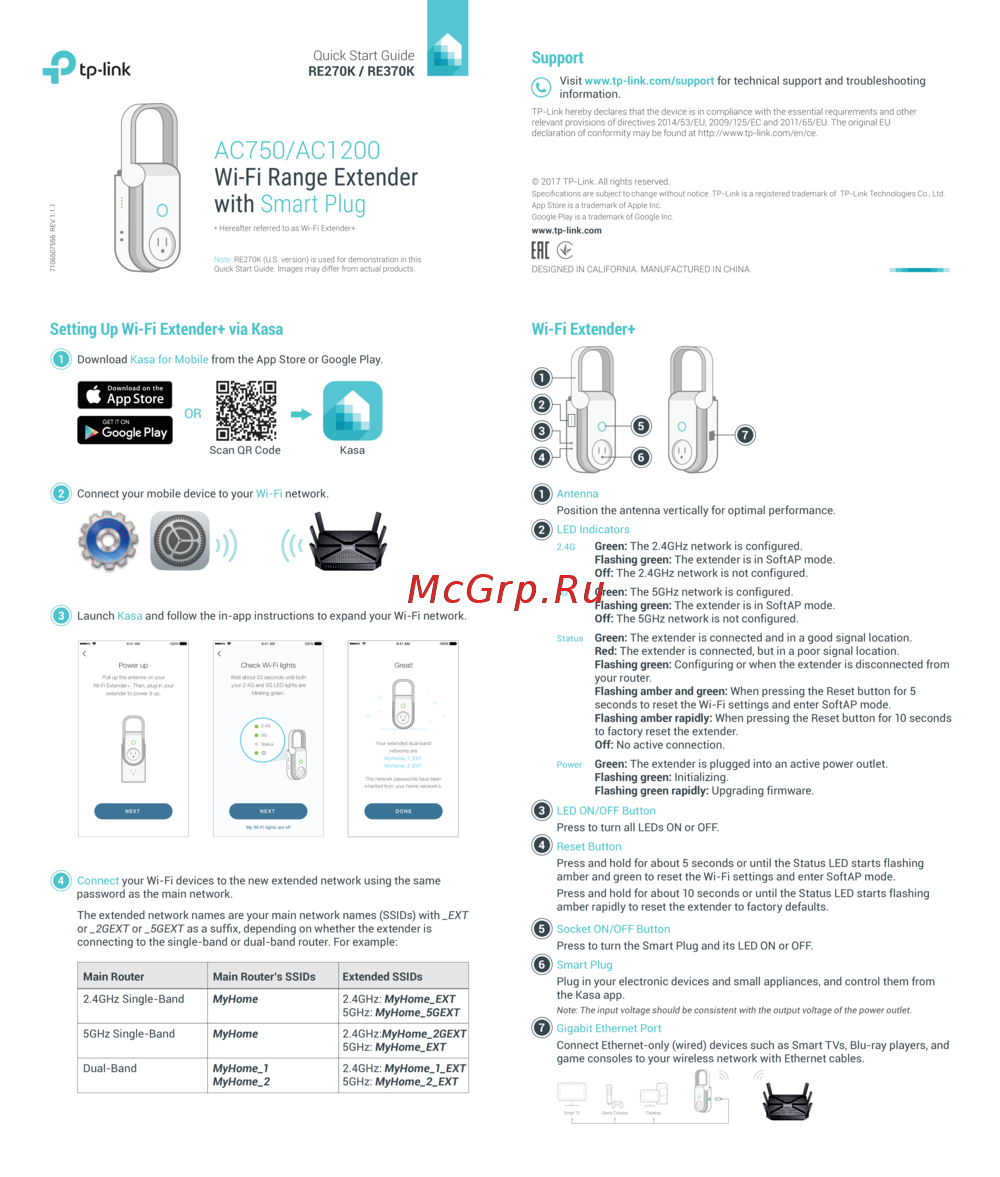 Tp-Link RE370K V1Руководство по быстрому старту
 -
Tp-Link RE370K V1Руководство пользователя
-
Tp-Link RE370K V2Руководство по быстрому старту
-
 Tp-Link TL-WA855RE V1Руководство пользователя
 -
 Tp-Link TL-WA855RE V1Руководство по быстрому старту
 -
 Tp-Link TL-WA855RE V2Руководство по быстрому старту
 -
 Tp-Link TL-WA855RE V3Руководство пользователя
 -
 Tp-Link TL-WA855RE V3Руководство по быстрому старту