![Zyxel ZyWALL USG 20 — настройка профиля фильтрации контента для защиты сети [61/150]](/icons/site-icon-64.png)
Zyxel ZyWALL USG 20 — настройка профиля фильтрации контента для защиты сети [61/150]
Превью страниц
Страница 61 /
150
![Zyxel ZyWALL USG 2000 [61/150] Note you need to first activate your content filter service license or trial to use commtouch or bluecoat content filtering service see device and service registration o...](/views2/1169217/page61/bg3d.png)
Chapter 3 Protecting Your Network
ZyWALL USG 20-2000 User’s Guide
61
3.8 Content Filter Profile Configuration
Content filter allows you to control access to specific web sites or filter web content by checking
against an external database. This tutorial shows you how to configure a Content Filter profile.
Note: You need to first activate your Content Filter service license or trial to use
Commtouch or BlueCoat content filtering service. See Device and Service
Registration on page 55.
1 You will first configure a content filter profile. Click Configuration > Anti-X > Content Filter >
Filter Profile > Add to open the following screen. Enter a profile Name and select Enable
Content Filter Category Service and select desired actions for the different web page categories.
Then select the categories to include in the profile or select Select All Categories. Click Apply.
Содержание
321- Default login details
- Quick start guide
- User s guide
- Unified security gateway
- Zywall usg series
- Read carefully before use
- Related documentation
- Note it is recommended you use the web configurator to configure the zywall
- Keep this guide for future reference
- Important
- Create secure connections across the internet 9
- How to set up your network 9
- Protecting your network 3
- Managing traffic 5
- Introduction
- Contents
- Appendix a legal information 45
- Maintenance 25
- Overview
- Key applications
- Introduction
- Vpn connectivity
- Ipv6 routing
- Load balancing
- Ssl vpn network access
- User aware access control
- Default zones interfaces and ports
- Web configurator
- Management overview
- Web configurator
- Command line interface cli
- Web configurator access
- Vantage cnm
- Web configurator screens overview
- Title bar
- Navigation panel
- Dashboard
- Chapter 1 introduction
- Zywall usg 20 2000 user s guide
- The monitor menu screens display status and statistics information
- The dashboard displays general device information system status system resource usage licensed service status and interface status in widgets that you can re arrange to suit your needs see the web help for details on the dashboard
- Table 4 monitor menu screens summary
- Monitor menu
- Folder or link tab function
- Zywall usg 20 2000 user s guide
- Use the configuration menu screens to configure the zywall s features
- Table 5 configuration menu screens summary
- Folder or link tab function
- Configuration menu
- Chapter 1 introduction
- Table 5 configuration menu screens summary continued
- Folder or link tab function
- Chapter 1 introduction
- Zywall usg 20 2000 user s guide
- Zywall usg 20 2000 user s guide
- Table 5 configuration menu screens summary continued
- Folder or link tab function
- Chapter 1 introduction
- Zywall usg 20 2000 user s guide
- Web configurator tables and lists are flexible with several options for how to display their entries
- Use the maintenance menu screens to manage configuration and firmware files run diagnostics and reboot or shut down the zywall
- Tables and lists
- Table 6 maintenance menu screens summary
- Table 5 configuration menu screens summary continued
- Maintenance menu
- Folder or link tab function
- Figure 11 sorting table entries by a column s criteria
- Click a column heading to sort the table s entries according to that column s criteria
- Chapter 1 introduction
- Zywall usg 20 2000 user s guide
- Working with lists
- When a list of available entries displays next to a list of selected entries you can often just double click an entry to move it from one list to the other in some lists you can also use the shift or ctrl key to select multiple entries and then use the arrow button to move them to the other list
- The tables have icons for working with table entries you can often use the shift or ctrl key to select multiple entries to remove activate or deactivate
- Table 7 common table icons
- Label description
- Here are descriptions for the most common table icons
- Figure 16 common table icons
- Figure 15 navigating pages of table entries
- Chapter 1 introduction
- Stopping the zywall
- Rack mounting
- Note leave 10 cm of clearance at the sides and 20 cm in the rear
- Note failure to use the proper screws may damage the unit
- Wall mounting
- Note make sure the screws are securely fixed to the wall and strong enough to hold the weight of the zywall with the connection cables
- Usg 20w
- Wall mount the zywall horizontally the zywall s side panels with ventilation slots should not be facing up or down as this position is less safe
- Usg 300
- Usg 2000
- Usg 1000
- Front panel
- Usg 20
- Base t ports
- Usg 50
- Usg 20w
- Usg 200
- Usg 100
- Mini gbic slots
- Dual personality interfaces
- To avoid possible eye injury do not look into an operating fiber optic module s connectors or fiber optic cable
- Fiber optic cable and transceiver removal
- Transceiver and fiber optic cable installation
- Maximizing throughput
- Front panel leds
- Zywall usg 20 2000 user s guide
- Table 9 zywall usg 2000 front panel leds
- Table 8 zywall usg 20 usg 1000 front panel leds continued
- Led color status description
- Chapter 1 introduction
- Led color status description
- Zywall usg 20 2000 user s guide
- Table 9 zywall usg 2000 front panel leds continued
- Chapter 1 introduction
- How to set up your network
- Wizard overview
- How to configure interfaces port roles and zones
- Configure a wan ethernet interface
- Configure zones
- Configure port roles
- How to configure a cellular interface
- Note the network selection is set to auto by default this means that the 3g usb modem may connect to another 3g network when your service provider is not in range or when necessary select home to have the 3g device connect only to your home network or local service provider this prevents you from being charged using the rate of a different isp
- Set up user accounts
- How to set up a wireless lan
- Create the wlan interface
- Wireless clients import the zywall s certificate
- Wireless clients use the wlan interface
- How to configure ethernet ppp vlan bridge and policy routing
- Note instead of using router advertisement you can use dhcpv6 to pass the network settings to the computers on the lan
- Ipv6 ipv6
- How to set up ipv6 interfaces for pure ipv6 routing
- Setting up the wan ipv6 interface
- Setting up the lan interface
- Note your isp or uplink router should enable router advertisement
- Prefix delegation and router advertisement settings
- Apply a network prefix from your isp
- Setting up the wan ipv6 interface
- Note your isp or a dhcpv6 server in the same network as the wan should assign an ipv6 ip address for the wan interface
- Ipv6 ipv6
- Setting up the lan interface
- Note you can configure the ipv6 address prefix length field instead if the delegated prefix is never changed
- What can go wrong
- Ipv6 ipv4
- How to set up an ipv6 6to4 tunnel
- Setting up the lan ipv6 interface
- Lan1 ipv6 6to4 tunnel wan1 ipv4
- Configuration concept
- Setting up the 6to4 tunnel
- What can go wrong
- Testing the 6to4 tunnel
- Setting up the ipv6 in ipv4 tunnel
- Policy route wan1 ipv4 tunnel
- Note in the ipv6 in ipv4 tunnel application you must configure the peer gateway s wan ipv4 address as the remote gateway ip
- Lan1 ipv6
- Ipv6 ipv4
- Ipv6 in ipv4
- How to set up an ipv6 in ipv4 tunnel
- Configuration concept
- Setting up the lan ipv6 interface
- Setting up the policy route
- What can go wrong
- Testing the ipv6 in ipv4 tunnel
- Protecting your network
- Firewall
- What can go wrong
- User aware access control
- What can go wrong
- Endpoint security eps
- Device and service registration
- Note you need to first activate your anti virus service license or trial see device and service registration on page 55
- Anti virus policy configuration
- What can go wrong
- Procedure to create a new profile
- Note you need to first activate your idp service license or trial see device and service registration on page 55
- Note if internet explorer opens a warning screen about a script making internet explorer run slowly and the computer maybe becoming unresponsive just click no to continue
- Idp profile configuration
- Procedure to create a new adp profile
- Adp profile configuration
- Note if internet explorer opens a warning screen about a script making internet explorer run slowly and the computer maybe becoming unresponsive just click no to continue
- Note you need to first activate your content filter service license or trial to use commtouch or bluecoat content filtering service see device and service registration on page 55
- Content filter profile configuration
- Viewing content filter reports
- Note you need to first activate your anti spam service license or trial to use the mail scan functions sender reputation mail content analysis and virus outbreak detection see device and service registration on page 55
- Anti spam policy configuration
- Test the vpn connection
- Ipsec vpn
- Create secure connections across the internet
- Configure security policies for the vpn tunnel
- What can go wrong
- Vpn concentrator example
- Branch office a
- Headquarters
- Branch office b
- What can go wrong
- Hub and spoke ipsec vpn without vpn concentrator
- Branch office a zynos based zywall
- Headquarters zld based zywall
- Branch office b zld based zywall
- What can go wrong
- Zywall ipsec vpn client configuration provisioning
- Overview of what to do
- Configuration steps
- What can go wrong
- Ssl vpn
- What can go wrong
- L2tp vpn with android ios and windows
- L2tp_pool 192 68 0 0 192 68 0 0 lan1_subnet 192 68 x
- L2tp vpn example
- Configuring policy routing
- Configuring l2tp vpn in ios
- Configuring l2tp vpn in android
- Create a connection object
- Configuring l2tp vpn in windows
- Configuring l2tp in windows 7 or windows vista
- Configure the connection object
- Connect using l2tp vpn
- Configuring l2tp in windows xp
- What can go wrong
- One time password version 2 otpv2
- What can go wrong
- Managing traffic
- How to configure bandwidth management
- Sip bandwidth management
- Sip any to wan and wan to any bandwidth management example
- Setting the interface s bandwidth
- Bandwidth allocation example
- Note use app patrol service for the services classified by the zywall s idp packet inspection signatures use service object for pre defined services
- Http any to wan bandwidth management example
- Ftp wan to dmz bandwidth management example
- Ftp lan to dmz bandwidth management example
- What can go wrong
- Set up available bandwidth on ethernet interfaces
- How to configure a trunk for wan load balancing
- Configure the wan trunk
- How to use multiple static public wan ip addresses for lan to wan traffic
- Create the public ip address range object
- How to use device ha to backup your zywall
- Configure the policy route
- Active passive mode and legacy mode
- Synchronization
- Management access ip addresses
- Active passive mode device ha example
- Configure device ha on the master zywall
- Before you start
- Configure the backup zywall
- Check your device ha setup
- How to configure dns inbound load balancing
- Deploy the backup zywall
- What can go wrong
- How to allow public access to a web server
- Configure nat
- Set up a firewall rule
- What can go wrong
- Turn on the alg
- How to manage voice traffic
- How to allow incoming h 23 peer to peer calls
- 192 68 6
- Set up a nat policy for h 23
- Set up a firewall rule for h 23
- Turn on the alg
- How to use an ippbx on the dmz
- Set up a nat policy for the ippbx
- Set up a wan to dmz firewall rule for sip
- What can go wrong
- Set up a dmz to lan firewall rule for sip
- Set up web surfing policies
- How to limit web surfing and msn to specific people
- Set up msn policies
- What can go wrong
- Maintenance
- How to allow management service from wan
- Check service control
- Check firewall settings
- How to use a radius server to authenticate user accounts based on groups
- How to use ssh for secure telnet access
- Example 1 microsoft windows
- How to manage zywall configuration files
- Example 2 linux
- What can go wrong
- How to manage zywall firmware
- What can go wrong
- How to download and upload a shell script
- What can go wrong
- How to change a power module
- Note you can check the remaining memory space in the dashboard screen
- Note system logs saved on the zywall cannot be transferred to a usb device directly connected to the zywall the zywall saves new system logs to the connected usb storage after you complete the settings shown here
- Note make sure the usb device s file system is supported by the zywall it should not display unknown
- How to save system logs to a usb storage device
- What can go wrong
- How to get the zywall s diagnostic file
- Packet capture screen
- How to capture packets on the zywall
- Packet capture screen
- Example of viewing a packet capture cap file
- How to use packet flow explore for troubleshooting
- Ppendi
- Legal information
- Zyxel limited warranty
- Zywall usg 20 2000 user s guide
- Viewing certifications
- Taiwanese bsmi bureau of standards metrology and inspection a warning
- Registration
- Open source licenses
- Notices
- Federal communications commission fcc interference statement
- Fcc warning
- Certifications class a for zywall usg 300 1000 and 2000
- Ce mark warning
- Appendix a legal information
- Appendix a legal information
- Zywall usg 20 2000 user s guide
- Regulatory information
- National restrictions
- European union
- Declaration of conformity with regard to eu directive 1999 5 ec r tte directive
- Zywall usg 20 2000 user s guide
- Safety warnings
- Appendix a legal information
- Zywall usg 20w antenna warning this device meets etsi and fcc certification requirements when using the included antenna s only use the included antenna s zywall usg 20 20w if you wall mount your device make sure that no electrical lines gas or water pipes will be damaged
- Zywall usg 20 2000 user s guide
- Your product is marked with this symbol which is known as the weee mark weee stands for waste electronics and electrical equipment it means that used electrical and electronic products should not be mixed with general waste used electrical and electronic equipment should be treated separately
- Appendix a legal information
Похожие устройства
-
 Zyxel USG1100Описание параметров
 -
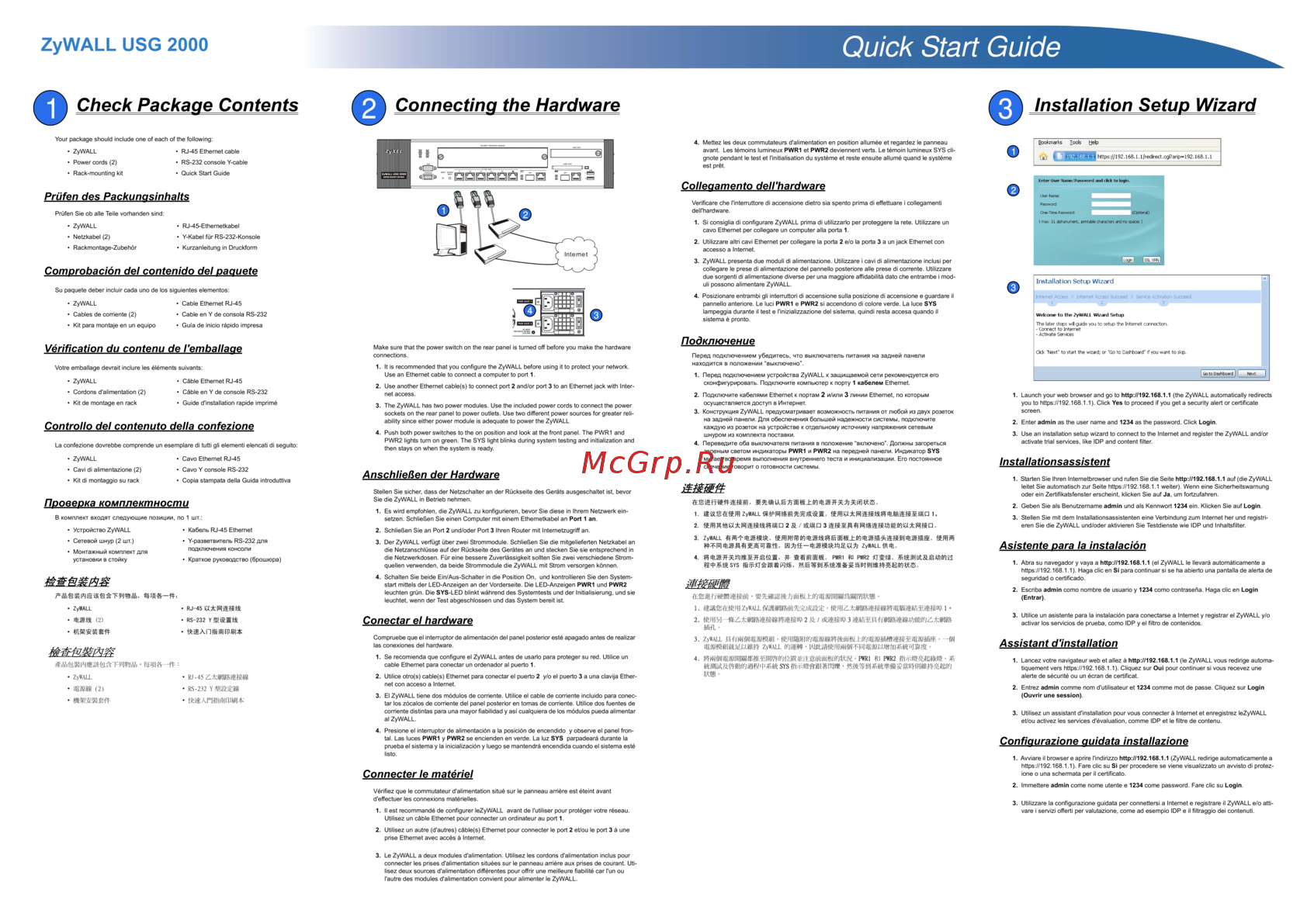 Zyxel ZyWALL USG 2000Рекомендации по настройке
 -
 Zyxel ZyWALL USG 2000Инструкция по установке
 -
 Zyxel ZyWALL USG 2000Справочник командного интерфейса
 -
 Zyxel ZyWALL USG 2000Инструкция по эксплуатации
 -
 Zyxel ZyWALL USG 1000Инструкция по установке
 -
Zyxel ZyWALL USG 1000Рекомендации по настройке
-
Zyxel ZyWALL USG 1000Справочник командного интерфейса
-
Zyxel ZyWALL USG 1000Инструкция по эксплуатации
-
Zyxel ZyWALL USG 300Рекомендации по настройке
-
Zyxel ZyWALL USG 300Справочник командного интерфейса
-
Zyxel ZyWALL USG 300Инструкция по установке
Узнайте, как настроить профиль фильтрации контента для контроля доступа к веб-сайтам и фильтрации контента. Следуйте простым шагам для активации и настройки.
