![Cme NeoSynth 24 — управление эффектами и выходами синтезатора: полное руководство [18/59]](/img/pdf.png)
Cme NeoSynth 24 — управление эффектами и выходами синтезатора: полное руководство [18/59]
![Cme NeoSynth 24 Руководство по эксплуатации онлайн [18/59] 760483](/views2/1992198/page18/bg12.png)
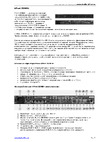
The left and right output of the synthesizer channels (16 at maximum) are fed into the dedicated synthe-
sizer effects section. Later on in this manual the effects are explained in the Synth FX section. After the
synth FX section you see two controls.
Synth audio post effects panning control
This control determines how much of the stereo signal from the synthesizer channels goes left and right.
You can see it as a main panning control for all synthesizer channels.
Synth audio post effects level control
This control gives control over the combined level of all 16 synthesizer channels coming out of the syn-
thesizer effects section. You an see it as a main output level control for the synthesizer audio paths.
Please be aware that you can control panning and level for each individual synthesizer channel in the
Synth Channels B screen!
Synth audio path switches
Here you see a block with two rows of 16 checkboxes. These boxes control if the audio coming out of the
synth effects section will go to the digital S/PDIF and auxiliary outputs or go to the Master and head-
phones outputs. The 16 boxes corresponds to the 16 MIDI channels of the synth. This way you can for in-
stance direct a drum section of GM channel 10 to the aux outputs while the rest of the channels go to the
main outputs.
The last control in this screen is the level control for the headphones output.
It’s your own brain that can come up with good use of these possibilities. It is for instance possible to
route one or more of the 16 synth channels to the auxiliary outputs so you can put this signal through a
dedicated outboard effect. For instance having a dedicated outboard delay on one or more tracks. Or a
compressor on the drumtrack (when you use a GM sound bank).
You can even use it as a send/return by routing something to the auxiliary outputs, put it through an ef-
fect and send that signal back into the NeoSynth using the line in inputs, make use of it’s dedicated effects
block and bleed it into the master out mix!
18
Содержание
- Neosynth p.1
- User manual p.1
- Special messages section p.2
- Fcc information u s a p.4
- The patch editor software 13 p.5
- The neosynth features 39 p.5
- Table of contents p.5
- Neosynth inputs and outputs 9 p.5
- Midi implementation of the neosynth 40 p.5
- Introduction 6 p.5
- Installing the neosynth expansion board into your cme keyboard 8 p.5
- General 12 p.5
- Terminology p.6
- Introduction p.6
- What s in the box p.6
- Installing the neosynth expansion board into your cmevx or uf keyboard p.8
- Installing the neosynth expansion board into your cme keyboard p.8
- Neosynth inputs and outputs p.9
- Connections p.9
- Usb midi driver p.12
- Sound bank upgrade p.12
- Leds behaviour p.12
- General p.12
- The patch editor software p.13
- Preference screen p.14
- Routing screen p.16
- Inputs fx screen p.19
- Synth fx screen p.23
- Synth channels a screen p.28
- Synth channels b screen p.29
- Synth channels c screen p.31
- Sound bank screen p.33
- The menu items of the patch editor p.35
- The neosynth features p.39
- Midi implementation of the neosynth p.40
- Inputs see paragraph 1 for details p.40
- General p.40
- Outputs settings see paragraph 1 3 for details p.41
- Nrpn 03756h input modules on off p.42
- Nrpn 03755h effects on off p.42
- Midi output on 4 outputs p.42
- Table 4 input equalizer p.44
- Table 3 input volume and pan p.44
- Table 5 input delay p.47
- Delay presets p.48
- Table 6 midi equalizer p.49
- Table 7 midi spatializer p.50
- 4 midi spatializer p.50
- Detailed midi implementation p.51
- Control messages overview p.57
Похожие устройства
-
 AUDIENT EVO 4Руководство по настройке
 -
 AUDIENT iD4 mkIIРуководство по эксплуатации
 -
 Maono E2 Gen2Инструкция пользователя
 -
 Madboy REMIX-31Инструкция по применению
 -
 AUDIENT iD14Руководство по настройке
 -
 JBL CHARGE 5Руководство по работе с устройством
 -
 EUROSOUND Crisp-16XРуководство по использованию
 -
 ALLEN & HEATH XONE:K2Руководство по работе с устройством
 -
 Novation LAUNCHKEY 61Руководство по настройке
 -
 SUPERLUX E431UРуководство по настройке
 -
 APart MICPAT-4Инструкция по работе
 -
 Mooer STEEP IIРуководство пользователя
Изучите управление эффектами и выходами синтезатора. Узнайте, как настраивать панорамирование, уровень и маршрутизацию аудио для оптимального звучания.