![Moxa ioLogik E1210 [6/115] Inside the box](/img/pdf.png)
Moxa ioLogik E1210 [6/115] Inside the box
Превью страниц
Страница 6 /
115
![Moxa ioLogik E1212-T [6/115] Inside the box](/views2/1201059/page6/bg6.png)
ioLogik E1200 Series Introduction
1-2
Product Features
• Active communication with patented MX-AOPC UA Server
• 2-port Ethernet switch for daisy-chain topologies
• Easy mass deployment and configuration with ioSearch™utility
• User-friendly configuration via web browser
• Save time and wiring costs with peer-to-peer communication
• User-defined Modbus/TCP addressing
• Simplify I/O management with MXIO library on either Windows or Linux platform
• Wide operating temperature: -40 to 75°C (-40 to 167°F)
• Supports SNMPv1/v2c
• UL/cUL Class I Division 2, ATEX Zone 2 certification
Inside the Box
The ioLogik E1200 is shipped with the following items:
• ioLogik E1200 remote Ethernet I/O server
• Quick installation guide (printed)
NOTE
Notify your sales representative if any of the above items are missing or damaged.
Product Model Information
Model Description
ioLogik E1210 Remote Ethernet I/O with 2-port Ethernet switch and 16 DIs
ioLogik E1211 Remote Ethernet I/O with 2-port Ethernet switch and 16 DOs
ioLogik E1212 Remote Ethernet I/O with 2-port Ethernet switch, 8 DIs, and 8 DIOs
ioLogik E1213 Remote Ethernet I/O with 2-port Ethernet switch, 8 DIs, 4 DOs, and 4 DIOs (source type)
ioLogik E1214 Remote Ethernet I/O with 2-port Ethernet switch, 6 DIs, and 6 relays
ioLogik E1240 Remote Ethernet I/O with 2-port Ethernet switch and 8 AIs
ioLogik E1241 Remote Ethernet I/O with 2-port Ethernet switch and 4 AOs
ioLogik E1242 Remote Ethernet I/O with 2-port Ethernet switch and 4 AIs, 4DIs, and 4DIOs
ioLogik E1260 Remote Ethernet I/O with 2-port Ethernet switch and 6 RTDs
ioLogik E1262 Remote Ethernet I/O with 2-port Ethernet switch and 8 TCs
ioLogik E1210-T
Ethernet remote I/O with 2-port Ethernet switch and 16 DIs, -40 to 75°C operating
temperature
ioLogik E1211-T
Ethernet remote I/O with 2-port Ethernet switch and 16 DOs, -40 to 75°C operating
temperature
ioLogik E1212-T
Ethernet remote I/O with 2-port Ethernet switch, 8 DIs, and 8 DIOs, -40 to 75°C
operating temperature
ioLogik E1213-T
Remote Ethernet I/O with 2 Port Ethernet switch, 8 DIs, 4 DOs, and 4 DIOs (source
type), -40 to 75°C operating temperature
ioLogik E1214-T
Ethernet remote I/O with 2-port Ethernet switch, 6 DIs, and 6 Relays, -40 to 75°C
operating temperature
ioLogik E1240-T
Ethernet remote I/O with 2-port Ethernet switch and 8 AIs, -40 to 75°C operating
temperature
ioLogik E1241-T
Ethernet remote I/O with 2-port Ethernet switch and 4 AOs , -40 to 75°C operating
temperature
ioLogik E1242-T
Ethernet remote I/O with 2-port Ethernet switch, 4 AIs, 4 DIs, and 4 DIOs, -
40 to 75°C
operating temperature
ioLogik E1260-T
Ethernet remote I/O with 2-port Ethernet switch and 6 RTDs, -40 to 75°C operating
temperature
ioLogik E1262-T
Ethernet remote I/O with 2-port Ethernet switch and 8 TCs, -40 to 75°C operating
temperature
Содержание
319- Iologik e1200 series user s manual
- Edition 12 november 2016
- Www moxa com product
- Iologik e1200 series user s manual
- Copyright notice
- Www moxa com support
- Trademarks
- Technical support contact information
- Disclaimer
- Table of contents
- Introduction
- Product model information
- Product features
- Iologik e1200 series introduction
- Inside the box
- Iologik e1200 series introduction
- Standards and certifications
- Product specifications
- Physical characteristics
- Environmental limits
- Common specifications
- Warranty
- Inputs and outputs
- Digital output
- Digital input
- Power requirements
- Mtbf mean time between failures
- Iologik e1211
- Iologik e1210
- Iologik e1200 series introduction
- Iologik e1212
- Mtbf mean time between failures
- Iologik e1200 series introduction
- Inputs and outputs
- Digital output
- Digital input
- Power requirements
- Iologik e1213
- Digital input
- Power requirements
- Mtbf mean time between failures
- Iologik e1200 series introduction
- Inputs and outputs
- Digital output
- Iologik e1214
- Power requirements
- Mtbf mean time between failures
- Iologik e1200 series introduction
- Inputs and outputs
- Digital input
- Iologik e1240
- Analog input
- Inputs and outputs
- Analog output
- Power requirements
- Mtbf mean time between failures
- Iologik e1241
- Iologik e1200 series introduction
- Digital input
- Power requirements
- Mtbf mean time between failures
- Iologik e1242
- Iologik e1200 series introduction
- Inputs and outputs
- Digital output
- Analog input
- Iologik e1200 series introduction
- Inputs and outputs
- Power requirements
- Mtbf mean time between failures
- Iologik e1260
- Thermocouple
- Power requirements
- Mtbf mean time between failures
- Iologik e1262
- Iologik e1200 series introduction
- Inputs and outputs
- Physical dimensions
- Iologik e1200 series introduction
- Ethernet port
- Panel guide
- Led indicators
- Iologik e1200 series introduction
- Hardware reference
- Sinking do circuit
- Iologik e1200 series introduction
- I o circuit diagram
- Di circuit
- Sourcing do circuit
- Iologik e1200 series introduction
- Iologik e1200 series introduction
- Dio circuit
- Rtd circuit
- Relay circuit
- Iologik e1200 series introduction
- Ai circuit
- Tc circuit
- Iologik e1200 series introduction
- Initial setup
- Attention
- Iologik e1200 series initial setup
- Hardware installation
- Grounding the iologik e1200
- Din rail wall mounting
- Connecting the power
- Jumper settings dio and ai
- Iologik e1200 series initial setup
- Connecting to the network
- Iologik e1200 series initial setup
- Ext power configuration settings iologik e1213 only
- Dio mode configuration settings
- Ai mode configuration settings
- Iologik e1200 series initial setup
- I o wiring diagrams
- Attention
- Iologik e1200 series initial setup
- Load factory default settings
- Iosearch installation
- Iologik e1200 series initial setup
- Using the web console
- Iologik e1200 series using the web console
- Introduction to the web console
- Overview
- Iologik e1200 series using the web console
- Network settings for the web console
- Iologik e1200 series using the web console
- General settings
- Ethernet configuration
- User defined modbus addressing
- Iologik e1200 series using the web console
- Default modbus address
- Attention
- Tag generation
- Iologik e1200 series using the web console
- Aopc server settings
- Iologik e1200 series using the web console
- Iologik e1200 series using the web console
- I o settings
- Di channels
- Iologik e1200 series using the web console
- Iologik e1200 series using the web console
- Do channels
- Iologik e1200 series using the web console
- Ai channels
- Iologik e1200 series using the web console
- Ai input range
- Iologik e1200 series using the web console
- Attention
- Iologik e1200 series using the web console
- Ao channels
- Rtd channels
- Iologik e1200 series using the web console
- Iologik e1200 series using the web console
- Tc channels
- Iologik e1200 series using the web console
- Peer to peer settings 1 50
- Peer to peer networking
- Iologik e1200 series using the web console
- Server settings
- Sample peer to peer configuration
- Iologik e1200 series using the web console
- Client settings
- Do safe mode settings
- Ao safe mode settings
- Standard trap
- Snmp trap
- Iologik e1200 series using the web console
- Using snmp
- Snmp trap settings
- Snmp trap server
- Snmp agent
- Private trap
- Iologik e1200 series using the web console
- Specific id
- Snmp trap
- Iologik e1200 series using the web console
- Digital output pulse output trap settings
- Digital input counter trap settings
- Iologik e1200 series using the web console
- Analog input trap settings
- Tc input trap settings
- Rtd input trap settings
- Iologik e1200 series using the web console
- Iologik e1200 series using the web console
- Accessibility ip list
- Restful api setting
- Iologik e1200 series using the web console
- Ethernet ip setting
- System management
- Network connection
- Iologik e1200 series using the web console
- Import system configuration settings
- Firmware update
- Export system settings
- Change password
- Attention
- Load factory defaults
- Iologik e1200 series using the web console
- Save restart
- Iologik e1200 series using the web console
- Using iosearch
- Main screen overview
- Iosearch main screen
- Iologik e1200 series using iosearch
- Introduction to iosearch
- System
- Iosearch setup
- Iologik e1200 series using iosearch
- Quick links
- Main function
- Iologik e1200 series using iosearch
- Attention
- Unlock
- Locate
- Iologik e1200 series using iosearch
- Firmware upgrade
- Batch upgrades on multiple devices of the same model
- Iologik e1200 series using iosearch
- Import
- Export
- Iologik e1200 series using iosearch
- Change ip address
- Batch tcp ip configuration on multiple devices
- Iologik e1200 series using iosearch
- Change server name
- Activate ethernet ip
- Restart system
- Iologik e1200 series using iosearch
- Reset to default
- Mass deployment import
- Mass deployment export
- Iologik e1200 series using iosearch
- Activation process for the ethernet ip function
- Iologik e1200 series activation process for the ethernet ip function
- Iologik e1200 series activation process for the ethernet ip function
- Iologik e1200 series activation process for the ethernet ip function
- Iologik e1200 series activation process for the ethernet ip function
- How to connect the iologik e1200 to an allen bradley plc
- Iologik e1200 series how to connect the iologik e1200 to an allen bradley plc
- Eds installation of the iologik e1200 series in rockwell software rslogix 5000
- Iologik e1200 series how to connect the iologik e1200 to an allen bradley plc
- Iologik e1200 series how to connect the iologik e1200 to an allen bradley plc
- Iologik e1200 series how to connect the iologik e1200 to an allen bradley plc
- Establishing communication between the iologik e1200 device and the allen bradley plc
- Iologik e1200 series how to connect the iologik e1200 to an allen bradley plc
- Iologik e1200 series how to connect the iologik e1200 to an allen bradley plc
- Iologik e1200 series how to connect the iologik e1200 to an allen bradley plc
- Iologik e1200 series how to connect the iologik e1200 to an allen bradley plc
- Iologik e1200 series how to connect the iologik e1200 to an allen bradley plc
- Iologik e1200 series how to connect the iologik e1200 to an allen bradley plc
- Modbus tcp default address mappings
- System
- Iologik e1210 modbus address and register map
- Iologik e1200 series modbus tcp default address mappings
- Iologik e1211 modbus address and register map
- Iologik e1200 series modbus tcp default address mappings
- System
- Iologik e1200 series modbus tcp default address mappings
- Iologik e1212 modbus address and register map
- Iologik e1200 series modbus tcp default address mappings
- System
- Iologik e1200 series modbus tcp default address mappings
- Iologik e1213 modbus address and register map
- Iologik e1200 series modbus tcp default address mappings
- System
- Iologik e1200 series modbus tcp default address mappings
- Iologik e1214 modbus address and register map
- Iologik e1200 series modbus tcp default address mappings
- System
- Iologik e1200 series modbus tcp default address mappings
- System
- Iologik e1240 modbus address and register map
- Iologik e1200 series modbus tcp default address mappings
- Iologik e1241 modbus address and register map
- Iologik e1200 series modbus tcp default address mappings
- Iologik e1200 series modbus tcp default address mappings
- System
- Iologik e1242 modbus address and register map
- Iologik e1200 series modbus tcp default address mappings
- System
- Iologik e1200 series modbus tcp default address mappings
- Iologik e1260 modbus address and register map
- Iologik e1200 series modbus tcp default address mappings
- System
- Iologik e1200 series modbus tcp default address mappings
- Iologik e1262 modbus address and register map
- Iologik e1200 series modbus tcp default address mappings
- System
- Iologik e1200 series modbus tcp default address mappings
- Input data map by models
- Ethernet ip default address mappings
- Assembly object 0x04
- Supported service
- Iologik e1200 ethernet ip map
- Output data map by models
- Iologik e1200 series ethernet ip default address mappings
- Di channel object 0x65
- Relay channel object 0x6a
- Iologik e1200 series ethernet ip default address mappings
- Do channel object 0x67
- Ai channel object 0x6b
- Tc channel object 0x6e
- Rtd channel object 0x6d
- Iologik e1200 series ethernet ip default address mappings
- Ao channel object 0x6c
- Restful api default address mappings
- Iologik e1200 restful api map
- Api list
- Supported methods
- Iologik e1200 series restful api default address mappings
- Response code
- Iologik e1200 series restful api default address mappings
- Network port numbers
- Iologik e1200 network port usage
- Factory default settings
- Pinouts
- Pin assignment of terminal blocks
- Federal communication commission warning
- Fcc interference statement
Похожие устройства
-
 Moxa ioLogik W5340-TБрошюра
 -
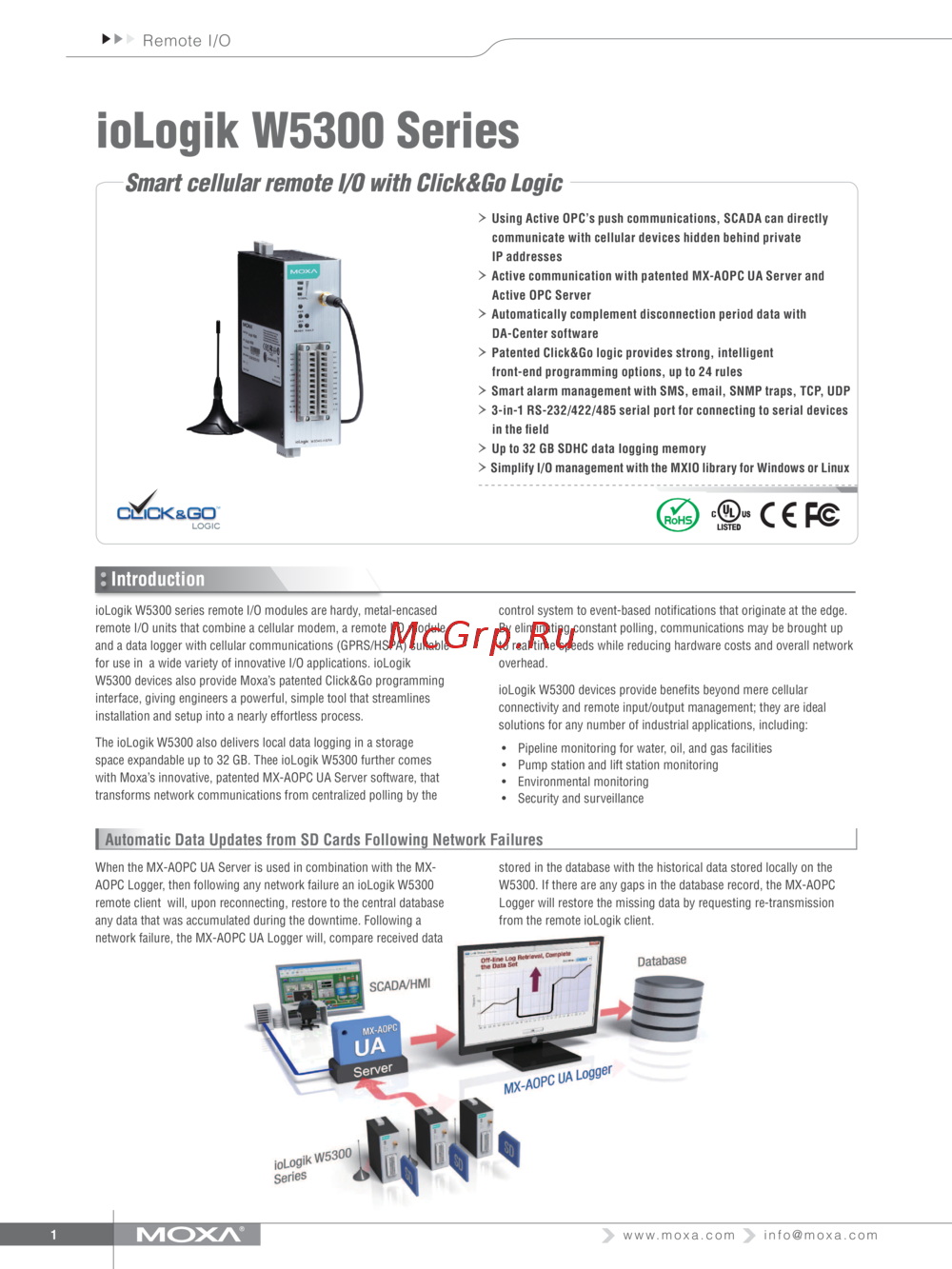 Moxa ioLogik W5340-TТехнические характеристики
 -
 Moxa ioLogik W5340-TИнструкция по эксплуатации
 -
Moxa ioLogik W5340Брошюра
-
Moxa ioLogik W5340Технические характеристики
-
Moxa ioLogik W5340Инструкция по эксплуатации
-
Moxa ioLogik W5312-TБрошюра
-
Moxa ioLogik W5312-TТехнические характеристики
-
Moxa ioLogik W5312-TИнструкция по эксплуатации
-
Moxa ioLogik W5312Брошюра
-
Moxa ioLogik W5312Технические характеристики
-
Moxa ioLogik W5312Инструкция по эксплуатации