![Moxa ioLogik E1210 — обзор и характеристики серии промышленных I/O устройств [7/115]](/img/pdf.png)
Moxa ioLogik E1210 — обзор и характеристики серии промышленных I/O устройств [7/115]
Превью страниц
Страница 7 /
115
![Moxa ioLogik E1212-T [7/115] Standards and certifications](/views2/1201059/page7/bg7.png)
ioLogik E1200 Series Introduction
1-3
Product Specifications
Common Specifications
LAN
Ethernet:
2 switched 10/100 Mbps RJ45 ports
Protection:
1.5 kV magnetic isolation
Protocols:
Modbus/TCP (Slave), EtherNet/IP*, SNMPv1/v2c, RESTful API, TCP/IP, UDP, DHCP, BOOTP, HTTP
*Requires online registration at
http://www.moxa.com/Event/DAC/2016/Smart_EIP_IO/index.htm
(available
free of charge)
Physical Characteristics
Wiring:
I/O cable max. 14 AWG
Dimensions:
27.8 x 124 x 84 mm (1.09 x 4.88 x 3.31 in)
Weight:
Under 200 g (0.44 lb)
Mounting:
DIN rail or wall
Environmental Limits
Operating Temperature:
Standard Models:
-10 to 60°C (14 to 140°F)
Wide Temp. Models:
-40 to 75°C (-40 to 167°F)
Storage Temperature:
-40 to 85°C (-40 to 185°F)
Ambient Relative Humidity:
5 to 95% (non-condensing)
Shock:
IEC 60068-2-27
Vibration:
IEC 60068-2-6
Altitude:
Up to 2000 m
Note: Please contact Moxa if you require products guaranteed to function properly at higher altitudes.
Standards and Certifications
Safety:
UL 508
EMC:
EN 55022, EN 55024, EN 61000-3-2/3-3, EN 61000-6-2/6-4
EMI:
CISPR 22, FCC Part 15B Class A
EMS:
IEC 61000
-4-2 ESD: Contact: 4 kV; Air: 8 kV
IEC 61000
-4-3 RS: 80 MHz to 1 GHz: 3 V/m
IEC 61000
-4-4 EFT: Power: 2 kV; Signal: 1 kV
IEC 61000
-4-5 Surge: Power: 2 kV; Signal: 1 kV
IEC 61000
-4-6 CS: 10 V
IEC 61000
-4-8
Hazardous Location:
Class 1 Division 2, ATEX Zone 2
Green Product:
RoHS, CRoHS, WEEE
Note: Please check Moxa’s website for the most up
-to-date certification status.
Warranty
Warranty Period:
5 years (excluding the ioLogik E1214)
Details:
See www.moxa.com/warranty
Note: Because of the limited lifetime of power
relays, products that use this component are covered by a 2-
year
warranty.
Содержание
319- Iologik e1200 series user s manual
- Edition 12 november 2016
- Www moxa com product
- Iologik e1200 series user s manual
- Copyright notice
- Www moxa com support
- Trademarks
- Technical support contact information
- Disclaimer
- Table of contents
- Introduction
- Product model information
- Product features
- Iologik e1200 series introduction
- Inside the box
- Iologik e1200 series introduction
- Standards and certifications
- Product specifications
- Physical characteristics
- Environmental limits
- Common specifications
- Warranty
- Inputs and outputs
- Digital output
- Digital input
- Power requirements
- Mtbf mean time between failures
- Iologik e1211
- Iologik e1210
- Iologik e1200 series introduction
- Iologik e1212
- Mtbf mean time between failures
- Iologik e1200 series introduction
- Inputs and outputs
- Digital output
- Digital input
- Power requirements
- Iologik e1213
- Digital input
- Power requirements
- Mtbf mean time between failures
- Iologik e1200 series introduction
- Inputs and outputs
- Digital output
- Iologik e1214
- Power requirements
- Mtbf mean time between failures
- Iologik e1200 series introduction
- Inputs and outputs
- Digital input
- Iologik e1240
- Analog input
- Inputs and outputs
- Analog output
- Power requirements
- Mtbf mean time between failures
- Iologik e1241
- Iologik e1200 series introduction
- Digital input
- Power requirements
- Mtbf mean time between failures
- Iologik e1242
- Iologik e1200 series introduction
- Inputs and outputs
- Digital output
- Analog input
- Iologik e1200 series introduction
- Inputs and outputs
- Power requirements
- Mtbf mean time between failures
- Iologik e1260
- Thermocouple
- Power requirements
- Mtbf mean time between failures
- Iologik e1262
- Iologik e1200 series introduction
- Inputs and outputs
- Physical dimensions
- Iologik e1200 series introduction
- Ethernet port
- Panel guide
- Led indicators
- Iologik e1200 series introduction
- Hardware reference
- Sinking do circuit
- Iologik e1200 series introduction
- I o circuit diagram
- Di circuit
- Sourcing do circuit
- Iologik e1200 series introduction
- Iologik e1200 series introduction
- Dio circuit
- Rtd circuit
- Relay circuit
- Iologik e1200 series introduction
- Ai circuit
- Tc circuit
- Iologik e1200 series introduction
- Initial setup
- Attention
- Iologik e1200 series initial setup
- Hardware installation
- Grounding the iologik e1200
- Din rail wall mounting
- Connecting the power
- Jumper settings dio and ai
- Iologik e1200 series initial setup
- Connecting to the network
- Iologik e1200 series initial setup
- Ext power configuration settings iologik e1213 only
- Dio mode configuration settings
- Ai mode configuration settings
- Iologik e1200 series initial setup
- I o wiring diagrams
- Attention
- Iologik e1200 series initial setup
- Load factory default settings
- Iosearch installation
- Iologik e1200 series initial setup
- Using the web console
- Iologik e1200 series using the web console
- Introduction to the web console
- Overview
- Iologik e1200 series using the web console
- Network settings for the web console
- Iologik e1200 series using the web console
- General settings
- Ethernet configuration
- User defined modbus addressing
- Iologik e1200 series using the web console
- Default modbus address
- Attention
- Tag generation
- Iologik e1200 series using the web console
- Aopc server settings
- Iologik e1200 series using the web console
- Iologik e1200 series using the web console
- I o settings
- Di channels
- Iologik e1200 series using the web console
- Iologik e1200 series using the web console
- Do channels
- Iologik e1200 series using the web console
- Ai channels
- Iologik e1200 series using the web console
- Ai input range
- Iologik e1200 series using the web console
- Attention
- Iologik e1200 series using the web console
- Ao channels
- Rtd channels
- Iologik e1200 series using the web console
- Iologik e1200 series using the web console
- Tc channels
- Iologik e1200 series using the web console
- Peer to peer settings 1 50
- Peer to peer networking
- Iologik e1200 series using the web console
- Server settings
- Sample peer to peer configuration
- Iologik e1200 series using the web console
- Client settings
- Do safe mode settings
- Ao safe mode settings
- Standard trap
- Snmp trap
- Iologik e1200 series using the web console
- Using snmp
- Snmp trap settings
- Snmp trap server
- Snmp agent
- Private trap
- Iologik e1200 series using the web console
- Specific id
- Snmp trap
- Iologik e1200 series using the web console
- Digital output pulse output trap settings
- Digital input counter trap settings
- Iologik e1200 series using the web console
- Analog input trap settings
- Tc input trap settings
- Rtd input trap settings
- Iologik e1200 series using the web console
- Iologik e1200 series using the web console
- Accessibility ip list
- Restful api setting
- Iologik e1200 series using the web console
- Ethernet ip setting
- System management
- Network connection
- Iologik e1200 series using the web console
- Import system configuration settings
- Firmware update
- Export system settings
- Change password
- Attention
- Load factory defaults
- Iologik e1200 series using the web console
- Save restart
- Iologik e1200 series using the web console
- Using iosearch
- Main screen overview
- Iosearch main screen
- Iologik e1200 series using iosearch
- Introduction to iosearch
- System
- Iosearch setup
- Iologik e1200 series using iosearch
- Quick links
- Main function
- Iologik e1200 series using iosearch
- Attention
- Unlock
- Locate
- Iologik e1200 series using iosearch
- Firmware upgrade
- Batch upgrades on multiple devices of the same model
- Iologik e1200 series using iosearch
- Import
- Export
- Iologik e1200 series using iosearch
- Change ip address
- Batch tcp ip configuration on multiple devices
- Iologik e1200 series using iosearch
- Change server name
- Activate ethernet ip
- Restart system
- Iologik e1200 series using iosearch
- Reset to default
- Mass deployment import
- Mass deployment export
- Iologik e1200 series using iosearch
- Activation process for the ethernet ip function
- Iologik e1200 series activation process for the ethernet ip function
- Iologik e1200 series activation process for the ethernet ip function
- Iologik e1200 series activation process for the ethernet ip function
- Iologik e1200 series activation process for the ethernet ip function
- How to connect the iologik e1200 to an allen bradley plc
- Iologik e1200 series how to connect the iologik e1200 to an allen bradley plc
- Eds installation of the iologik e1200 series in rockwell software rslogix 5000
- Iologik e1200 series how to connect the iologik e1200 to an allen bradley plc
- Iologik e1200 series how to connect the iologik e1200 to an allen bradley plc
- Iologik e1200 series how to connect the iologik e1200 to an allen bradley plc
- Establishing communication between the iologik e1200 device and the allen bradley plc
- Iologik e1200 series how to connect the iologik e1200 to an allen bradley plc
- Iologik e1200 series how to connect the iologik e1200 to an allen bradley plc
- Iologik e1200 series how to connect the iologik e1200 to an allen bradley plc
- Iologik e1200 series how to connect the iologik e1200 to an allen bradley plc
- Iologik e1200 series how to connect the iologik e1200 to an allen bradley plc
- Iologik e1200 series how to connect the iologik e1200 to an allen bradley plc
- Modbus tcp default address mappings
- System
- Iologik e1210 modbus address and register map
- Iologik e1200 series modbus tcp default address mappings
- Iologik e1211 modbus address and register map
- Iologik e1200 series modbus tcp default address mappings
- System
- Iologik e1200 series modbus tcp default address mappings
- Iologik e1212 modbus address and register map
- Iologik e1200 series modbus tcp default address mappings
- System
- Iologik e1200 series modbus tcp default address mappings
- Iologik e1213 modbus address and register map
- Iologik e1200 series modbus tcp default address mappings
- System
- Iologik e1200 series modbus tcp default address mappings
- Iologik e1214 modbus address and register map
- Iologik e1200 series modbus tcp default address mappings
- System
- Iologik e1200 series modbus tcp default address mappings
- System
- Iologik e1240 modbus address and register map
- Iologik e1200 series modbus tcp default address mappings
- Iologik e1241 modbus address and register map
- Iologik e1200 series modbus tcp default address mappings
- Iologik e1200 series modbus tcp default address mappings
- System
- Iologik e1242 modbus address and register map
- Iologik e1200 series modbus tcp default address mappings
- System
- Iologik e1200 series modbus tcp default address mappings
- Iologik e1260 modbus address and register map
- Iologik e1200 series modbus tcp default address mappings
- System
- Iologik e1200 series modbus tcp default address mappings
- Iologik e1262 modbus address and register map
- Iologik e1200 series modbus tcp default address mappings
- System
- Iologik e1200 series modbus tcp default address mappings
- Input data map by models
- Ethernet ip default address mappings
- Assembly object 0x04
- Supported service
- Iologik e1200 ethernet ip map
- Output data map by models
- Iologik e1200 series ethernet ip default address mappings
- Di channel object 0x65
- Relay channel object 0x6a
- Iologik e1200 series ethernet ip default address mappings
- Do channel object 0x67
- Ai channel object 0x6b
- Tc channel object 0x6e
- Rtd channel object 0x6d
- Iologik e1200 series ethernet ip default address mappings
- Ao channel object 0x6c
- Restful api default address mappings
- Iologik e1200 restful api map
- Api list
- Supported methods
- Iologik e1200 series restful api default address mappings
- Response code
- Iologik e1200 series restful api default address mappings
- Network port numbers
- Iologik e1200 network port usage
- Factory default settings
- Pinouts
- Pin assignment of terminal blocks
- Federal communication commission warning
- Fcc interference statement
Похожие устройства
-
 Moxa ioLogik W5340-TБрошюра
 -
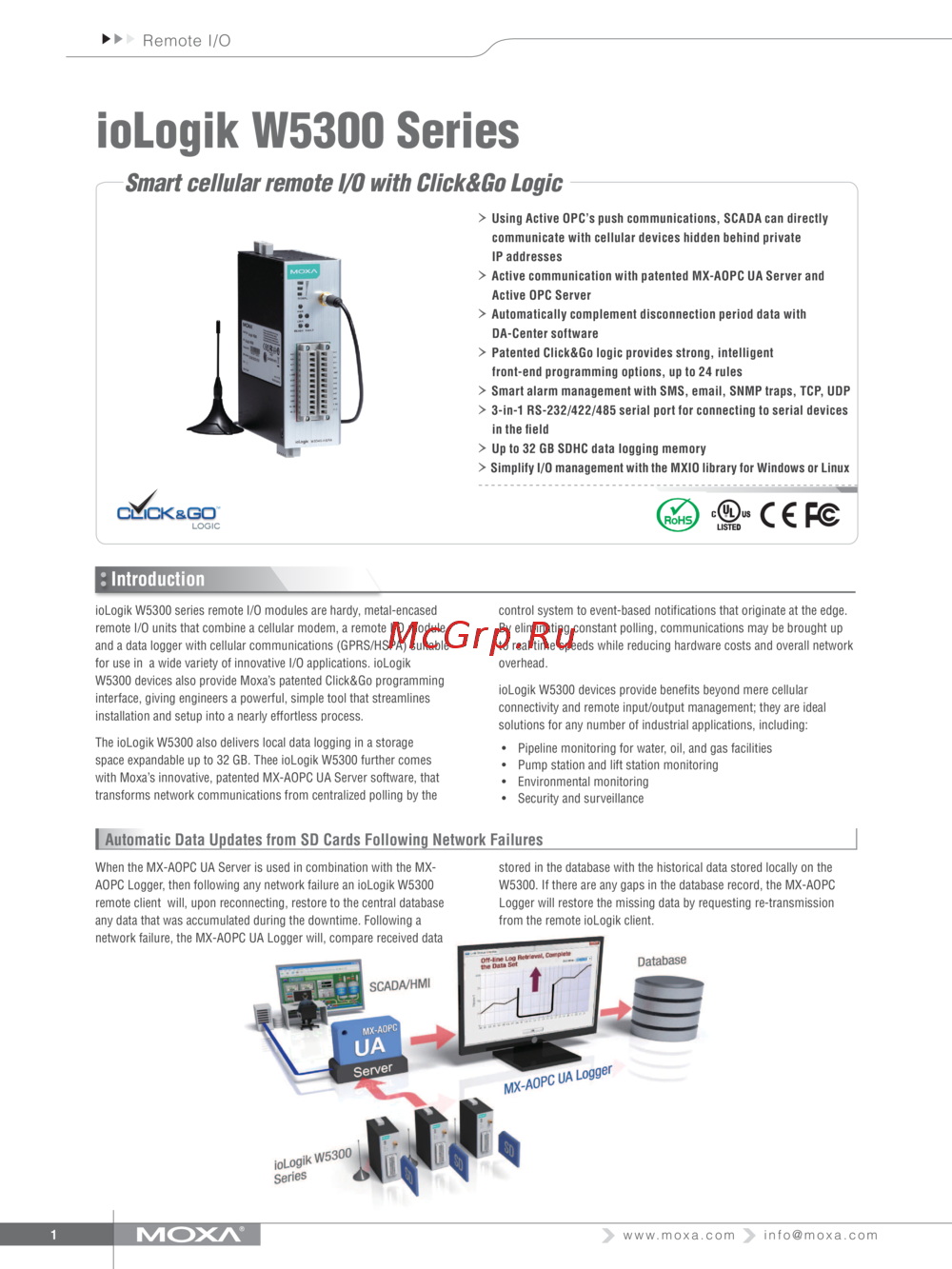 Moxa ioLogik W5340-TТехнические характеристики
 -
 Moxa ioLogik W5340-TИнструкция по эксплуатации
 -
Moxa ioLogik W5340Брошюра
-
Moxa ioLogik W5340Технические характеристики
-
Moxa ioLogik W5340Инструкция по эксплуатации
-
Moxa ioLogik W5312-TБрошюра
-
Moxa ioLogik W5312-TТехнические характеристики
-
Moxa ioLogik W5312-TИнструкция по эксплуатации
-
Moxa ioLogik W5312Брошюра
-
Moxa ioLogik W5312Технические характеристики
-
Moxa ioLogik W5312Инструкция по эксплуатации
Изучите ключевые характеристики и спецификации промышленных I/O устройств, включая поддержку различных протоколов и условия эксплуатации.